Package Name:com.SnapSolve.h811
SHA-256:0aefa52963b9a4e7aeddf07a02716af4096fd45a6ed08fb13c0b1930bdbc1115
Show More
📷 RawShift — RAW Photo Converter
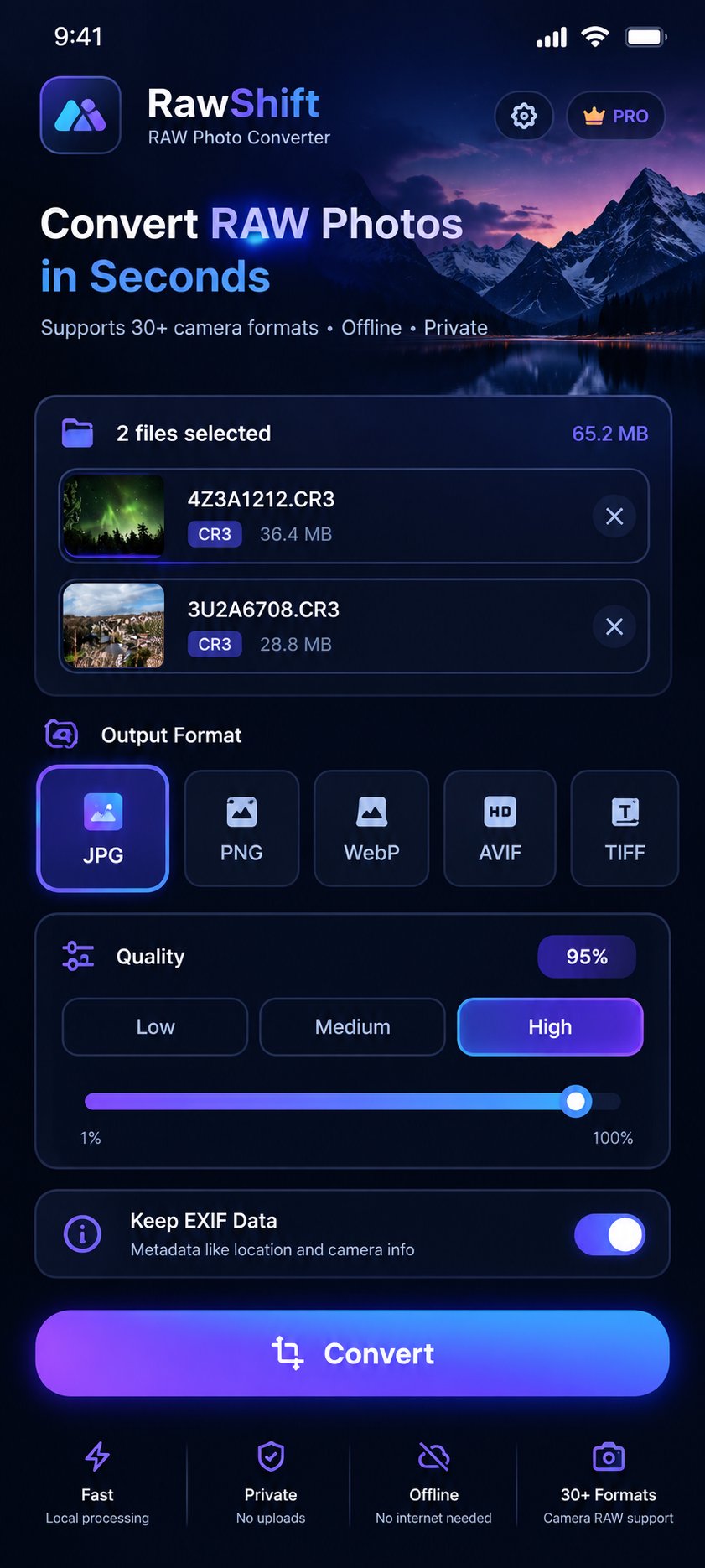
Easily convert RAW photos directly on your phone without an internet connection. RawShift supports more than 30 RAW formats from major camera brands, with batch conversion and customizable output quality.
🎯 A Complete RAW Converter
Whether you are a professional photographer or a photography enthusiast, RawShift lets you convert RAW photos into popular formats for sharing, storage, or everyday use — directly on your device.
📁 Supported RAW Formats
🔴 Canon: CR2, CR3, CRW
🔴 Nikon: NEF, NRW
🔴 Sony: ARW, SR2, SRF
🔴 Fujifilm: RAF
🔴 Olympus: ORF
🔴 Panasonic: RW2
🔴 Pentax: PEF, PTX
🔴 Samsung: SRW
🔴 Adobe: DNG
🔴 Kodak: DCR, KDC, K25
🔴 Sigma: X3F
🔴 Medium Format: 3FR, FFF, IIQ
🔴 Leica: RWL
🔴 Epson: ERF
🖼️ Supported Standard Image Formats
JPG • PNG • WebP • HEIC/HEIF • BMP • GIF • TIFF • AVIF • ICO
📤 Output Formats
JPG • PNG • WebP • AVIF • TIFF • ICO • PDF
⚡ Key Features
✅ Batch Conversion — Convert dozens of photos at once.
✅ Customizable Quality — Choose the output quality that suits your needs.
✅ PDF Conversion — Combine multiple photos into one PDF or save each image as a separate PDF.
✅ Remove EXIF Data — Remove image metadata when needed.
✅ Automatic Saving — Find converted files immediately in your gallery and file manager.
✅ Custom Save Location — Choose where to save your converted files.
✅ Offline Processing — Process your photos directly on your device.
✅ Simple Interface — Convert images quickly without complicated steps.
🔒 Privacy First
Image processing takes place directly on your device.
Your photos are not uploaded to the cloud or sent to external servers.
Your files remain on your device during the conversion process.
📱 RawShift is designed for professional photographers, photography enthusiasts, and anyone who wants to convert RAW photos quickly and easily, with support for a wide range of camera and image formats.
Latest Version
1.0.0Uploaded by
Aekapong Muenkoom
Requires Android
Android 7.0+
Category
Free Productivity AppContent Rating
Everyone
Security Report
Check Now
Report
Flag as inappropriateLast updated on Nov 10, 2026
This release includes minor bug fixes and general improvements. Update to the latest version for the best experience.





APKPure - A multi-platform app store primarily focused on Android, providing extensive app-related content. Discover the app you want easier, faster, and safer, with quick and efficient downloads and installations.