

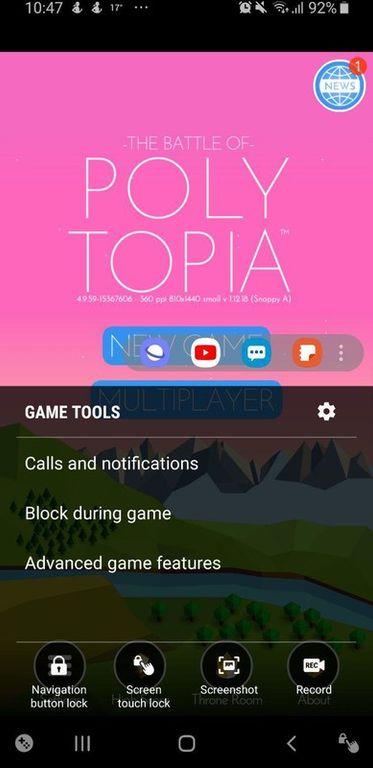
Samsung Game Booster helps when a title feels choppy, drains battery quickly, or shows uneven visuals. It centralizes tuning so you can set preferences for each game and review how adjustments affect play. Because needs differ on the go and at home, profiles let you favor smoothness or battery life as situations change. For installation and sharing, some users look for the Samsung Game Booster APK.
Per game profiles and Auto mode
Samsung Game Booster lets you set a profile for each title. You can adjust resolution, set a frame rate cap, and manage Frame Booster to balance heat and battery. Auto mode adapts performance by battery level or a preferred visual target, which helps during long sessions. You can turn off a profile at any time to return a game to defaults.
Advanced GPU options per title
When you need finer control, you get graphics options such as pre transform, texture filtering, and MSAA up to 4x. Try one change at a time, then play a demanding scene to verify smoothness. If stutter appears, reduce filtering or MSAA and retest. Some devices or games may not react to every setting.
Performance info and session statistics
Samsung Game Booster records performance information and play session data so you can compare profiles. After a few matches, review the figures to see if frame delivery improved or if battery drain dropped. This turns guesswork into clear decisions. Make small changes, play naturally, then confirm the result.
Controller remapping and non game app support
Beyond games, you can remap controller buttons and adjust D pad orientation to match your habits. Pair a compatible controller and test bindings in a safe area before competitive play. Select rendering heavy apps can also be added to the game category to receive similar GPU treatment. If an app shows no benefit, remove it or disable customization.
Set a profile for a favorite title, try Auto mode, and review session data after play. Use GPU controls only as needed, and confirm stability before saving changes. To begin, download Samsung Game Booster and tune one game at a time for clear, repeatable results.
Latest Version
8.0.02.35Uploaded by
Samsung Electronics Co., Ltd.
Requires Android
Available on
Samsung Electronics Co., Ltd.
Category
Free Tools AppReport
Flag as inappropriateLast updated on Dec 22, 2025
Minor bug fixes and improvements. Install or update to the newest version to check it out!


APKPure - A multi-platform app store primarily focused on Android, providing extensive app-related content. Discover the app you want easier, faster, and safer, with quick and efficient downloads and installations.