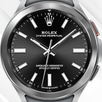
"The best unofficial ROLEX SUBMARINER BLACK watch face."
"ATTENTION! THIS UNOFFICIAL DIAL IS NOT A 100% COPY OF THE ORIGINAL WATCH! IT ALSO DOES NOT HAVE THE FUNCTIONS OF AN ORIGINAL ROLEX SUBMARINER WATCH. ALL IMAGES AND ELEMENTS ARE HANDMADE BY THE DEVELOPER. ONLY FOR PERSONAL USE FOR DEMONSTRATION PURPOSES!"
Quick Overview:
• True Classic Look
• Index & Hands Сolor Selection
• 4x Hidden Programmable Touch Zones
• AOD Mode Supported
• Step 1. If you are a Samsung watch user, install all the necessary applications and plugins for your watch model from Google Play - (Galaxy Wearable App + Galaxy Watch 4/5 Manager!)
• Step 2. To install the watch face, click the "Install" button on the Google Play page with the watch face and select your watch to install from the drop-down list. Don't forget to check that your watch and smartphone are paired via bluetooth!
• Step 3. Install the companion app on your smartphone. Do not forget! Smartphone and watch must be connected to each other via bluetooth! Click on any area in the companion application and look at your watch at that moment! The watch will display a message about the installation!
• Step 4. If for any reason, after clicking on any area in the companion, a message pops up on your watch with a re-request for payment! It's a google play bug! It goes away within 24 hours! Don't pay twice! Or you can try to install via PC/Laptop! By selecting your model in the drop-down list of devices to install!
• Step 5. A common problem for newbies. To find a successfully installed watch face, make a long tap on the screen of your watch! Then just find it in the watch catalog among the installed watch faces.
• Step 6. If for any reason nothing works out for you, please write to the mail utopiawatchfaces@gmail.com, if possible, I will help you install the watch face.
• Step 7. If you don’t like the dial, you can always return the money by sending me the payment GPA number (look for it in the mail after payment). But keep in mind that the watch face will be automatically deleted from your device!
OFFICIAL SAMSUNG INSTALLATION GUIDE FOR WEAROS WATCH FACES!
LINK: https://bit.ly/3M6FGtC
• Step 1. If you are a Samsung watch user, install all the necessary applications and plugins for your watch model from Google Play - (Galaxy Wearable App + Galaxy Watch 4/5 Manager!)
• Step 2. To install the watch face, click the "Install" button on the Google Play page with the watch face and select your watch to install from the drop-down list. Don't forget to check that your watch and smartphone are paired via bluetooth!
• Step 3. Install the companion app on your smartphone. Do not forget! Smartphone and watch must be connected to each other via bluetooth! Click on any area in the companion application and look at your watch at that moment! The watch will display a message about the installation!
• Step 4. If for any reason, after clicking on any area in the companion, a message pops up on your watch with a re-request for payment! It's a google play bug! It goes away within 24 hours! Don't pay twice! Or you can try to install via PC/Laptop! By selecting your model in the drop-down list of devices to install!
• Step 5. A common problem for newbies. To find a successfully installed watch face, make a long tap on the screen of your watch! Then just find it in the watch catalog among the installed watch faces.
• Step 6. If for any reason nothing works out for you, please write to the mail utopiawatchfaces@gmail.com, if possible, I will help you install the watch face.
• Step 7. If you don’t like the dial, you can always return the money by sending me the payment GPA number (look for it in the mail after payment). But keep in mind that the watch face will be automatically deleted from your device!
Contacts:
Telegram Channel: https://t.me/utopiawatchfaces
Facebook Group: https://www.facebook.com/groups/3172619526343044
Latest Version
Varies with deviceRequires Android
Category
Personalization AppContent Rating
Everyone
Report
Flag as inappropriateLast updated on Dec 20, 2022
Minor bug fixes and improvements. Install or update to the newest version to check it out!




APKPure - A multi-platform app store primarily focused on Android, providing extensive app-related content. Discover the app you want easier, faster, and safer, with quick and efficient downloads and installations.