RoboCrop is a simple photo editor, based on latest AI technologies.
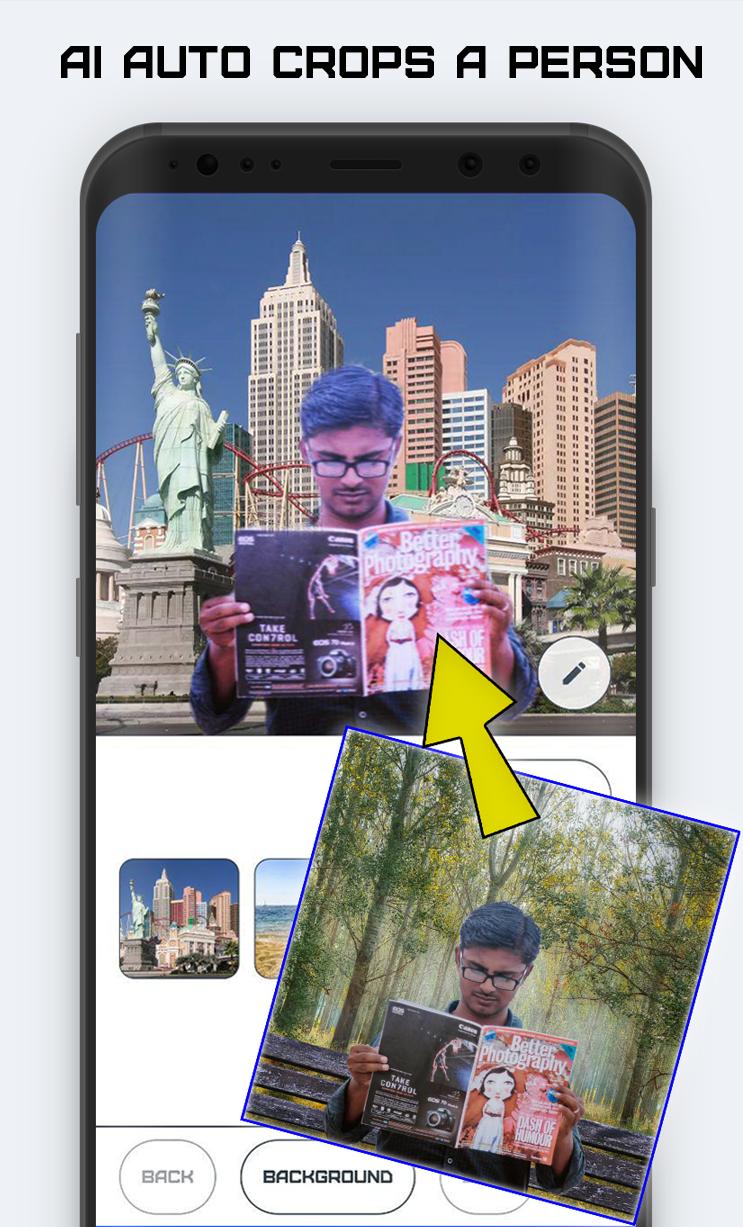
It allows you easy auto detect persons from photo or gallery and remove background.
The app is based on semantic image segmentation, which is the concept of finding objects and boundaries in images.
With RoboCrop you can try true power of artificial intelligence to everybody in everyday use for free!
Simply let AI detect persons and change or blur background.
AI Detection concept
The app's neural network is focusing mainly on humans, so it can work better in selfies and portraits.
If AI crop is not fine, or it cut off something extra, you can easily edit background mask.
You can change background to another or blur your current background to hide sensitive information or just to have some fun, like teleporting yourself or your friends to another location, like.. Mars!
After background removal
1. You can easily change background to one of build in the app
2. Choose background from your gallery
3. Choose simply color or background
4. Blur current background like latest portrait cameras.
Filters and effects
1. You can apply some standart filters to your photo.
2. We offer some overlay effects like sunrays or gradients to beautify final result or make changing backround more realistic!
Use app as a share target
In addition to using camera or gallery, you can send an image to RoboCrop from any app that handles images. Simply choose to share the selected image and use RoboCrop as the share target.
Privacy
RoboCrop uses local AI processing only, unlike most AI products. It works without using internet and never sends your images out of your device for cloud processing. After editing, you can choose to share the image, if you like. But even in this case the standard Android share functionality is used, and you stay fully in control. As a payment for working offline, the application takes up a lot of disk space.
Design
The app has simple user interface and allows you to work in both portrait and landscape modes.
RoboCrop key features:
1. Auto background erasing ✌
2. Change background.
3. Blur background.
4. Apply filters and effects.
5. Share or save result. 🌎
Warning: this app uses loads of memory (for both the neural network and the image manipulation algorithms) and it relies on multiple cutting edge technologies. It works mainly without major crashes, but if you face one, please keep calm, we will fix it!
We would love to hear your feedback. Simply contact us opiumfive@gmail.com
Latest Version
1.3.0Uploaded by
Daniel Garcia
Requires Android
Android 5.0+
Category
Free Photography AppContent Rating
Everyone
Report
Flag as inappropriateLast updated on Sep 24, 2019
Improved importing photos from gallery




APKPure - A multi-platform app store primarily focused on Android, providing extensive app-related content. Discover the app you want easier, faster, and safer, with quick and efficient downloads and installations.











