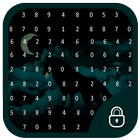
On User's demand we are introducing new and advanced method of securing your device. Picture Lock Screen allows you to lock your screen using combination of number and picture.
Features :
# Fully new concept to lock your lock in market.
# Totally free.
# Beautiful and intelligent Screen view.
# Easy to use.
How to use it? :
1. Select photo from gallery or choose it from our collection.
2. Select any number from 0 to 9 from dialog.
3. Set that number on specific spot of the picture.
4. Click continue button.
5. Repeat Step 3.
6. Click confirm button.
To Lock your screen tick the lock/unlock button on main screen.
Just try it and encourage us by giving stars.
Thanking you!!
Latest Version
1.1Uploaded by
Angel Gabriel
Requires Android
Android 2.2+
Category
Free Personalization AppContent Rating
Everyone
Report
Flag as inappropriateLast updated on Feb 19, 2017
This release includes minor bug fixes and general improvements. Update to the latest version for the best experience.



APKPure - A multi-platform app store primarily focused on Android, providing extensive app-related content. Discover the app you want easier, faster, and safer, with quick and efficient downloads and installations.