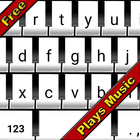
Have you always wanted your keyboard to be a musical instrument? Well, now it is! With Piano keyboard you will transform your keyboard into a piano for free.
FEATURES
- Play music while you type
- Piano themed keyboard appearance
- Create creative and inspirational music
To use this application, you need to install the Piano Keyboard.
Installation instructions:
1.Go to Settings > Language & input
2.Keyboard & input methods > Current Keyboard >
3. Choose Keyboards > Enable Piano Keyboard
4. Go back to the previous screen
5. Tap Current Keyboard
6. Tap Piano keyboard
There are no in-app purchases in the app, so with the single app purchase gives you access to each sound.
Latest Version
1.0.1Uploaded by
الملك راموس
Requires Android
Android 4.0+
Category
Free Personalization AppContent Rating
Everyone
Report
Flag as inappropriateLast updated on Sep 6, 2016
Minor bug fixes and improvements. Install or update to the newest version to check it out!




APKPure - A multi-platform app store primarily focused on Android, providing extensive app-related content. Discover the app you want easier, faster, and safer, with quick and efficient downloads and installations.