Package Name:ai.pencil.sketch.photo.pencilsketch
SHA-256:7194826954176a5e4a148eb497c071e247f6ccc759c0e9dbd243125242ed0dea
Show More
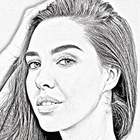
Ever wished you could create an amazing pencil sketch out of your photos? Well now you can
with our all-in-on image to drawing converter app. With the pencil drawing app, you can turn your
phone's camera into a sketch camera! The photo to sketch app makes drawing images easy by
effortlessly creating a unique pencil sketch from any of the photos on your mobile device. Easily
create artistic drawings, pictures and sketches out of any of your photos.
Using our advanced machine learning AI model, the photo to sketch app creates an exact pencil
sketch out of a given photo, complete to professional artistic standards. Now there’s no need to
try and sketch over photos with an actual pencil and paper, or have someone draw your portrait
for you, because the sketch photo maker will create an incredible fully-detailed photo sketch for
you in a fraction of the time that it would take for you to draw pictures on your own.
Impress your friends and family and create memories that will last a lifetime with incredible
pencil art, ready to be printed and framed or hung on a wall in your home.
You can also selectively modify your pencil art with our selection of custom art filters. Use color
filters and deep filters to add extra flare to your pencil art and save your masterpiece with the
sketch photo maker. Share your photos with friends and family or upload them to your preferred
cloud storage service for easy access from any device anywhere in the world.
In addition to the default drawing mode, there are several other options that you can use to refine
the kind of photo sketch you want, including a hard pencil sketch, which is best used for creating
drawings of a more technical nature (like maps, blueprints, documents or other schematics).
Traditionally, artists will use colored pencils for expression, but did you know that color usage is
important for copying drawings as well? When making copies of a drawing in a copy machine, for
example, blue pencil lines can sometimes not appear on the copy and essentially become
invisible! Red lines however appear black and are great for copying or printing and ensuring that
all of the rich detail of your pictures is retained. The red pencil sketch feature gives you easy
picture drawing in a shade of red that guarantees that it will print nicely and not lose any detail
when being put through a copier. This aside though, red pencil sketching is also very expressive,
so even if you don’t intend to print your cool pictures out, go wild with color!
Pencil Sketch Feature Breakdown & Summary:
✔ Easy picture drawing with advanced pencil sketch capability
✔ Turns your phones camera into a sketch camera
✔ Creates professional pencil art with the sketch photo maker
✔ Machine Learning & AI engine optimises photo to sketch quality to professional standards
✔ Custom art filters let you enhance images even further with color filters and deep filters
✔ Choose from a variety of pencils including soft pencil sketch, hard pencil sketch, red pencil
sketch, and more
✔ Share your creations with friends and family or upload them to cloud storage
✔ Print your art out or create a canvas sketch ready for wall hanging in your home or office
✔ No internet connectivity required to use the pencil sketch app
We know you’ll enjoy our image to sketch converter, so please do remember to come back and
give us a rating and some feedback on how you experienced our photo to sketch technology.
Latest Version
1.11Uploaded by
Naruemit Janpholngam
Requires Android
Android 8.0+
Category
Free Photography AppContent Rating
Everyone
Security Report
Check Now
Report
Flag as inappropriateLast updated on Feb 13, 2024
- Pencil Sketch Photo Converter
- Pencil Sketch
- Art Filters
- AI Photo Editor
- Previous Bugs fixed! performance improved
Version name: 1.11
Version Code: 11




APKPure - A multi-platform app store primarily focused on Android, providing extensive app-related content. Discover the app you want easier, faster, and safer, with quick and efficient downloads and installations.