NouTube helps people who often lose track of videos, creators, songs, and playlists they want to revisit later. It provides one place for keeping personal references instead of relying on scattered links or memory. As a result, users can build collections around what they watch and listen to most. If you want to download NouTube, the app is designed for maintaining an organized list of saved YouTube and YouTube Music content.
Save YouTube videos
NouTube lets you bookmark YouTube videos that you may want to watch again. You can keep tutorials, entertainment clips, music videos, and other items in your library. This makes it easier to return to a video without searching for it again.
Keep channels and playlists nearby
You can also save YouTube channels and playlists as bookmarks. This is useful when you regularly follow certain creators or return to the same video collections. In addition, keeping these items together can make your usual viewing choices easier to find.
Track YouTube Music selections
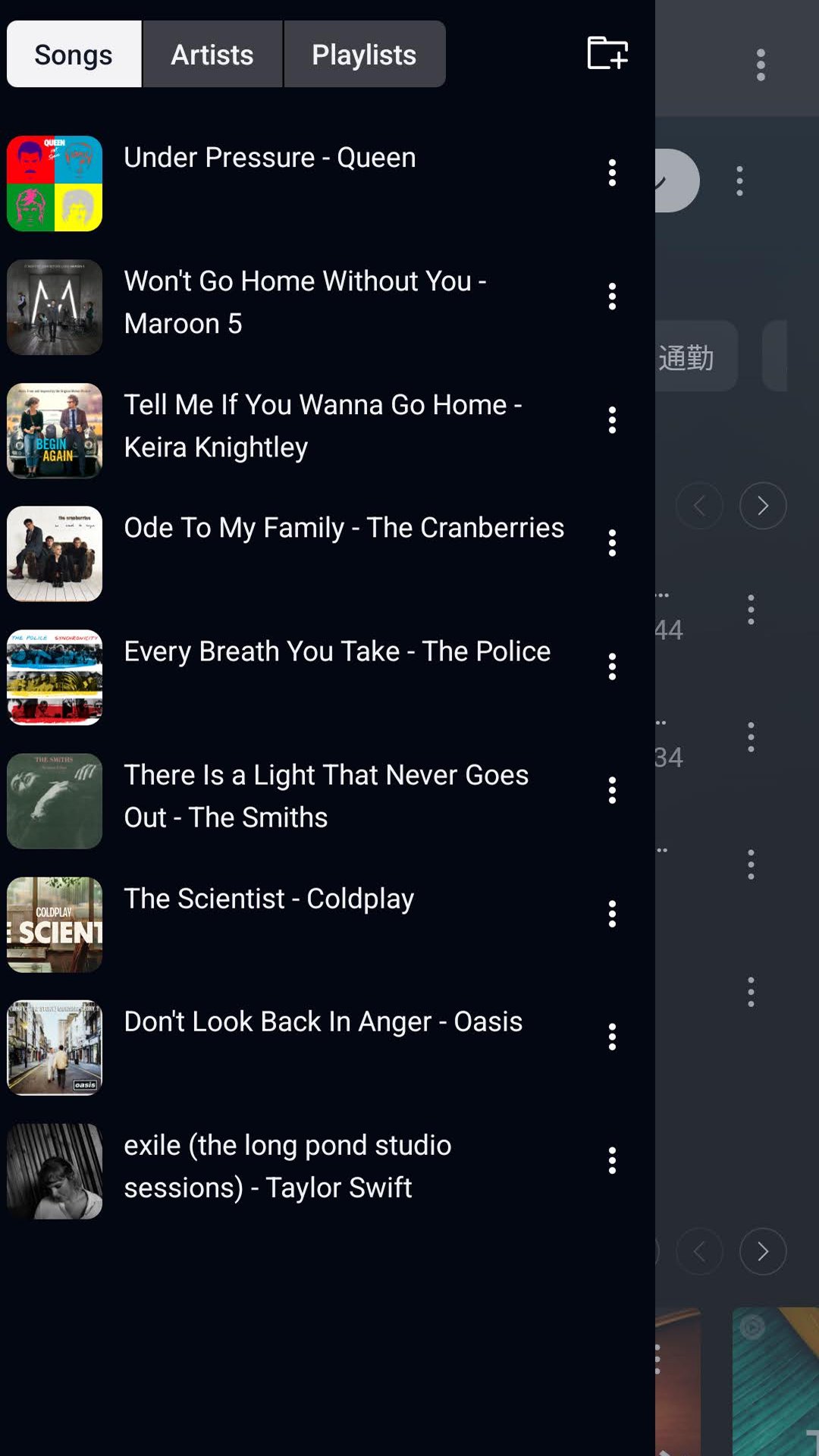
NouTube supports YouTube Music bookmarks for songs, artists, and playlists. You can use these saved entries as a personal music reference list for tracks or performers you want to remember. Therefore, video bookmarks and music bookmarks can remain available in the same app.
Sort items with bookmark folders
NouTube allows you to arrange saved items in bookmark folders. You can create folders based on interests, projects, moods, music genres, or watch later plans. This approach helps separate different types of YouTube bookmarks when your collection becomes larger.
Sync bookmarks between devices
NouTube can sync bookmarks across supported devices. When you switch devices, your organized collections can remain accessible instead of being limited to one device. This can be helpful for users who save content at different times during the day.
NouTube is intended for people who want a clear routine for saving video and music references. Before using the NouTube APK, consider which types of content you want to keep together and which should be separated into folders. A simple structure can make saved items easier to review later.
Open the app on your Android phone and decide whether you want to save a YouTube video, channel, playlist, song, artist, or YouTube Music playlist.
Add the item to your bookmark collection so it remains available as a saved reference. Continue adding items as you find content you expect to revisit.
Create bookmark folders that match your own habits, such as tutorials, favorite creators, study topics, workout music, or watch later lists.
Place each saved item in the most suitable folder. You can keep video and music entries in separate folders, or group them around the same interest or project.
Use bookmark sync when moving between supported devices, then check your folders to continue using the same organized collection.
NouTube brings YouTube bookmarks and YouTube Music bookmarks into one organized library with folders and device sync. Download NouTube latest version APK from APKPure if you want to keep saved videos, channels, songs, artists, and playlists easier to locate later.
Latest Version
0.6.10Uploaded by
Nonbili
Requires Android
Android 7.0+
Category
Free Entertainment AppContent Rating
Everyone
Report
Flag as inappropriateLast updated on Sep 4, 2026
This release includes minor bug fixes and general improvements. Update to the latest version for the best experience.




APKPure - A multi-platform app store primarily focused on Android, providing extensive app-related content. Discover the app you want easier, faster, and safer, with quick and efficient downloads and installations.