Your big screen on your pocket screen. Anywhere.
VNC Client allows you to connect to any computer (Windows, Mac or Linux) using your Android phone or tablet. The app uses Virtual Network Computing (VNC) to connect to any computer that has an VNC server installed and running.
EASY TO USE:
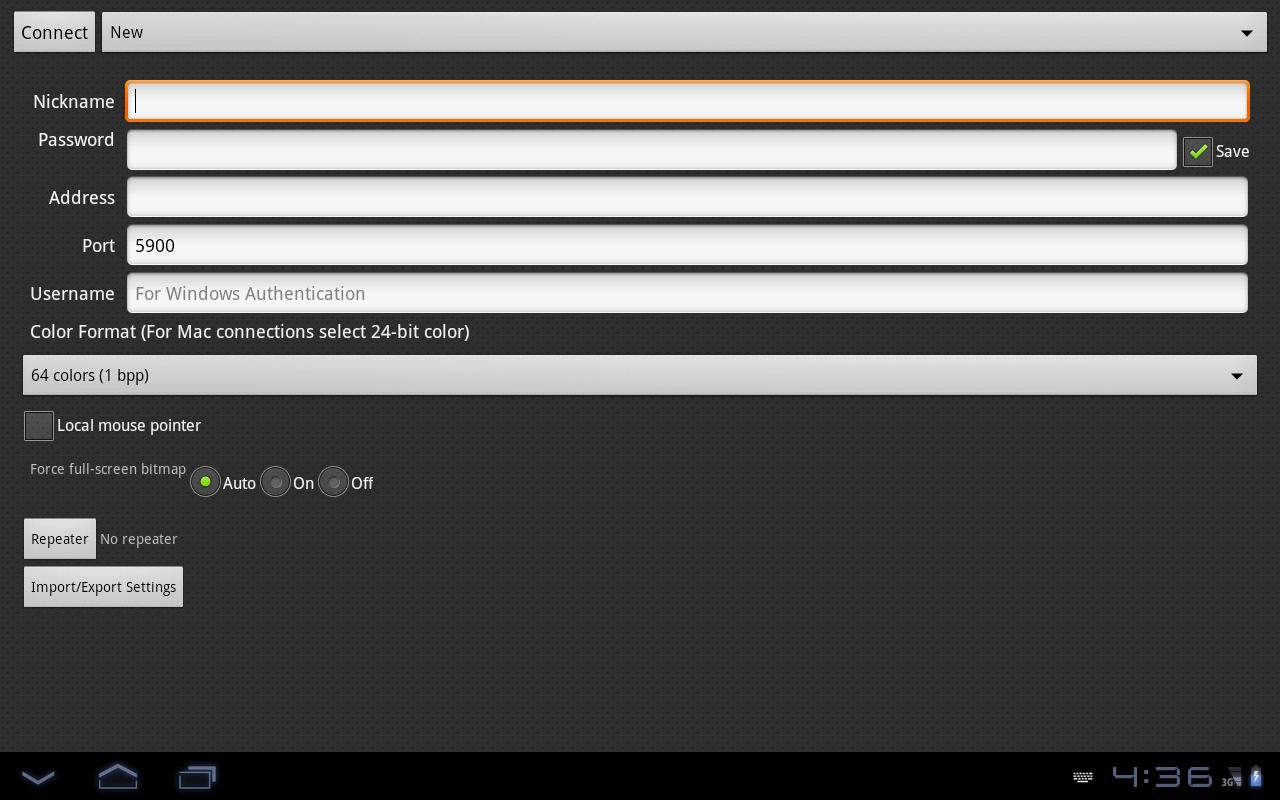
To start using VNC Client enter a Nickname for the connection, enter the Password, IP address and port (default is 5900) and click Connect.
Be aware that lower spec phones tend to work slow when you connect to high resolution computers.
Laatste Versie
1.0.0Geüpload door
Sergio Andrade
Android vereist
Android 2.1+
Categorie
Gratis Productiviteit APPInhoudsbeoordeling
Everyone
Melden
Rapporteer als ongepastLast updated on Aug 29, 2015
Deze versie bevat kleine bugfixes en algemene verbeteringen. Werk bij naar de nieuwste versie voor de beste ervaring.





APKPure - Een multi-platform appstore die zich voornamelijk richt op Android en uitgebreide app-gerelateerde content biedt. Ontdek de app die je wilt, eenvoudiger, sneller en veiliger, met snelle en efficiënte downloads en installaties.