Your big screen on your pocket screen. Anywhere.
VNC Client allows you to connect to any computer (Windows, Mac or Linux) using your Android phone or tablet. The app uses Virtual Network Computing (VNC) to connect to any computer that has an VNC server installed and running.
EASY TO USE:
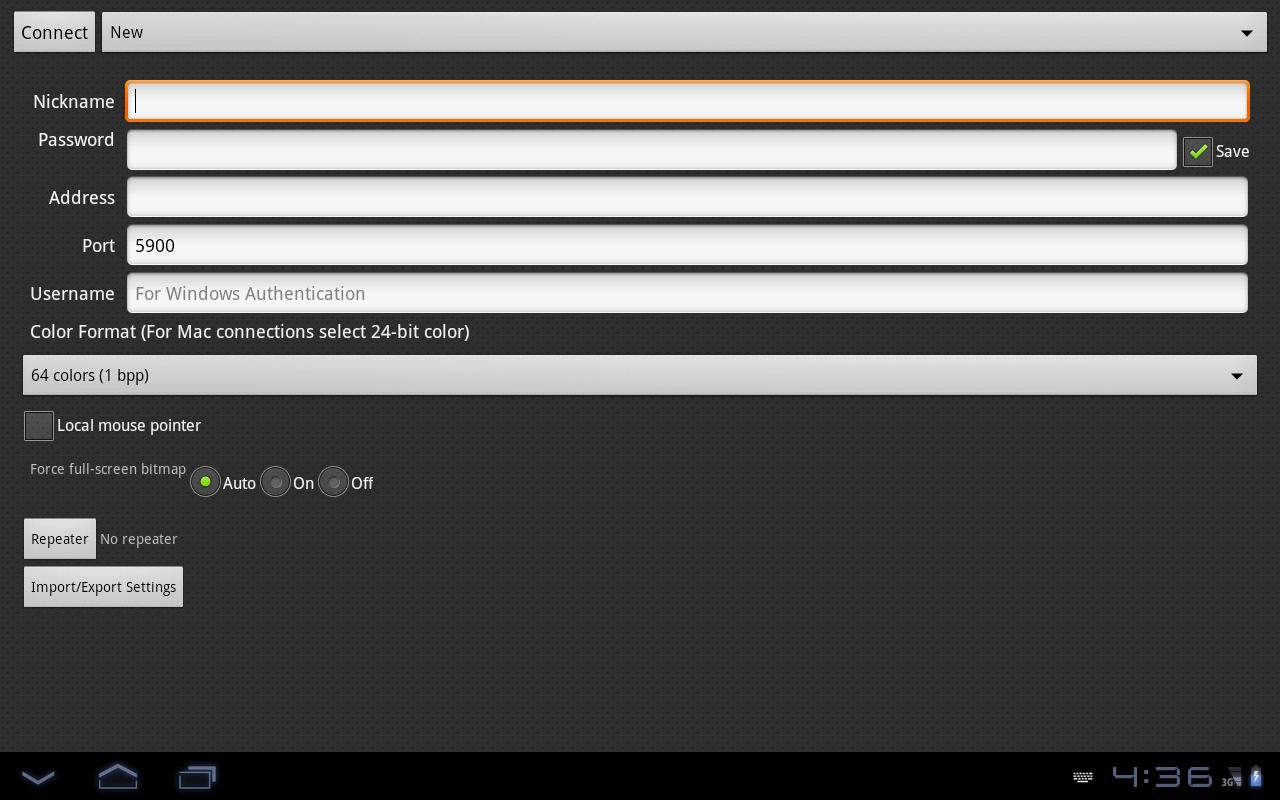
To start using VNC Client enter a Nickname for the connection, enter the Password, IP address and port (default is 5900) and click Connect.
Be aware that lower spec phones tend to work slow when you connect to high resolution computers.
Last updated on 2015年08月29日
このバージョンには軽微な不具合の修正と全般的な改善が含まれています。快適に利用するため、最新版にアップデートしてください。





APKPure - Androidを中心としたマルチプラットフォームのアプリストアで、豊富なアプリ関連コンテンツを提供しています。より簡単に、より速く、より安全にアプリを見つけることができ、ダウンロードとインストールも迅速かつ効率的です。