Your big screen on your pocket screen. Anywhere.
VNC Client allows you to connect to any computer (Windows, Mac or Linux) using your Android phone or tablet. The app uses Virtual Network Computing (VNC) to connect to any computer that has an VNC server installed and running.
EASY TO USE:
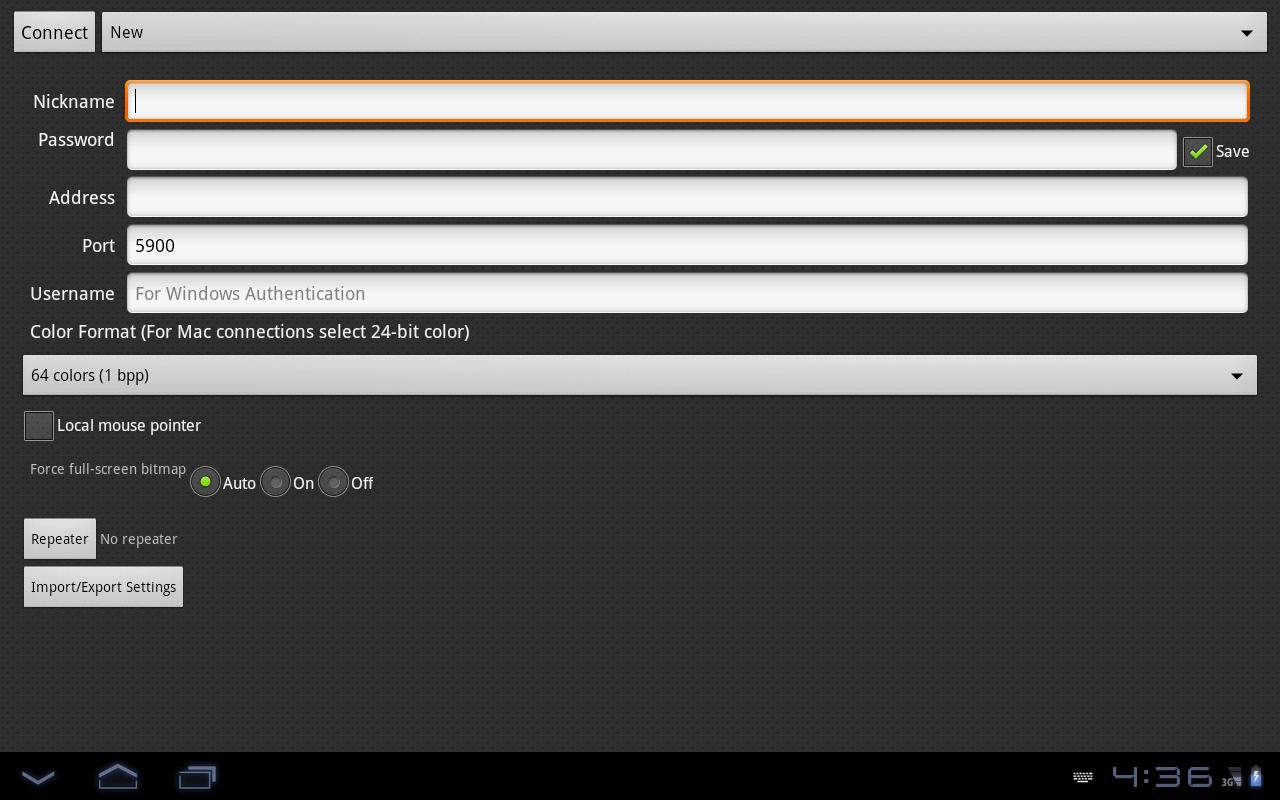
To start using VNC Client enter a Nickname for the connection, enter the Password, IP address and port (default is 5900) and click Connect.
Be aware that lower spec phones tend to work slow when you connect to high resolution computers.
Versi Terbaru
1.0.0Diunggah oleh
Sergio Andrade
Perlu Android versi
Android 2.1+
Kategori
Gratis Produktivitas APLIKASIRating konten
Everyone
Last updated on Aug 29, 2015
Versi ini berisi perbaikan bug kecil dan peningkatan umum. Update ke versi terbaru untuk mendapatkan pengalaman terbaik.




APKPure - Toko aplikasi multi-platform yang terutama berfokus pada Android, menyediakan konten terkait aplikasi yang luas. Temukan aplikasi yang Anda inginkan dengan lebih mudah, cepat, dan aman, dengan unduhan dan pemasangan yang cepat dan efisien.