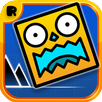
Geometry Dash suits players who want short attempts that reward careful timing and repeated practice. Each run asks you to react to visual cues and the music while moving through a fixed level layout. Because failed attempts restart quickly, you can focus on the section that caused the problem and try again. The game is built around learning patterns over time rather than relying on random outcomes.
Timing based platforming
Geometry Dash asks you to tap in time with the music while avoiding spikes, gaps, and narrow passages. The route stays the same on each attempt, so you can learn when to act. As a result, rhythm cues can help you prepare for jumps that are not immediately visible.
One touch controls
You control Geometry Dash mainly by tapping the screen at the right moment. The basic input is simple, but the timing becomes stricter as stages move faster or place obstacles closer together. This makes it possible to play a short attempt while still requiring focused input.
Changing movement sections
Geometry Dash changes the way you move during a level through rockets, portals, gravity flips, and other transitions. A section that begins with jumping can shift into flying or reversed movement. You need to adjust your timing when these changes appear instead of using the same rhythm throughout the stage.
Practice Mode checkpoints
Geometry Dash includes Practice Mode for working on difficult parts without restarting from the beginning every time. You can place checkpoints as you progress, then repeat a demanding sequence until the inputs become familiar. Afterward, Normal Mode lets you attempt the full level in one run.
Customization and level creation
Geometry Dash lets you unlock icons, colors, ships, and effects through progress and achievements. The level editor also allows players to build layouts around songs, test individual sections, and share completed stages. Community levels range from maps made for rhythm practice to stages designed around difficult movement patterns.
Geometry Dash Lite is a smaller free trial edition, while the full version includes the complete game, creator tools, and broader content. The full version is ad free and does not include in app purchases. Before choosing the Geometry Dash latest version, check which edition is listed so you know whether you are getting the trial experience or the full game.
The community section is useful if official stages are not enough for your preferred challenge. Players can search user made levels by skill focus, find featured or trending maps, and follow creators whose layouts match their interests. Since these levels are made by different players, their difficulty and design style can vary widely.
The Geometry Dash APK uses touch input, so the first few attempts are a good time to learn the timing of each stage. Start with an early level and listen for the music cues before trying to complete a full run.
Open the game and select a level that matches your current progress, then begin the run to see its obstacle pattern.
Tap the screen to jump, and keep your attention on the next obstacle instead of reacting only after reaching it.
When the level switches to a rocket, gravity portal, or another movement type, adjust your taps to the new control behavior.
If a section stops your progress, enter Practice Mode and place checkpoints near the part you need to repeat.
Return to Normal Mode after practicing, then use what you learned to complete the level without checkpoints.
Geometry Dash is built around fixed level patterns, music-based timing, and quick retries. Download Geometry Dash APK from APKPure if you want a game where progress comes from practicing inputs, using checkpoints, and gradually clearing harder sections.
Latest Version
2.11Uploaded by
يوسف العبيدي
Requires Android
Android 2.3.2+
Category
Free Arcade GameContent Rating
Everyone
Report
Flag as inappropriateLast updated on Jan 22, 2017
This release includes minor bug fixes and general improvements. Update to the latest version for the best experience.



APKPure - A multi-platform app store primarily focused on Android, providing extensive app-related content. Discover the app you want easier, faster, and safer, with quick and efficient downloads and installations.