
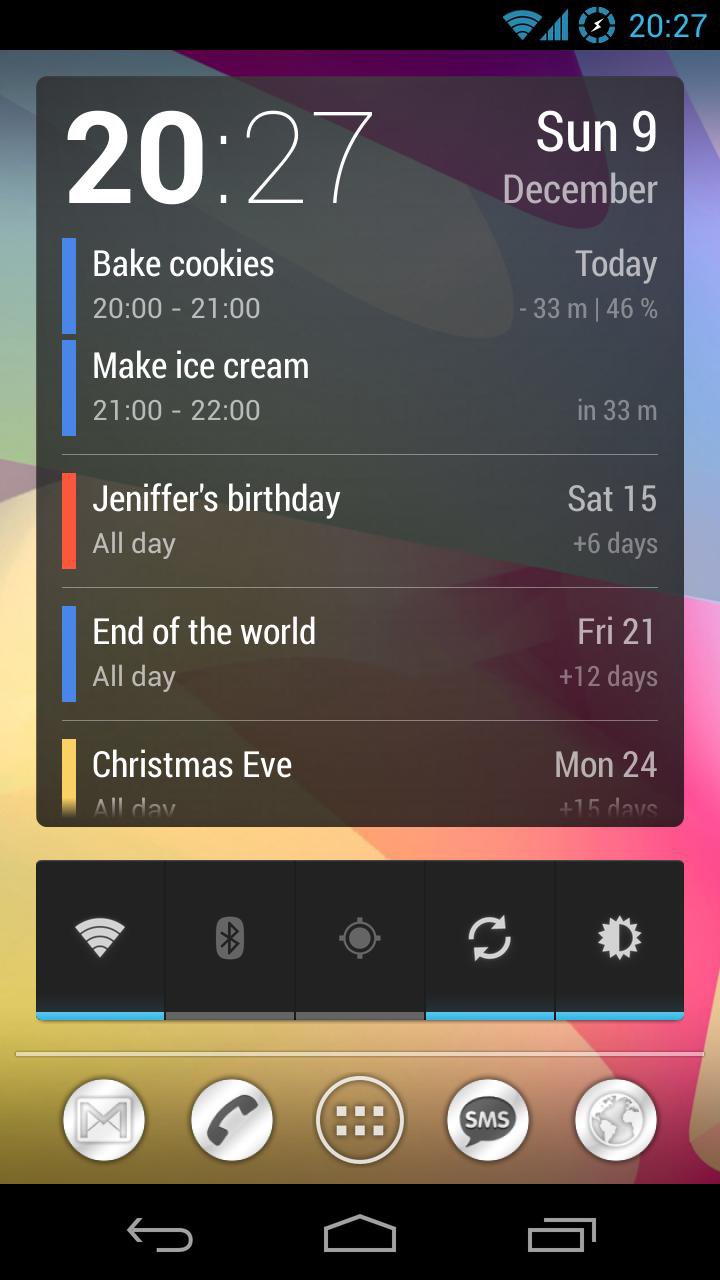
Simple and clean agenda widget designed to be a primary lockscreen widget. It shows current date and time together with events from your Google calendar. Swipe down to expand the widget to the entire lockscreen.
• Resizable and scrollable.
• Shows number of days/minutes to events.
• Tap on time to launch Clock app.
• Tap on date to open Google Calendar.
• Tap between clock and date to display a month view.
Month view:
• Shows events on a hours grid.
• Tap and hold on a day to display context menu.
To change a calendar color:
1. Go to http://www.google.com/calendar on your desktop.
2. Select the color in the left sidebar.
To add to the lockscreen (Android 4.2 only):
1. Swipe lockscreen to the left until you see a big [+] icon.
2. Tap on the icon and select 'Neat Calendar'.
3. Tap and hold on the widget and move it to the left of the camera screen.
To add to the home screen:
1. Open widgets list in the app drawer.
2. Tap and hold to place widget on the desktop.
How to display birthdays:
Go to Google Calendar on the web and click on
Other calendars > Browse Interesting Calendars > More > Contacts' birthdays and events > Subscribe.
Then go to Calendar app, tap menu icon and select Calendars to display > Calendars to sync.
Latest Version
1.32Uploaded by
Liana Nazira
Requires Android
Android 4.0.3+
Category
Free Productivity AppContent Rating
Everyone
Report
Flag as inappropriateLast updated on Oct 16, 2015
• Option to choose between popup menu and month view.
• Added languages: Japanesse, Italian, Dutch, Portuguese.
1.27
• Month calendar view.
• Individual event's colors.
1.25
• Date and time format options [Pro].
• Display month if it differs from the current one.
1.21
• Tap between clock and date to add a new event.
1.20
• Display event location [Pro].
• Compact header.
• Small text size.
• Bugfixes.
1.17
• Color settings added.
• Corrected multi-day events.





APKPure - A multi-platform app store primarily focused on Android, providing extensive app-related content. Discover the app you want easier, faster, and safer, with quick and efficient downloads and installations.









