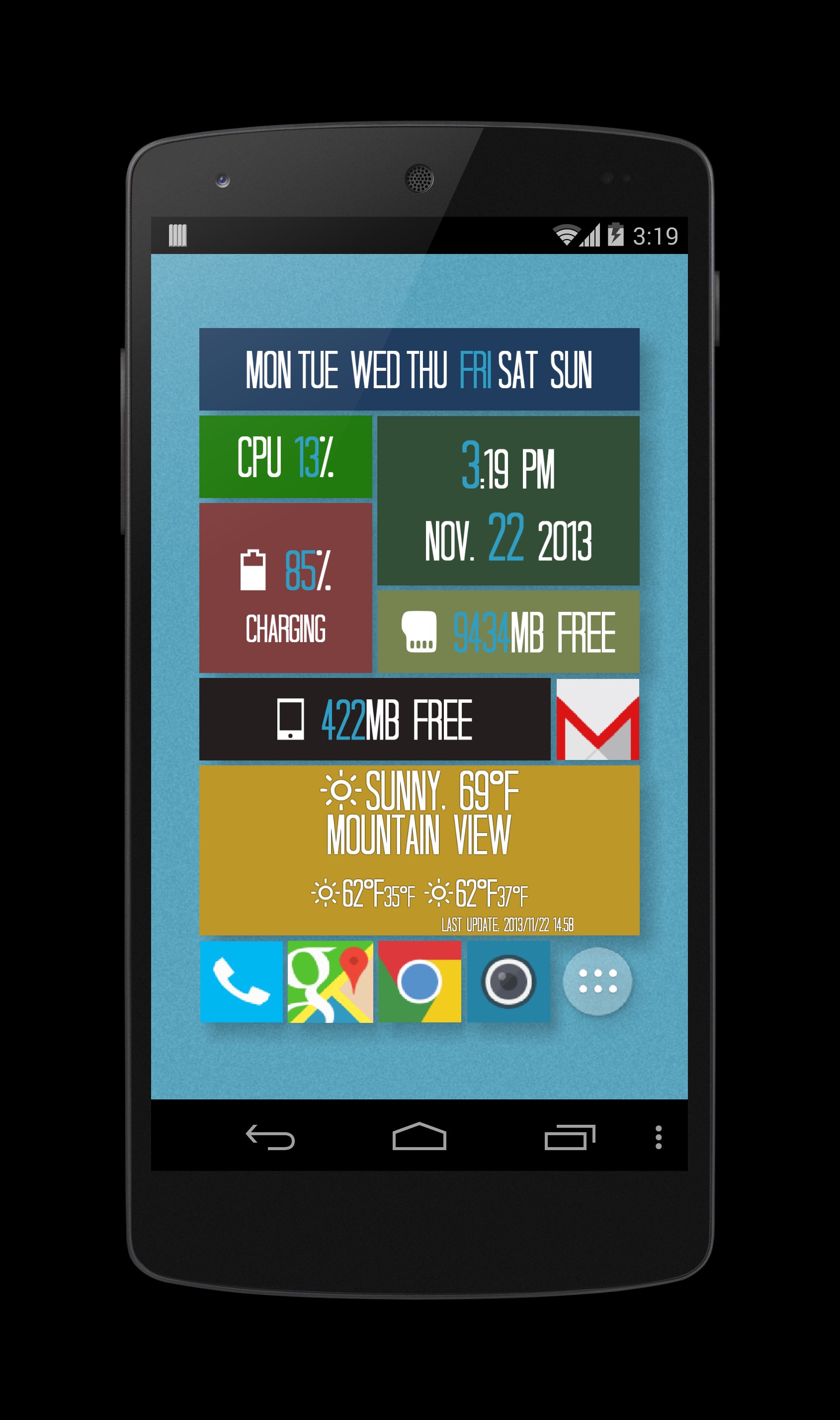
My Home is another home replacement besides ADW, Apex and Nova launcher etc. Inspired by iPhone and windows home screen. The goal is to make a full featured launcher in small size while keeping user interface clean, flexible and highly configurable. It has iPhone style app folder and allow you to customize widgets screen to windows tile style.
Please see below for quick tips. Help and FAQ can be found at http://goo.gl/1TFYZM
If you need help to use this app, please email me directly and I am glad to help.
This version includes all features, you can find a donate version at https://play.google.com/store/apps/details?id=com.farm.myhome
Major features:
iPhone style folder
Unlimited folder nesting
Arbitrary custom layout (not just MxN) for app screen
Support ADW, LauncherPro, Apex and Go icon pack
App badge support including Gmail, calendar, missed call, weather, Facebook and many
Unique shadow support for apps
Unique shadow support for widgets
Unique widget option including crop, background/border color to help you make windows style home screen
Option to pin widget to help you make dock bar in widgets screen
Unique app icon rotation in app screen
Fully integrated with system wallpaper
Builtin apps such as date/time, stock, notification, running, recents etc
Builtin checky app to show how many times you check your phone daily
Quick tips:
Press and hold on any app or widget to enter editing mode
Tap any empty space to exit editing mode
Press and hold empty space to open main menu
In menu choose 'My settings' to access 'My Home' specific options
In edit mode, tap red-pencil icon to open options for an app or widget;
In app screen, enter edit mode first, then press and hold on any app and drag to other app to make a folder
In app screen, enter edit mode first, then drag app out of folder area for ~1 seconds to move the app out of folder
Go to menu -> "My settings" -> "More" and enable multiple selection to make folder easily
Latest Version
5.5Uploaded by
Edwin Andrés Bautista Meneses
Requires Android
Android 2.3.4+
Category
Free Productivity AppContent Rating
Everyone
Report
Flag as inappropriateLast updated on Mar 14, 2017
Bug fixes.






APKPure - A multi-platform app store primarily focused on Android, providing extensive app-related content. Discover the app you want easier, faster, and safer, with quick and efficient downloads and installations.