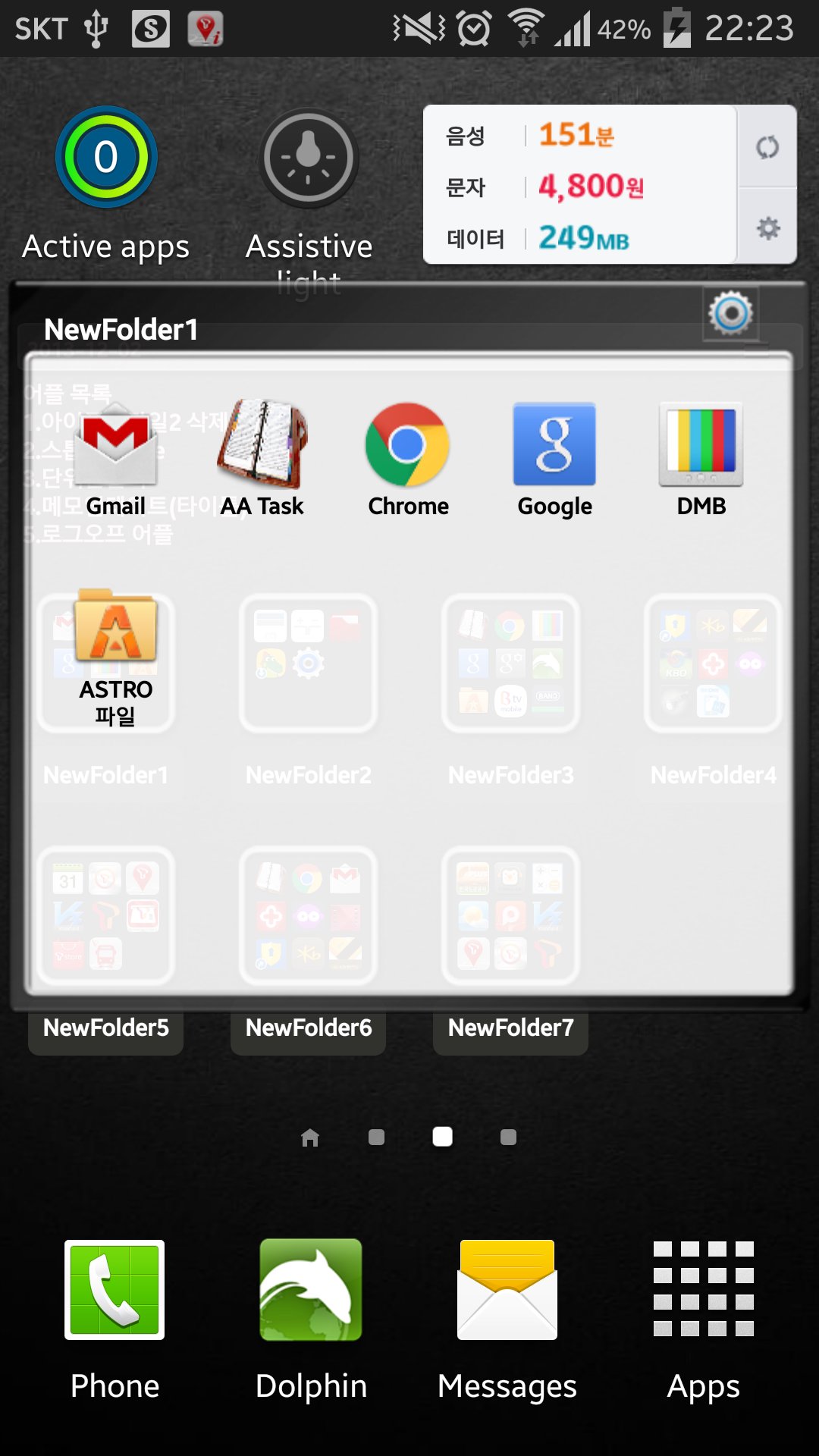
This application is a folder widget.
One folder can contain 16 Apps. and manage the screen effectively.
This color folder widget contains various colors and animations.
This App. has 10 colors and the color of text and widget folder can be changed.
This application is a folder widget.
One folder can contain 16 Apps. and manage the screen effectively.
This color folder widget contains various colors and animations.
This App. has 10 colors and the color of text and widget folder can be changed.
**[Color Folder Widget Instruction]**
1. Press the main screen during about 2 seconds.
2. Select widget menu and then select Widget App Folders2 app.
3. The widget folder is created on the screen.
**[Put the Apps. into the Folder]**
1. Select the widget folder and click the set symbol at the right upper part.
2. Select the Apps. what you want to put. Then you can check the select apps. at the upper part.
3. To cancel a selection, click the selected apps. at the upper part.
4. Click the backspace button and OK popup to finish.
**Color Folder Widget Instruction**
1. Press the main screen during about 2 seconds.
2. Select widget menu and then select PreView Folders app.
3. The green widget folder is created on the screen.
**Put the Apps. into the Folder**
1. Select the widget folder and click the set symbol at the right upper part.
2. Select the Apps. what you want to put. Then you can check the select apps. at the upper part.
3. To cancel a selection, click the selected apps. at the upper part.
4. Click the backspace button and OK popup to finish.
**Folder and Text Color Change**
1. Select the widget folder and click the circle simbol at the right upper part.
2. Click the folder setting menu at the bottom.(Star Symbol)
3. Then you can change the foler mane, foler mane color, folder color.
Versi Terbaru
6.0Dimuat naik oleh
Awall Peratama
Memerlukan Android
Android 2.3.2+
Category
PERCUMA Produktiviti APLIKASIPenilaian Kandungan
Everyone
Laporkan
Tandai sebagai tidak sesuaiLast updated on Mar 22, 2017
bookmark edit





APKPure - Sebuah gedung aplikasi berbilang platform yang tertumpu terutamanya pada Android, menyediakan kandungan berkaitan aplikasi yang meluas. Temui aplikasi yang anda mahukan dengan lebih mudah, pantas, dan selamat, dengan muat turun dan pemasangan yang cepat dan cekap.