MP3 Music Pro
Powerful music play control, Powerful equalizer, Quick search all music and audio files.
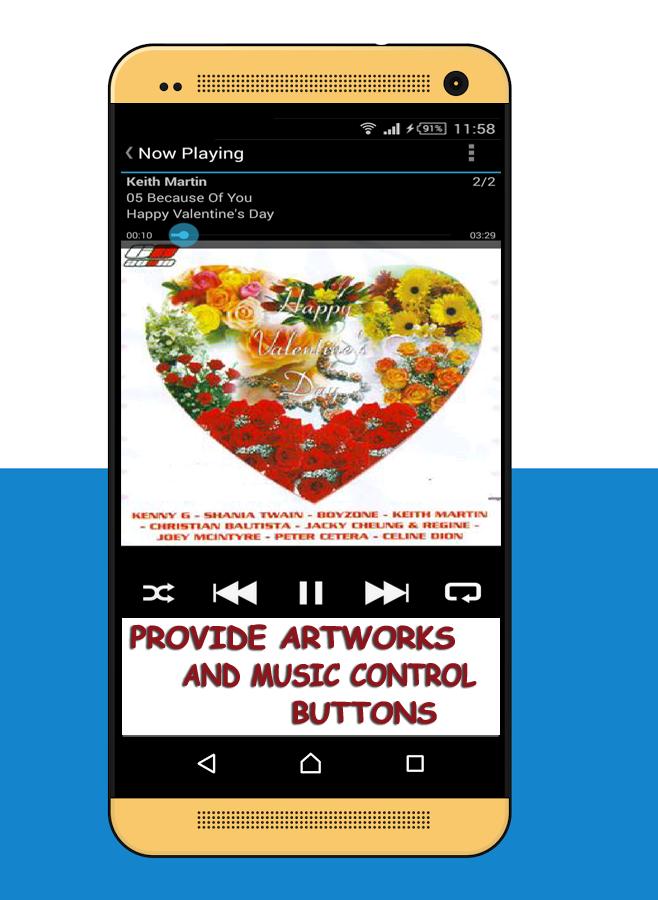
MP3 Music Player Pro is small, but with powerful music play control, Powerful equalizer, Quick search all music and audio files, it's the best music player for your android phone and tablet. The ultimate music player for Android. You can manage your musics easily, MP3 Music pro will guide you easy to find all the music in your phone and tablet. This music player is not only based on artists or albums, but also based on the folder structure. You can select more than 6 desktop widgets to easy control the music play.
Feature:
- Sort files by Artists, Albums, Songs/Track, Playlists, Genres, and Files Explorer.
- Settings for Audio, Playback Screen, Library Screen, Notifications, Accelerometer Shake, Cover Art, and Miscellaneous Features.
- Headset and Bluetooth Controls.
- Lockscreen Control.
- Plays MP3, MIDI, WAV, Raw AAC, OGG, WAV, AIFF, AAC, OTA, MP2, S3M, MOD, MTM, UMX, MP1, XM, MO3, M4A files
- Headset Control Beep. Beep's control after skipping a track with a headset control doubleclick.
- External Output Control. Prevents music from being played through the internal speakers.
- Pause When Unplugged. Pause when the headphones are unplugged.
- Enable Readahead. Readahead the currently playing song. This option may solve audio dropout issues, caused by a slow SD Card.
- Replay Gain. Configure handling of Replay Gain information.
- Open on Startup. Open playback view on startup.
- Display Mode. Info fixed at top.
- Swipe Action Setting.
- Cover Tap Action Setting.
- Cover Long Press Action Setting.
- Library Tab Order Setting. Adjust the order and visibility of library tabs
- Library Default Action, Default Playlist, and Filebrowser Home Setting.
- Notification Mode Action Setting.
- Enable or Disable Accelerometer Shake.
- Load Artwork From Folder. Enable or disable app to search for image files named by cover.jpg, album.jpg, or artwork.jpg and display them as album cover.
- Load Artwork From Hidden Folder. Try to load artwork from 'sdcard'
- Load Artwork From Android. Query androids internal media database for album artwork.
- Disable or Enable Lockscreen.
- Enable or Disable Idle Timeout.
- Double Tap Widget.
Latest Version
2.3.0Uploaded by
Lucas Araujo
Requires Android
Android 2.3.2+
Category
Free Music & Audio AppContent Rating
Rated for 3+
Report
Flag as inappropriateLast updated on Aug 24, 2016
Minor bug fixes and improvements. Install or update to the newest version to check it out!






APKPure - A multi-platform app store primarily focused on Android, providing extensive app-related content. Discover the app you want easier, faster, and safer, with quick and efficient downloads and installations.