Scan Date:Apr 1, 2026
Show More

MiPermit suits drivers who want a simple way to handle Pay and Display stops and local permits without visiting a machine. It brings parking and permit actions together on your phone so you can sort your stay in a few taps, then move on with your day. Because supported locations validate sessions electronically, there is nothing to print or place on the dashboard. To start on Android, download MiPermit and follow the on-screen steps to set up a quick payment.
Cashless parking with real time validation
MiPermit replaces paper tickets at supported car parks by recording your session electronically. Enforcement teams see your active session on their devices, so you do not need to return to the machine or display a slip in your windscreen.
Multiple ways to pay
You can pay using the app, the website, SMS or by phone. In some areas, Apple Pay and Google Pay are also available and shown in the app with wallet logos. This flexibility helps if you have limited data or prefer a quick tap payment. Availability varies by location and is displayed during checkout.
Smart reminders and remote extensions
MiPermit sends you helpful reminders when your time is running low. When you need more time, you can extend a stay from your phone without walking back to the car park. This keeps your session active while you finish your plans.
Digital permits and local passes
Beyond day-to-day parking, MiPermit supports residents and visitor permits and season tickets. In some areas you can also manage local services such as bus passes or recycling centre access, keeping everything digital and in one place. Options vary by council and are presented in the app for supported locations.
Plan ahead and choose how you use the app
You can buy parking up to seven days in advance, which helps when planning trips. The app also lets you pay as a guest or set up a free account for quicker checkouts on future visits. Parking or processing fees may apply and are set by each location.
Coverage and available services vary by town or council. Some places may offer MiPermit parking only, while others also include digital permits or local passes. Fees and durations are set by the local operator and shown before you confirm payment. If you plan to use mobile wallets, Apple Pay and Google Pay support is location-dependent and indicated in the app at checkout.
The MiPermit app works at supported UK locations. For quick checks on coverage, use the Locations section in the app or visit the official website.
Getting started is straightforward on your phone. After downloading the MiPermit APK, you can pay for parking or manage a permit in just a few steps. The process below outlines a typical Pay and Display session at a supported location.
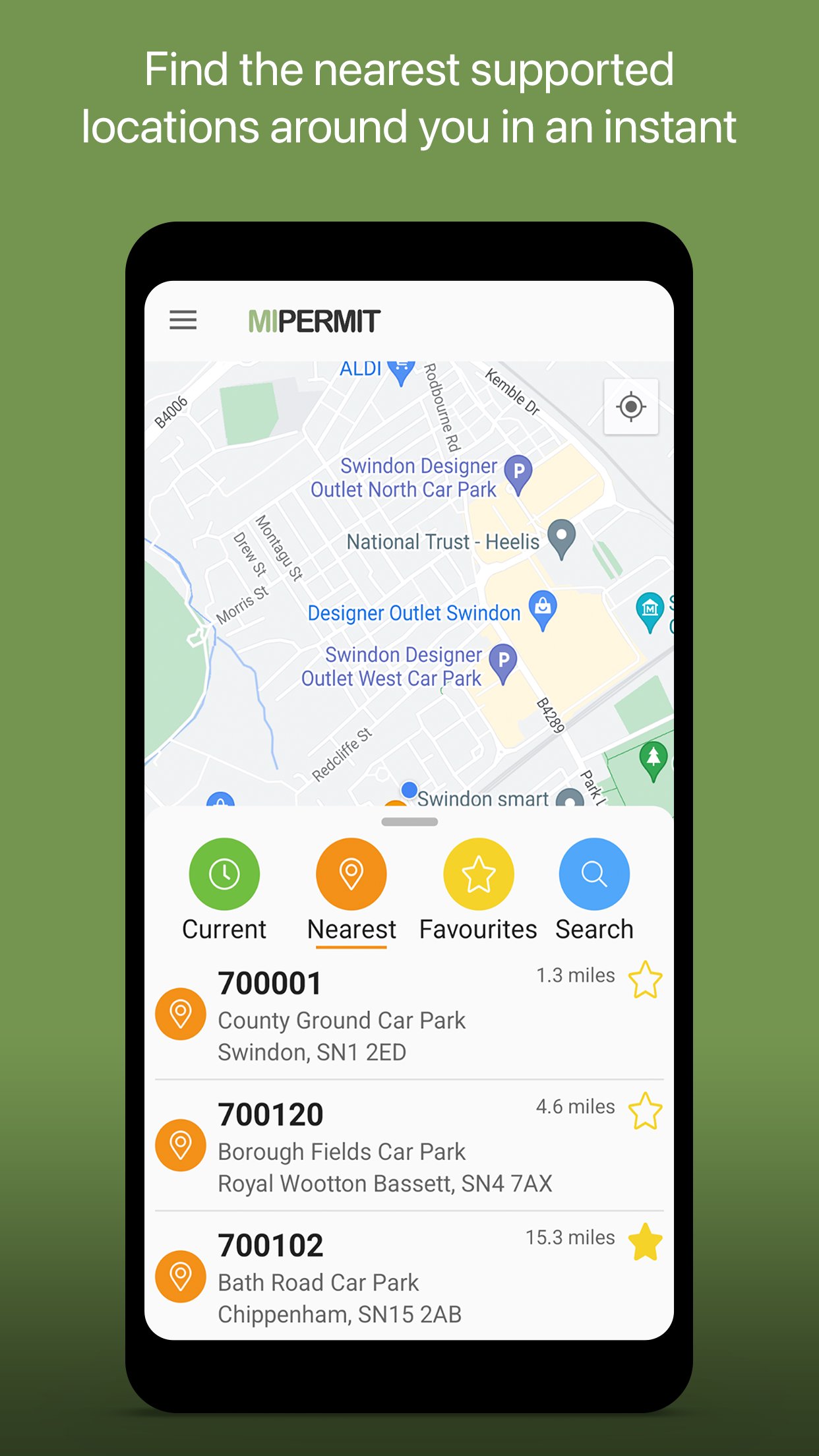
Open the app and allow location access, or search for your town and pick the car park shown in the list.
Select your parking location and choose the stay length that matches your plans. Check the price and details on screen.
Choose a payment method that is supported at that location. Pay in the app, on the web, by SMS or by phone, and use Apple Pay or Google Pay if the wallet option is displayed.
Confirm the session and wait for the on-screen confirmation. Your parking is validated electronically, so nothing needs to be placed on your dashboard.
If you need extra time later, use the reminder prompt to extend your stay from your phone. For residents, visitors, or season tickets, follow the prompts to request and manage digital permits where available.
MiPermit keeps parking and permits in one place with cashless payments, electronic validation, and helpful reminders. You can download MiPermit APK latest version from APKPure and follow the on-screen guidance to install it at your chosen location.
If you need official information or help, visit the website below.
Official website: https://www.mipermit.com/
Latest Version
4.14.4Uploaded by
Aman Sharma
Requires Android
Android 10.0+
Category
Free Travel & Local AppContent Rating
Everyone
Security Report
Report
Flag as inappropriateLast updated on Apr 1, 2026
Bug Fixes
• Stability improvements




APKPure - A multi-platform app store primarily focused on Android, providing extensive app-related content. Discover the app you want easier, faster, and safer, with quick and efficient downloads and installations.