

Microsoft Rewards helps users who want a simple way to keep their points activity organized on a phone. It suits anyone who likes checking progress while commuting or between tasks. Additionally, it brings account details together so you can see where you stand at a glance. If you live in the United States, you can use it to stay informed and decide what to do next. To get started, download Microsoft Rewards and sign in with your existing account. The service is not available outside the US.
Manage your account and find ways to earn
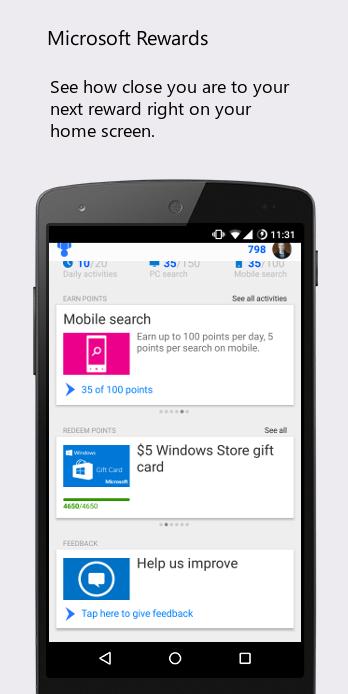
Microsoft Rewards lets you review account info and find new activities that award points each day. You can also enter available sweepstakes from the app.
Track orders and resend when needed
You can check your order history to confirm what was sent and when. When needed, resend eligible orders from the same screen.
See sweepstakes winners
Additionally, you can browse recent sweepstakes winners to see results from past drawings. It is a quick way to follow outcomes without leaving the app.
Redeem points and monitor status
Finally, redeem points for options like games, music, and gift cards. The app also shows your current status and what is required to reach the next level.
Install the Microsoft Rewards latest version to manage points and orders on your phone if you are in the United States. Review the features above and confirm availability before signing in.
Latest Version
2.2.0Uploaded by
Ramesh Sellam Dmk
Requires Android
Android 4.1+
Category
Free Productivity AppContent Rating
Everyone
Report
Flag as inappropriateLast updated on Jan 11, 2017
We've updated our app to reflect the latest changes with Microsoft Rewards, and made critical bug fixes




APKPure - A multi-platform app store primarily focused on Android, providing extensive app-related content. Discover the app you want easier, faster, and safer, with quick and efficient downloads and installations.