Package Name:org.tgi.memopadnotestakingfree
SHA-256:864b43ee16cdd58698fc3f3953b7ca5dd2fb0dcbb8e8ee640b19a4cba3a84a39
Show More
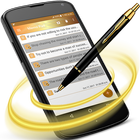
This application is advanced, lightweight, and handy which allows you to take control of your notes and give you the best note-taking experience. The most graceful, efficient, and powerful application which is clean and realistic high-tech smartest design resembles the android phone model, with the smartest design and fastest startup, it outruns the real Notepad.
All your notes in one place and with you, anywhere, Notes taking is a digital notebook for your to-do lists, lecture and meeting notes, or anything you want to organize or remember. Notes are a good helper to manage your schedules and notes. It gives you a quick and simple notepad editing experience when you write notes, memos, emails, messages, shopping lists, and to-do lists. It makes to take a note easier than any other notepad and memo application.
This is a new, contented, and simple application right on your Android. Memo Pad (Notes Taking) is always at your hand, you just have to write down what you want to do or what you don't want to forget, you may even do not save it, it would do it for you, so Keep works on your phone, tablet, computer and android cell phone. Everything you add synchronizes across all of your devices so your thoughts are always with you.
When we stay outdoor and need to memorize something with text or drawing immediately, we must find a piece of paper and a pen. From now on, you can do that with this app. You just launch this application; this application has attractive and stylish buttons with an easy-to-use editor screen and automatic functionality of saving notes that allows you to capture and organize your ideas. Notes taking - Text Editor is the simple application to open, edit, delete, rename, and save text files to and from the SD card.
Key Features:
- Automatically save notes
- Advanced File Manager Application
- Working like Notepad
- Simple Text Editor
- You can have lengthy Notes.
- Easy-to-use
- Create and update notes.
- Handy
- Attractive and stylish buttons
- Save notes in SD card
© TGI Technology Inc. (Gillal) Mobile Application.
* Please contact the support email for reporting bugs or problems so we can fix them as quickly as possible.
- More features will be added. Stay in touch!
Latest Version
1.2.4Uploaded by
إلہٰہۣۗہٰزهہٰيہٰري قہٰہۣۗہٰہۣۗاهہٰہۣۗرهہٰہۣۗہٰم
Requires Android
Android 5.0+
Category
Free Productivity AppContent Rating
Everyone
Security Report
Check Now
Report
Flag as inappropriateLast updated on Feb 8, 2020
Now this android application has advanced file manager which automatically save every notes and easy-to-use with attractive and stylish buttons !



APKPure - A multi-platform app store primarily focused on Android, providing extensive app-related content. Discover the app you want easier, faster, and safer, with quick and efficient downloads and installations.