Scan Date:Jan 3, 2026
Show More
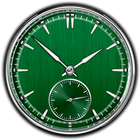
Luxury clock.
Its not a widget, its a standalone application.
You can change clock face. Its comfortably use on tablet or mobile during night.
When you switch off second arrow, clocks enter in economy mode.
Touch down on screen to enter in menu for settings.
Support landscape and portrait mode.
If you want the clock to be called up when you connect the charging to your mobile phone (or tablet), turn on the charging tracking option and exit the application and then when the charging is connected, the application appears again on the screen.
Some effects, such as “fire”, may require a strong GPU (graphics processor) and put the battery out faster. But beauty requires sacrifice.
The clock can be set on Android-TV, Smart TV (android) or a set-top box connected to TV. You can run the clock on TV.
Latest Version
2.47Uploaded by
János Kocsis János
Requires Android
Android 5.0+
Category
Free Tools AppContent Rating
Everyone
Security Report
Report
Flag as inappropriateLast updated on Dec 15, 2025
- support for Android 15, 16;
- libs update;
- bugs fix;




APKPure - A multi-platform app store primarily focused on Android, providing extensive app-related content. Discover the app you want easier, faster, and safer, with quick and efficient downloads and installations.