

Lucky Patcher gives you deeper control over how apps behave on your Android device. It focuses on customization and maintenance, so you can review app components, manage data access, and keep clean backups before any changes. The app works on both rooted and non rooted devices, and an official installer helps guide you through setup. Moreover, Lucky Patcher maintains ongoing updates that improve compatibility with popular titles and common app builds. Therefore, users who want more control can explore patches, backups, and permission tweaks in one place, while still choosing which features to use based on their comfort level.
Ad control for a cleaner experience
Lucky Patcher helps you reduce intrusive ads in many apps and games, which can make daily use smoother and less distracting. This gives you more focus on content while keeping control over what appears on screen. Therefore, you spend less time closing pop ups and more time using your apps.
Permission management and data control
You can review and adjust app permissions from one dashboard. Lucky Patcher makes it easier to decide what each app can access on your device. In addition, you gain clarity on permissions that may not be necessary for your use.
Backup and restore before changes
Lucky Patcher lets you create backups of apps and their data before you modify anything. If something does not work as expected, you can revert quickly using your backup. As a result, you can test changes with more confidence.
Custom patches and mod builds
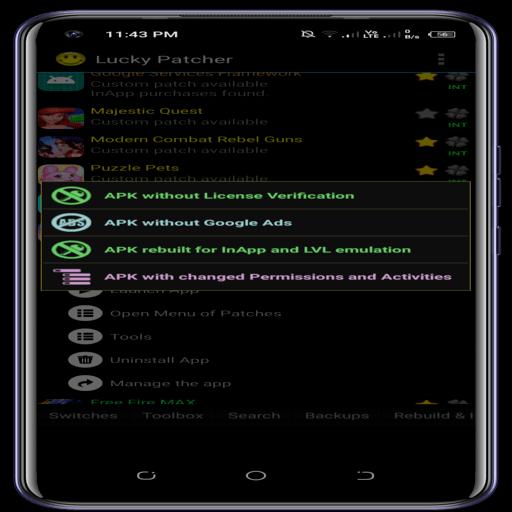
Lucky Patcher can analyze app components and apply available custom patches when supported. You can also create a modded build of an app and export the APK for sharing or later use. This approach helps you standardize changes across devices.
Works with rooted and non rooted devices
Lucky Patcher supports many tools without root. Certain advanced options may need root access to function. Moreover, the Lucky Patcher installer simplifies setup by guiding you through the correct installation flow for your device.
Updated support for popular apps and games
Lucky Patcher keeps patch definitions current to improve results on trending titles. The app highlights which content is currently supported and what may need updates. Therefore, you can decide when to apply a patch and when to wait for a newer build.
Because Lucky Patcher modifies app behavior, some antivirus tools may flag it by nature. The developer states that the app is widely used, and these warnings are often due to its modifier capabilities rather than harmful code. To stay safe, always keep backups, install only the version you trust, and verify the APK file integrity before proceeding.
The Lucky Patcher installer helps new users complete setup with fewer errors. It guides permissions and installation steps so the core app installs correctly. On non rooted devices, you can still use many tools such as backups and ad controls. With root, more advanced patching options may be available. Therefore, choose the setup that matches your device and comfort level.
Lucky Patcher offers an official website and community resources where you can read FAQs, learn about recent updates, and find troubleshooting tips. Moreover, the community shares knowledge about what is currently working and what requires an update. This ongoing support helps you decide the best time to apply changes or wait for a new build.
Follow this simple guide to start with the lucky patcher APK latest version. The steps focus on safe setup and basic workflows so you can test changes with backups in place.
Lucky Patcher focuses on control, backups, and customization in a single toolkit. Get the lucky patcher APK latest version on APKPure, keep your backups ready, and manage changes at your own pace.
How do I download and install lucky patcher?
To download and install Lucky Patcher, get the lucky patcher APK on APKPure and follow the installer flow inside the app. The Lucky Patcher installer guides permissions and setup so the main app is installed correctly, and you can start with backups before making changes.
Is lucky patcher safe to use?
Lucky Patcher is a modifier app and may be flagged by some antivirus tools due to its ability to alter app behavior. The developer states it is safe and widely used, and you can improve safety by downloading from APKPure, verifying the file, and backing up apps before any modification.
Does lucky patcher require root access?
Lucky Patcher works on non rooted devices for many tasks such as backups and ad controls. Certain advanced tools may require root to function, so you can choose features based on your device setup and comfort level.
Why do antivirus apps warn about lucky patcher?
Antivirus apps may warn about Lucky Patcher because it can modify other apps, which is behavior often associated with risk. These alerts do not necessarily mean the APK is harmful. To reduce concern, verify the APK integrity and use backups, then proceed with the features you need.
How can I verify the lucky patcher APK before installing?
You can verify the lucky patcher APK by comparing its file details against a trusted reference and checking a checksum using a verification tool. This confirms the file you downloaded matches the expected build on APKPure, which helps prevent installation errors and unwanted changes.
Latest Version
9.6.9Uploaded by
Anikappsandgamees
Requires Android
Android 4.0+
Available on
AnikappsandgameesCategory
Free Tools AppReport
Flag as inappropriateLast updated on Sep 15, 2021
New updated




APKPure - A multi-platform app store primarily focused on Android, providing extensive app-related content. Discover the app you want easier, faster, and safer, with quick and efficient downloads and installations.