Always stay in picture and never left out any of your friends! You can trigger the iPhone/iPad camera shutter remotely by using a Bluetooth Smart Remote Control.
Features
→ Photo and video mode
→ Photo sharing options
→ Private album with remote proximity locking
→ One touch operation
→ Work with or without the remote control
→ Remote proximity indicator
Camera Remote Control
→ Simple one button operation
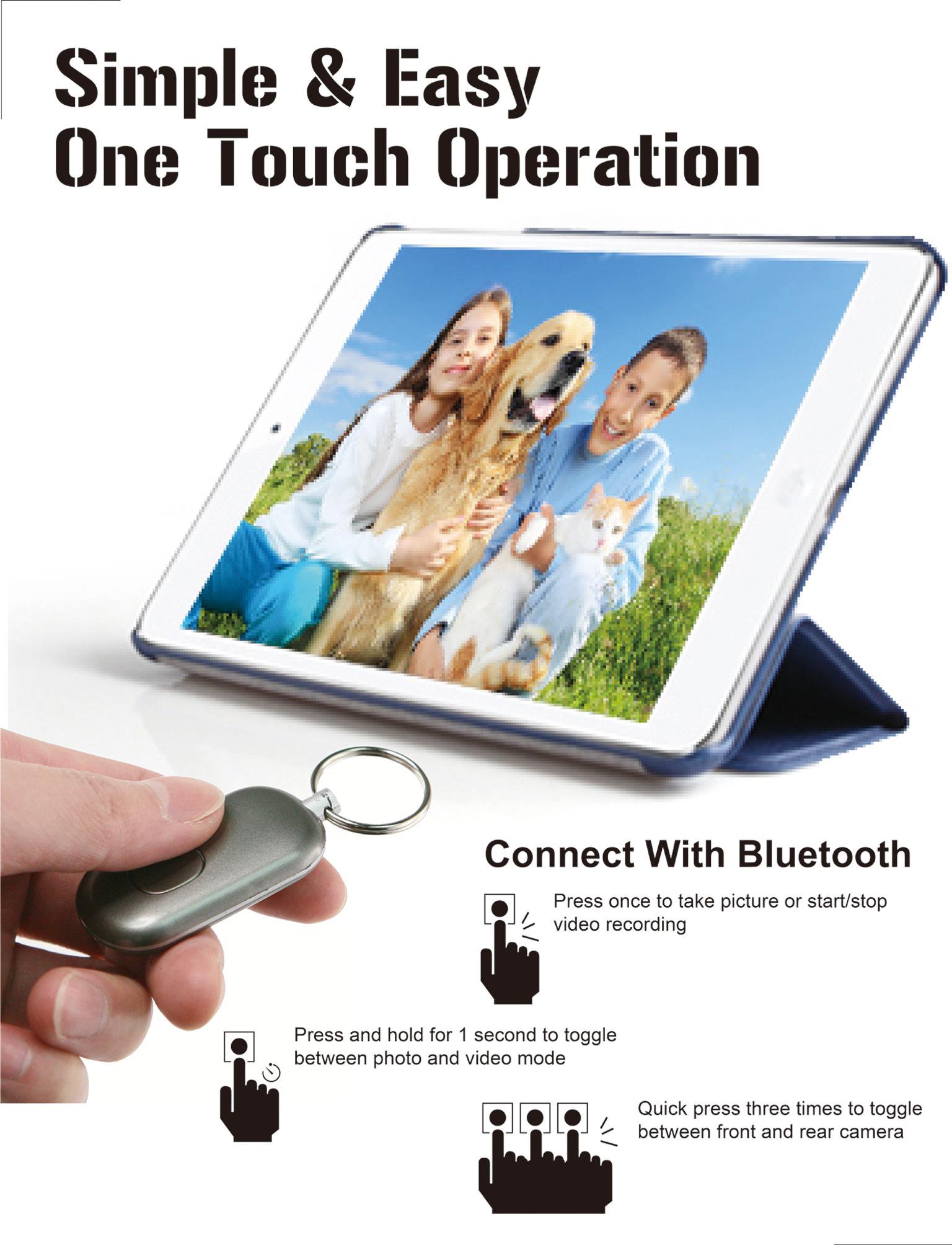
→ Press once to take picture or start/stop video recording
→ Press and hold for 1 second to toggle between photo and video mode
→ Quick press three times to toggle between front and rear camera
→ Press and hold to disconnect remote
Minimum Android and device requirements
→ Android 4.3
→ Bluetooth 4.0
Latest Version
1.0.1Uploaded by
Sergio Bautista
Requires Android
Android 4.0.3+
Category
Free Photography AppContent Rating
UnratedWarning – content has not yet been rated. Unrated apps may potentially contain content appropriate for mature audiences only.Learn More · Unrated
Report
Flag as inappropriateLast updated on Aug 24, 2015
→ Bug fixes




APKPure - A multi-platform app store primarily focused on Android, providing extensive app-related content. Discover the app you want easier, faster, and safer, with quick and efficient downloads and installations.