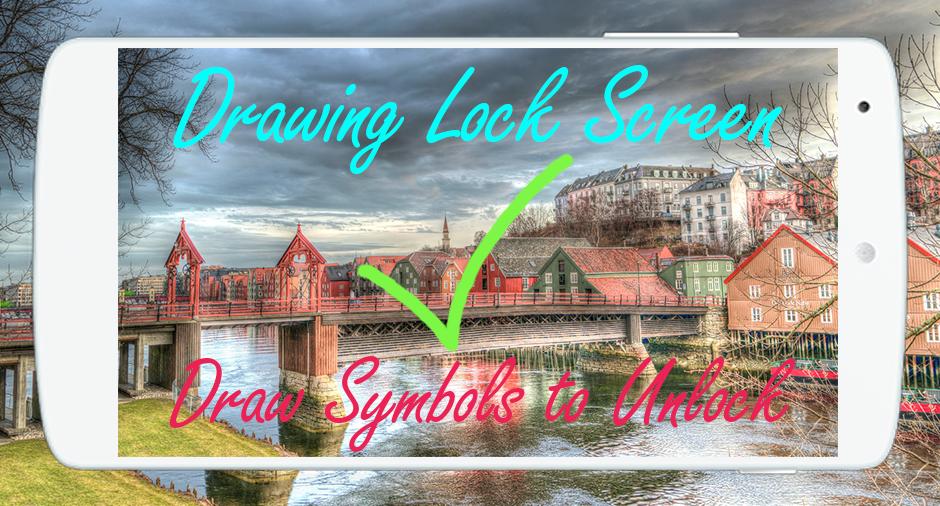
🌟 Drawing Lock Screen is a gorgeous and an amazing app for android phones, you can secure your phone using a variety of signature s : Signatures, Symbols, Numbers and Letters and all that by downloading free Drawing Lock Screen.
🌟 Drawing Lock Screen has a variety of beautiful wallpapers to draw your personal signature to unlock your phone.
🌟 Drawing Lock Screen allows you to draw and save your Drawing, signature as the numbers, letters, Drawings and contextual to unlock your phone (Drawing Lock Screen) easily and safely.
🌟 Drawing Lock Screen is the best solution ever if you’re looking for something different to lock /unlock your phone and tired using old pattern locks.
🌟 Drawing Lock Screen is designed especially for those who want to block some personal application to launch with a simple finger signature, it’s a dynamic and a strong application to lock anything you want.
🌟 🌟 How to use Drawing Lock Screen 🌟🌟
🌟 1) First of all, Install Drawing Lock Screen.
🌟 2) Then create your own first signature (signatures, letters, numbers or anything…) to unlock your phone.
🌟 3) Then enter the recovery password 4 digit for total security.
🌟 4) In case you forget your personal Drawing, use the recovery password to unlock your phone.
🌟 🌟 Top Features of Drawing Lock Screen 🌟 🌟
🌟 Create any drawing, shape, letters, numbers, signature... provided that. In single stroke without picking up your finger or stylus.
🌟 Hide Drawing Lock Screen stops when drawing
🌟 Lock Set Default or background from mobile gallery on your screen.
🌟 Show app notifications on lock screen: unread messages, missed calls, music player, alarm…
🌟 Double tap app notification to draw signature to unlock and open app.
🌟 Drawing Lock Screen support 2 mode: one stroke and multi stroke.
🌟 Use as your screen lock a simple password or Drawing ,signatures, shapes, letters….
🌟 Show the date/time on the Drawing Lock Screen.
🌟 Specify the recovery password (4 to 8 digit passwords)
🌟 Edit / Drawing signature on password.
🌟 If you forget the Drawing , enter the backup password to unlock the phone.
🌟 Battery percentage % indicator.
🌟 Set a customer ringtone as unlock, lock, error sounds.
🌟 Stealth mode: hide signature strokes when drawing.
🌟 Supports both single stroke (one touch drawing) and multiple strokes.
🌟 Unlock Draw signature.
🌟 If you Like our application Drawing Lock Screen for android, please rate it with 5 🌟.
🌟 Download and enjoy this Drawing Lock Screen app & also share this Drawing Lock Screen with your friends. And don’t forget to send us your Feedback.
Last updated on May 27, 2017
이 버전에는 사소한 버그 수정과 전반적인 개선 사항이 포함되어 있습니다. 최상의 환경을 위해 최신 버전으로 업데이트하세요.





APKPure - 안드로이드를 중심으로 한 멀티플랫폼 앱스토어로, 다양한 앱 관련 콘텐츠를 제공합니다. 더 쉽고, 빠르고, 안전하게 원하는 앱을 찾아보세요. 빠르고 효율적인 다운로드와 설치가 가능합니다.