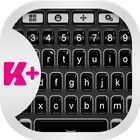
Are you ready to change your day? With this amazing theme, your day will be awesome and different. This Dark Keyboard theme has a very nice design, and you will love the way that this theme is elegant and perfect for you. Be professional and make the smart choice by choosing the Dark Keyboard theme. Don't hesitate and download right now the Dark Keyboard theme, you will love it.
How to install a Keyboard Plus theme?
Just follow these easy steps:
1. Download Dark Keyboard from Google Play Store
2. Open the Dark Keyboard theme
3. Apply the theme by pressing the - Activate - button from the Keyboard Plus Theme Manager
If you want to change your font size just go to the Quick Settings Tab and choose from one of the 3 available sizes: small, medium or large.
Last updated on Jul 17, 2018
이 버전에는 사소한 버그 수정과 전반적인 개선 사항이 포함되어 있습니다. 최상의 환경을 위해 최신 버전으로 업데이트하세요.



APKPure - 안드로이드를 중심으로 한 멀티플랫폼 앱스토어로, 다양한 앱 관련 콘텐츠를 제공합니다. 더 쉽고, 빠르고, 안전하게 원하는 앱을 찾아보세요. 빠르고 효율적인 다운로드와 설치가 가능합니다.