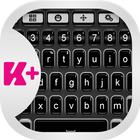
Are you ready to change your day? With this amazing theme, your day will be awesome and different. This Dark Keyboard theme has a very nice design, and you will love the way that this theme is elegant and perfect for you. Be professional and make the smart choice by choosing the Dark Keyboard theme. Don't hesitate and download right now the Dark Keyboard theme, you will love it.
How to install a Keyboard Plus theme?
Just follow these easy steps:
1. Download Dark Keyboard from Google Play Store
2. Open the Dark Keyboard theme
3. Apply the theme by pressing the - Activate - button from the Keyboard Plus Theme Manager
If you want to change your font size just go to the Quick Settings Tab and choose from one of the 3 available sizes: small, medium or large.
آخرین نسخه
3.0.55بارگذاری شده توسط
Hadiirwandi Irwandi
نیاز به اندروید
Android 4.2+
دسته بندی
رایگان برنامه شخصی سازیرتبهبندی محتوا
Everyone
گزارش
گزارش محتوای نامناسبLast updated on 17/07/2018
این نسخه شامل رفع اشکالات جزئی و بهبودهای عمومی است. برای بهترین تجربه، برنامه را به جدیدترین نسخه به



APKPure - یک فروشگاه برنامه چند پلتفرمی که در درجه اول روی Android متمرکز شده و محتوای گسترده مربوط به برنامه را ارائه می دهد. برنامه مورد نظر خود را آسانتر ، سریعتر و ایمن تر با بارگیری و نصب سریع و کارآمد کشف کنید.