Konica Minolta, Inc. will end the support for NFC Tag Writer on 31st March 2022.
-----------------------------------------
NFC Tag Writer is the Android Application to write data format regulated by KONICA MINOLTA to NFC tag so PageScope Mobile for Android can carry out device registration, printing, and scanning easily just by touching NFC tag.
Also, after reading data format regulated by KONICA MINOLTA written in NFC tag or QR Code, data that was read can be written to NFC tag .
Please download this Application after confirming the following precautions.
[Main function Introduction of the Application]
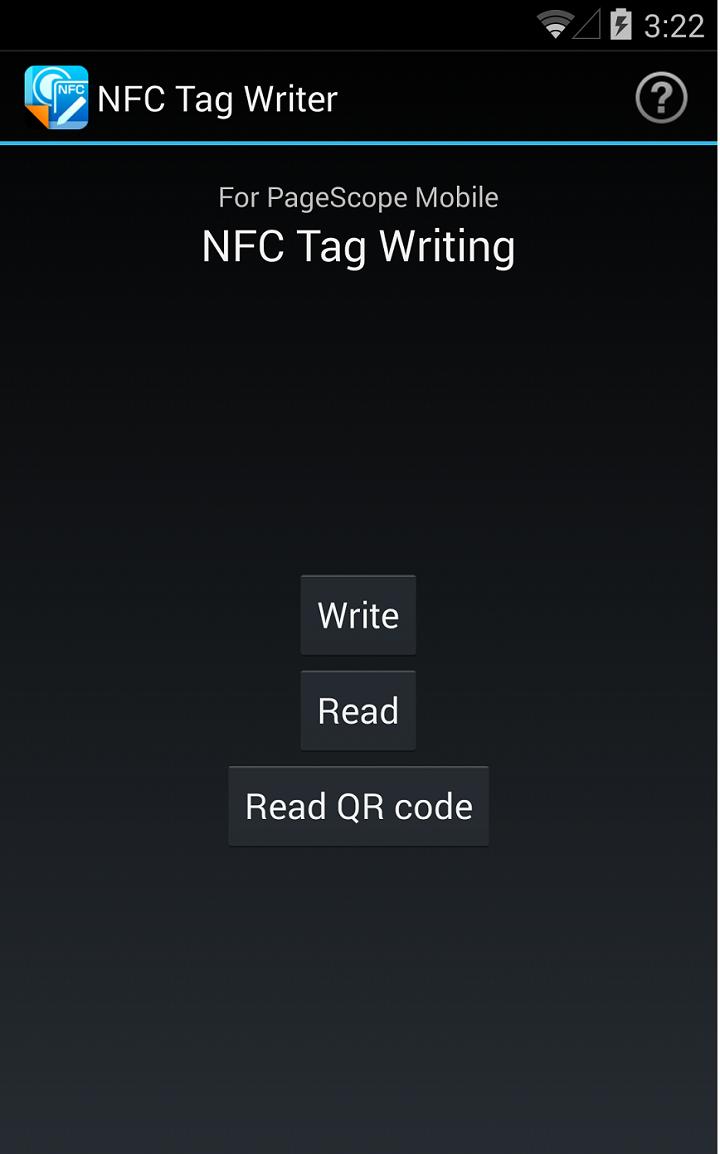
■ Write the data to NFC tag.
- After user enters information required to register the device or Print Settings in PageScope Mobile for Android, entered data can be written to NFC tag.
■ Reading the NFC tag data.
- After the NFC tag written data format required by KONICA MINOLTA is read, information that was read is displayed . Also, information that was read can be written to NFC tag.
■ Reading the QR Code
- After the QR Code containing written data format regulated by KONICA MINOLTA is read, the read information is displayed. In addition, the information that was read can be written to NFC tag.
[Operating Environment]
OS:
Android 4.0 / 4.1 / 4.2 / 4.3 / 4.4 / 5.0 / 5.1 / 6.0 / 7.0 / 7.1 / 8.0 / 8.1 / 9.0
Memory:
256MB(RAM) & above
Screen resolution:
320x240(QVGA) & above
Tested devices:
samsung GALAXY Nexus(OS4.0)
Asus Nexus7(OS4.2/4.3)
LG Nexus5(OS4.4)
HTC Nexus9(OS5.0)
Motorola Nexus6(OS5.1)
Huawei Nexus6P(OS 6.0/8.0/8.1)
GooglePixel 3(OS9.0)
The device must be a mobile computing device such as smartphone or tablet with NFC-enabled device.
The device must have undergone the Google CTS test.(Devices with independently customized operating systems such as e-book readers are not supported.)
The following NFC Tag is the recommended tag for use with the NFC Tag Writer.
- SMARTRAC NFC BullsEye NTAG216 Wet
[Precautions]
- Wi-Fi environment is required.
- When connecting this Application and PageScope Mobile, PageScope Mobile for Android Ver 4.0.0 or later is required.
Latest Version
1.2.1Uploaded by
Thiago Berbert
Requires Android
Android 4.0+
Category
Free Productivity AppContent Rating
Everyone
Report
Flag as inappropriateLast updated on Aug 27, 2021
64bit was supported.




APKPure - A multi-platform app store primarily focused on Android, providing extensive app-related content. Discover the app you want easier, faster, and safer, with quick and efficient downloads and installations.










