Scan Date:May 11, 2026
Show More
Main Purpose of Khmer Keyboard 2020
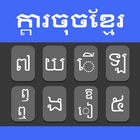
Khmer Keyboard is Easy Typing Keyboard is the mobile typing app for the Khmer English language with different themes. Free English Khmer keyboard 2020 is used for Khmer and English Typing at the same time.
Khmer Keyboard 2020: Khmer Typing Keyboard is free app for android mobiles in the Khmer native language that type Khmer & English. Khmer English Keyboard 2020 is fast Khmer typing app and easy Khmer typing with all Khmer words and Khmer Alphabets. Fast Khmer Typing Keyboard for android is the best Khmer lovers with easy and Fast typing speed Keyboard. Khmer Keyboard Typing: Khmer words auto-correct functionality of new Khmer keyboard which is a fast typing keyboard with English keypad will provide to your mobile an amazing color and stylish design. Khmer language keyboard is easy to use English to Khmer keyboard.
Features of New Khmer Keyboard 2020: Easy Typing Keyboard
1. Fast Typing of Khmer Keyboard 2020: Easy Typing Keyboard
2. Easy to use Khmer Keyboard 2020: Easy Typing Keyboard
2. Latest Emoji’s of Khmer Keyboard 2020: Easy Typing Keyboard
3. Latest Themes Khmer Keyboard 2020: Easy Typing Keyboard
4. Easy to Enable/Disable Khmer Keyboard 2020: Easy Typing Keyboard
Khmer Keyboard 2020: Khmer Typing Keyboard is providing multiple beautiful Themes. You can make easily change theme using keyboard and your mobile look so beautiful in your hand. Khmer Keyboard 2020 on the update added latest and stylish themes
Privacy Police of Khmer Keyboard 2020: Easy Typing Keyboard
Khmer Keyboard 2020 is best for Khmer and English Typing with stylish themes and Emoji’s are 100% safe because we do not save any key stroke and any kind of your personal data like photos, videos, contacts, microphone, camera etc. Otherwise check the privacy police link in the play store of this app.
How to Use Khmer Keyboard 2020: Easy Typing Keyboard
1. Download and Install!
2. Open (“Khmer Keyboard”).
3. Enable Keyboard (“Choose the Khmer Keyboard”).
4. Select Keyboard (“Choose Khmer Keyboard”).
5. Themes (“Select Favorite of your Choice”).
Enjoy Khmer Keyboard 2020: Easy Typing Keyboard and for more improvement or any suggestion, you can send email or give your feedback on play store and Thank you.
Latest Version
3.1Uploaded by
Frank Estrada
Requires Android
Android 6.0+
Category
Free Personalization AppContent Rating
Everyone
Security Report
Report
Flag as inappropriateLast updated on May 12, 2026
Minor bug fixes and improvements. Install or update to the newest version to check it out!




APKPure - A multi-platform app store primarily focused on Android, providing extensive app-related content. Discover the app you want easier, faster, and safer, with quick and efficient downloads and installations.