Our website uses necessary cookies to enable basic functions and optional cookies to help us to enhance your user experience. Learn more about our cookie policy by clicking "Learn More".
Accept All Only Necessary Cookies
InstaSave Download Photo/Video icon

InstaSave Download Photo/Video


Misc Appfactory
1.1.3
  • Apr 18, 2017
    Update date
  • Everyone
  • Android 4.0+
    Android OS

About InstaSave Download Photo/Video

Just click Instagram app's "Copy Share URL", then it will be downloaded.

InstaSave allows to download photos/videos from Instagram's public links.

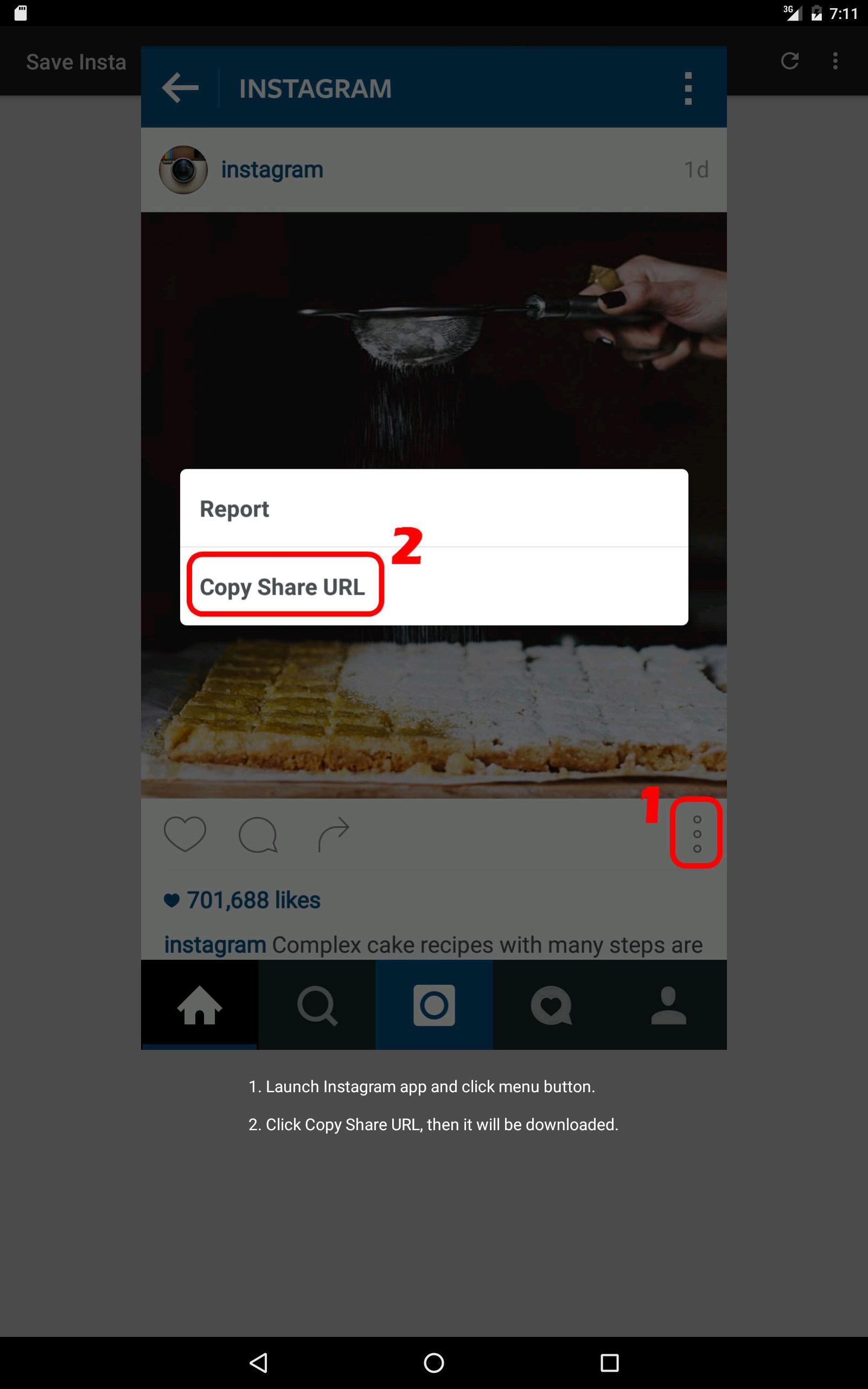
Just 2 steps with InstaSave

1. Open Instagram app, choose “Copy Share URL” on photo/video you want to save.

2. Open InstaSave app, photo/video will be downloaded.

Show More

Additional APP Information

Latest Version

1.1.3

Uploaded by

Ismael RD

Requires Android

Android 4.0+

Content Rating

Everyone

What's New in the Latest Version 1.1.3

Last updated on Apr 18, 2017

1.1.3 Apply to Instagram changes.
1.1.2 Bug fix.
1.1.0 Apply to download multiple photos and videos in one post.
1.0.1 Change icon & bug fix.

Show More

InstaSave Download Photo/Video Screenshots

InstaSave Download Photo/Video posterInstaSave Download Photo/Video screenshot 1InstaSave Download Photo/Video screenshot 2InstaSave Download Photo/Video screenshot 3InstaSave Download Photo/Video screenshot 4InstaSave Download Photo/Video screenshot 5InstaSave Download Photo/Video screenshot 6InstaSave Download Photo/Video screenshot 7

Popular Articles In Last 24 Hours

Subscribe to APKPure
Be the first to get access to the early release, news, and guides of the best Android games and apps.
No thanks
Sign Up
Subscribed Successfully!
You're now subscribed to APKPure.