
HWMonitor PRO is a health monitoring program dedicated to Android devices. It shows in real time a various set of temperatures (depending on device), battery information (voltage, temperature and charge level), and CPU utilization.
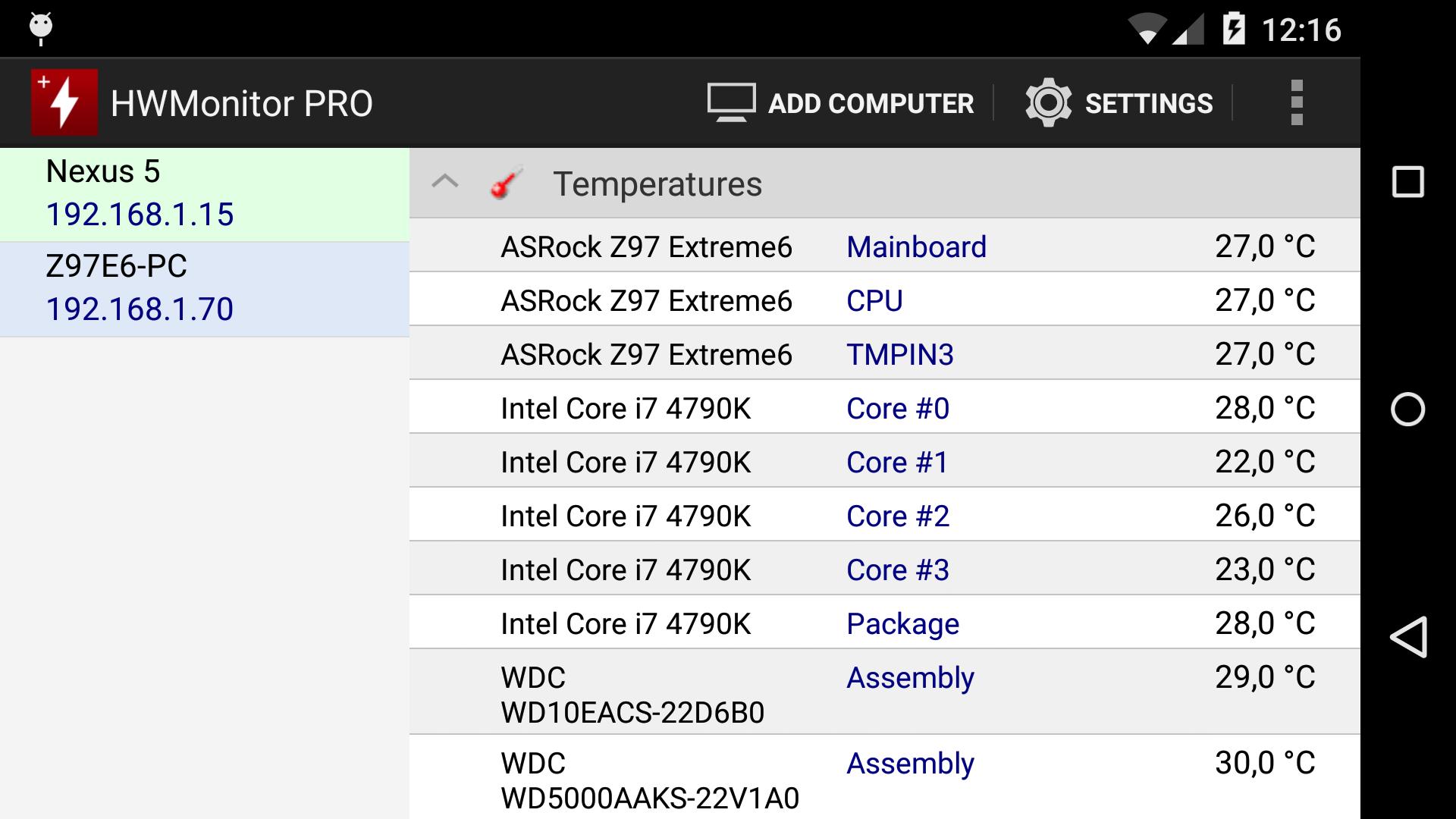
The monitoring data can be sent over a local network in order to be displayed on a PC running HWMonitor PRO for Windows, or on another Android device.
In addition, HWMonitor PRO allows to monitor up to 10 systems (Windows PC or Android device) from your Android device. Steps are as following :
1- Setup the monitored system for a remote connection :
- PC windows : install HWMonitor PRO for Windows (http://www.cpuid.com/softwares/hwmonitor-pro.html) on the PC that you want to follow up, then switch to listening mode. Note the machine name and IP.
- Android : install HWMonitor PRO for Android on the device that you want to follow up, then click on the local monitor (1st entry) to start monitoring. Make sure that listening mode is checked in the settings page. Note the machine name and IP.
2- Connect from your Android device :
Run HWMonitor PRO on your Android mobile device, then choose Add Device from the application menu or click on the computer icon in the action bar. Then enter the name or the IP address of the machine, and choose OK. Select the machine in the list in order to start the connection.
3- Remove a monitor :
Do a long click on a monitor item (at least 3 seconds) in order to remove it from the list.
Latest Version
1.14Uploaded by
عموري رامس
Requires Android
Android 7.0+
Category
Free Tools AppContent Rating
Everyone
Report
Flag as inappropriateLast updated on Jun 2, 2026
Add support of HWMonitor PRO 1.58.





APKPure - A multi-platform app store primarily focused on Android, providing extensive app-related content. Discover the app you want easier, faster, and safer, with quick and efficient downloads and installations.












