Scan Date:Aug 18, 2025
Show More
<< Main features of Good Calendar >>
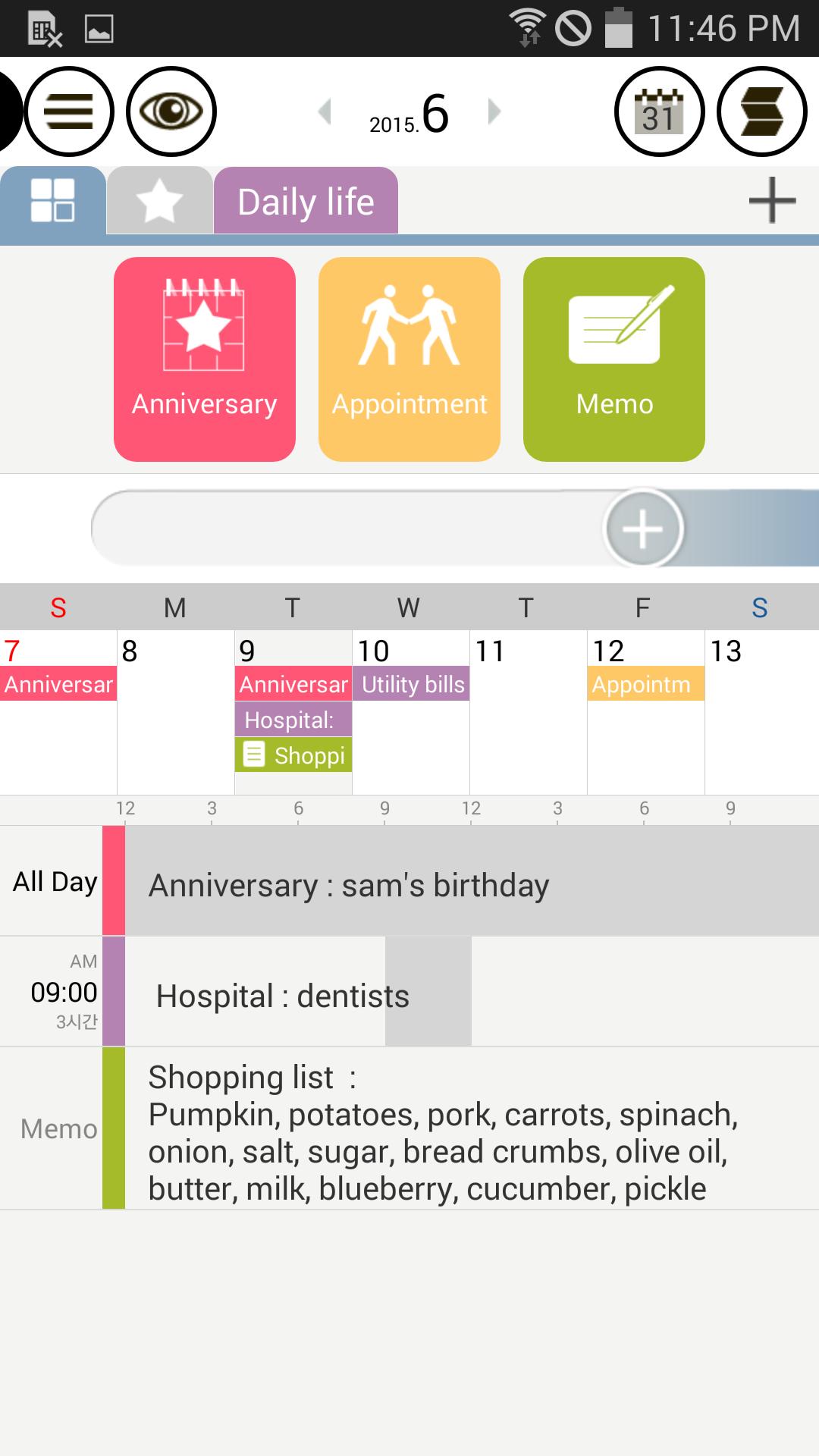
* Calendar – Easy schedule management as Drag & Drop
Drag and drop an item to create a schedule.
You can add your own category of frequent schedules.
Drag & drop to quickly add irregularly repeated schedules as well.
Added holidays (US, Spain, China ...)
Calendar of saved schedules can be changed.
The calendar management function has been added. (A local calendar can be added or deleted only.)
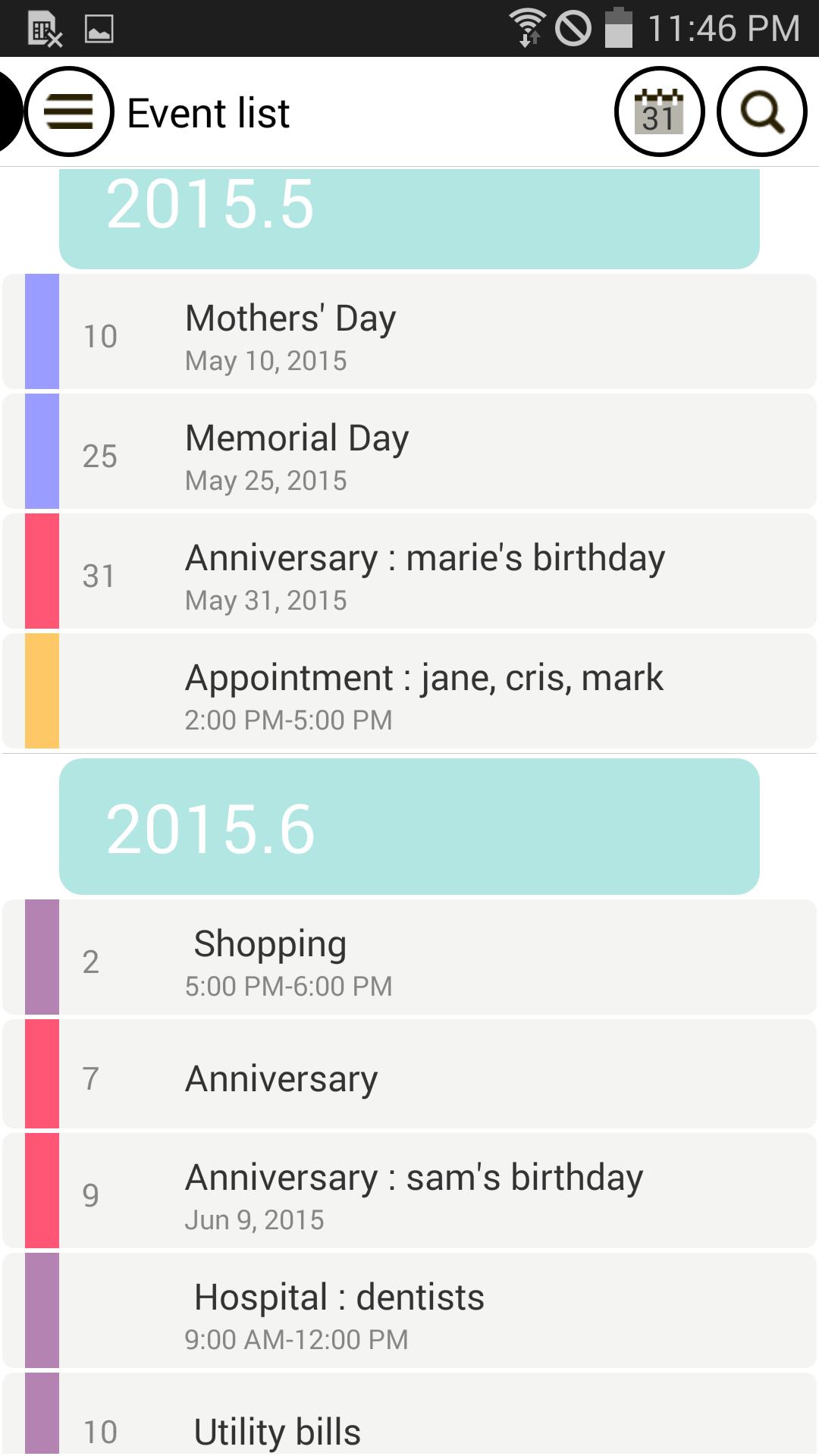
* Diary – Schedules and records at one go
Create an icon to manage special records.
You can even save photos along with a schedule entry.
Manage important days with D-Day listing.
Manage the day you’ve become a couple and the day your child has been born with the counting list.
You can enter notes by date.
* Synchronization – Sync with Google Calendar
You don’t need to select a calendar to input a schedule every time.
One category can be connected with Google Calendar.
Synchronization is much easier with the entries being saved in the connected calendar.
Category and calendar settable as n:1.
Added shortcut button to sync.
* Widget – A number of easy-to-use widgets
You can use a monthly or weekly calendar widget.
Quickly check your schedule with the daily schedule list widget.
Quick access to various features with the shortcut widget.
You can check your memos directly on the home screen with the memo widget.
Added D-Day and Counting widgets (for Pro Version).
* Benefits for using the Pro Version
No limit to the number of categories.
No limit to the number of D-Days.
No limit to the count lists.
D-Day and counting day widget can be customized.
Some devices have been excluded for installation due to the app unoptimized on small screens.
Note that if you install this app, you agree to the Terms of Use and Personal Data Protection Policy of Good Calendar Services.
The prices of in-app products may vary depending on the exchange rate and tax policy of the country.
Payment is subject to the policies of the Google Play Store.
The payment will not be refunded unless canceled within 24 hours after purchase.
Better features to be updated…
If you experience a bug or have any comment, please do not hesitate to email us. :)
Thank you.
Latest Version
2.0.0Uploaded by
Kenny McComirck
Requires Android
Android 8.0+
Category
Free Productivity AppContent Rating
Everyone
Security Report
Report
Flag as inappropriateLast updated on Nov 3, 2024
The app has been updated for compatibility with the latest version of Android.
-The bug related to Google Drive backup/restore has been fixed.






APKPure - A multi-platform app store primarily focused on Android, providing extensive app-related content. Discover the app you want easier, faster, and safer, with quick and efficient downloads and installations.