**This is not a stand alone app, you must have Go Keyboard installed to apply this theme**
TO APPLY THEME: 1 OF 2 CHOICES,
1.OPEN GO KEYBOARD APPLICATION, CHOOSE THEME SETTINGS, CHOOSE SELECT THEME, CHOOSE YOUR THEME FROM LIST AND CLICK APPLY!
2. WHEN YOU HAVE KEYBOARD OPEN PRESS AND HOLD DOWN SETTINGS BUTTON(BOTTOM LEFT CORNER), CHOOSE THEME SETTINGS, CHOOSE SELECT THEME, CHOOSE YOUR THEME FROM LIST AND CLICK APPLY!
ANY MORE PROBLEMS APPLYING THEME? E-MAIL US WE HAVE A VISUAL TUTORIAL THAT SHOULD HELP!
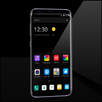
A cool dark grey, green theme to go with the rest of our GridX series! Get the Go Locker, Go Launcher, Go Contacts and Go Sms to match!!
Enjoy!
Latest Version
1.0Uploaded by
Muhamad Rizqi
Requires Android
Android 1.6+
Category
Free Personalization AppContent Rating
Unrated · Warning – content has not yet been rated. Unrated apps may potentially contain content appropriate for mature audiences only.
Report
Flag as inappropriateLast updated on Nov 22, 2015
Minor bug fixes and improvements. Install or update to the newest version to check it out!



APKPure - A multi-platform app store primarily focused on Android, providing extensive app-related content. Discover the app you want easier, faster, and safer, with quick and efficient downloads and installations.