GameGuardian helps players adjust in-game values to match personal pace and preferences. It operates through a floating overlay that lets changes happen while the game is running. This suits users who want to skip long waits or experiment with different setups. As a specialized tool, it expects careful use and clear goals. The GameGuardian APK is intended for advanced users and is widely used on phones and emulators.
GameGuardian places a floating icon over your game so you can open an in-game panel and edit values while playing. Adjust numbers like money, HP, SP, coins, diamonds, or lives in real time. Changes apply to the running process, which keeps the game responsive while you fine tune your session.
Speed control and time jumpAfter editing values, you can also control game speed to match your goals. Speedhack lets you accelerate or slow down gameplay, and time jump helps bypass wait timers. This is useful when you need to progress through time gates or reduce downtime between actions.
Powerful search methodsWhen exact numbers are unknown, GameGuardian provides advanced searches to locate the right memory values. Use exact or fuzzy search, unknown value with delta, encrypted or XOR patterns, text search, or array-of-bytes. You can filter results, refine them step by step, and then modify matching entries in bulk for consistent changes.
Lua scripting and automationFor repeated tasks, scripts reduce manual work. GameGuardian supports Lua scripting so you can automate searches and edits, or create and share custom scripts. This helps users run complex sequences with one action and keep results reproducible across sessions.
Works without root in virtual spacesIf root access is not available, GameGuardian can run in limited mode through virtual spaces. Add both the target game and the GameGuardian APK to apps like Parallel Space, VirtualXposed, Parallel Space Lite, GO multiple, or 2Face. It supports ARM and x86 or x64 architectures and works on popular emulators such as BlueStacks, Nox, PPSSPP, ePSXe, and GameBoy.
Use at your own risk. Many online games have protections that can detect changes and may enforce bans or suspensions. For safer use, focus on offline games where edits do not affect other players. Make sure you understand what you plan to change and confirm it matches your personal use case.
Root or a virtual environment is required. If you prefer GameGuardian no root, run it inside a virtual space and add the game to the same container. Plan your workflow ahead, including which values you will search for and how you will confirm results. Check compatibility notes and consider the GameGuardian latest version for improved stability.
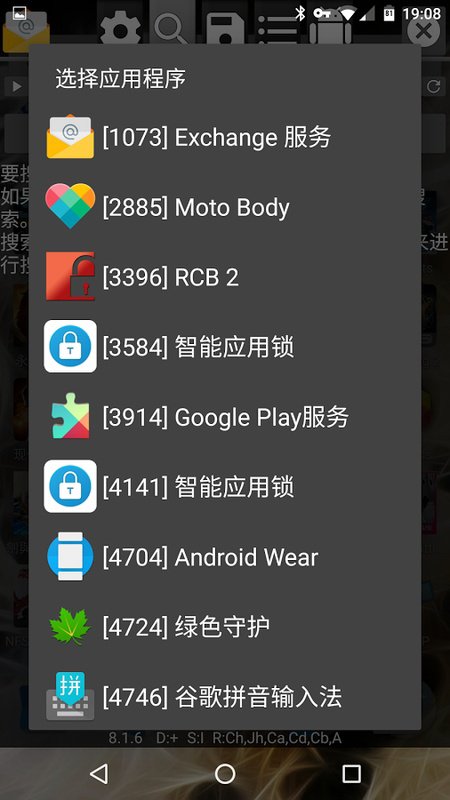
On emulators like BlueStacks or Nox, install the tool and the game in the same environment, then attach the floating overlay to the correct process. Video tutorials and Guides sections cover search examples, encrypted or fuzzy workflows, and speed control setup. A scripts library offers ready-made Lua automations, and community threads collect error reports, translation contributions, and tips from other users.
The steps below outline a no-root setup through a virtual space. To begin, download GameGuardian and prepare a virtual space app that can host both the tool and your game.
GameGuardian offers real-time value edits, speed control, advanced searches, and scripting for targeted adjustments. It suits users who understand the risks and prefer offline scenarios. For best results, consider the GameGuardian latest version and follow the setup steps carefully.
Latest Version
407.8Uploaded by
Enyby
Requires Android
Android 2.3.4+
Available on
GameGuardian
Category
Free Tools AppReport
Flag as inappropriateLast updated on Dec 17, 2024
Minor bug fixes and improvements. Install or update to the newest version to check it out!







APKPure - A multi-platform app store primarily focused on Android, providing extensive app-related content. Discover the app you want easier, faster, and safer, with quick and efficient downloads and installations.