Package Name:com.grice.files
SHA-256:1c2c054d25992494a28ebcb2bce2ac522768b630d8ac93081487816ef55347ad
Show More

File Manager — Simple. Beautiful. Organised.
File Manager organises everything on your phone, SD card and USB drives, with a calm Liquid Glass design. Browse every folder, clean up storage and keep private files safe in one place.
Every File, Organised
• Browse all folders on internal storage, SD cards and USB drives.
• Recents and categories: Downloads, Images, Videos, Audio, Documents, Apps and Archives.
• Grid or list view, sort by name, type, date or size, show hidden files.
• Pin favourite folders and search files and folders by name.
Manage Files Your Way
• Copy, move, duplicate, rename and delete files and folders right where they are.
• Compress to zip and extract zip and 7z archives, including password-protected zips.
• Get Info shows size, type, location, dates and photo details.
• Open photos, videos, music, PDFs and text in the built-in viewer.
• Install APK files you choose with the Android installer.
• Deleted files wait in Recently Deleted for 30 days.
Clean Up Space Fast
• Find junk, temporary and empty files, duplicate files and large files.
• Spot similar and low-quality photos and keep the best shot.
• Clean up old screenshots, downloads, messenger media and APK installers.
• Find apps you haven't used in 30 days and see how much cache each app keeps.
• Compress large videos and photos to save space.
• Weekly clean-up and low storage alerts, if you want them.
Know Your Storage
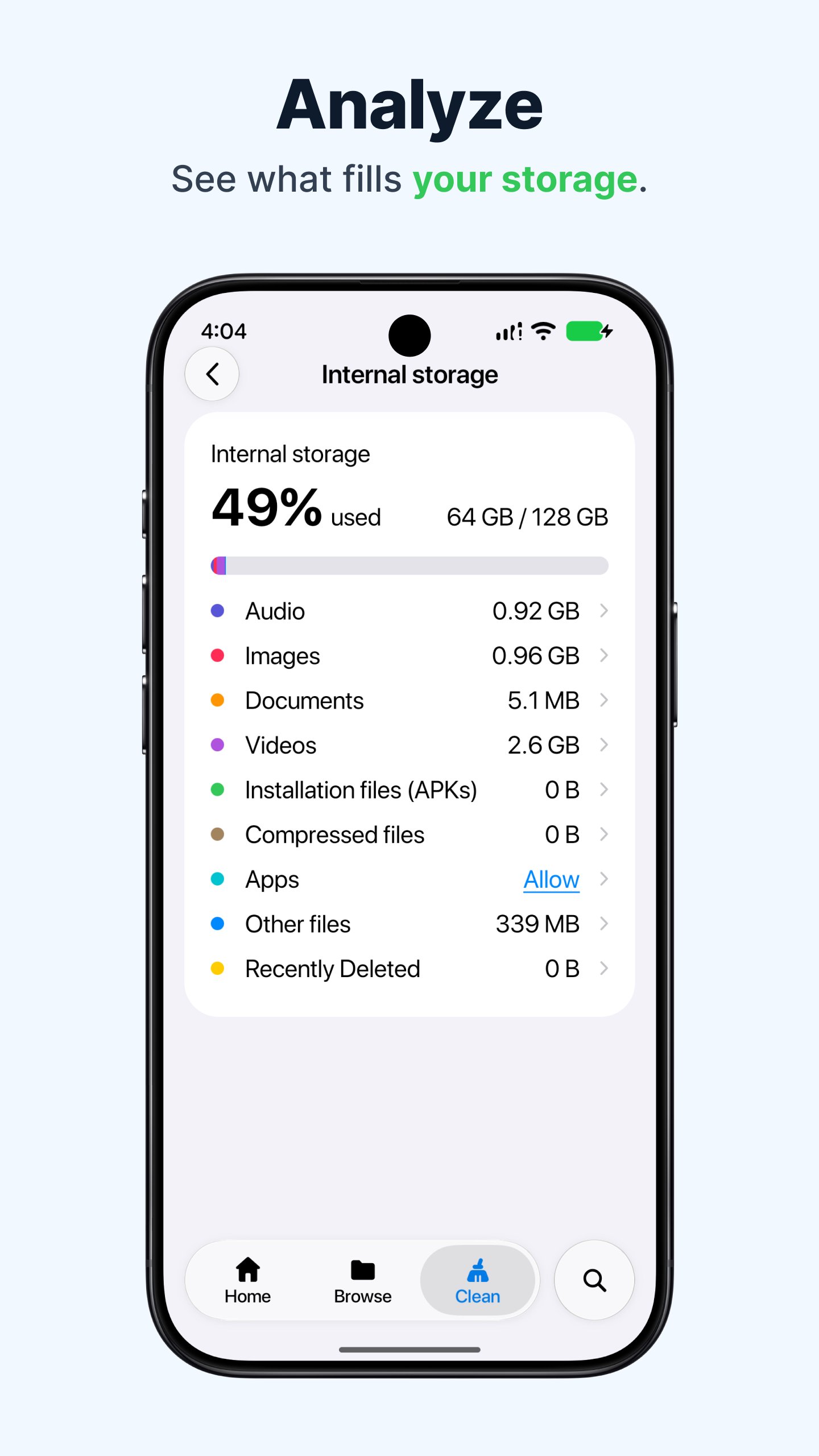
• Storage Analyzer shows what fills each storage: audio, images, documents, videos, apps and more.
• See every installed app with its app, data and cache size.
Keep Private Files Safe
• Move files into Safe Folder, encrypted and locked with a passcode, pattern or biometrics.
• Safe Folder content never shows in Recents, search or screenshots.
Your Files Stay on Your Phone
File Manager needs access to all files to show, organise and clean up everything on your device. Your files are never uploaded.
Download File Manager and enjoy a simpler, more beautiful way to manage your phone's storage.
Latest Version
1.0.6Uploaded by
Arr Aye
Requires Android
Android 10.0+
Category
Free Tools AppContent Rating
Everyone
Security Report
Check Now
Report
Flag as inappropriateLast updated on Nov 18, 2026
What's new in version 1.0.6
- Files and categories open much faster
- Bug fixes and performance improvements





APKPure - A multi-platform app store primarily focused on Android, providing extensive app-related content. Discover the app you want easier, faster, and safer, with quick and efficient downloads and installations.