Package Name:jp.co.fukuicompu.fieldpocket
SHA-256:33a94a07403feff4b1d5348af6495419eb4c5e40656932af50293b8141d98e3b
Show More

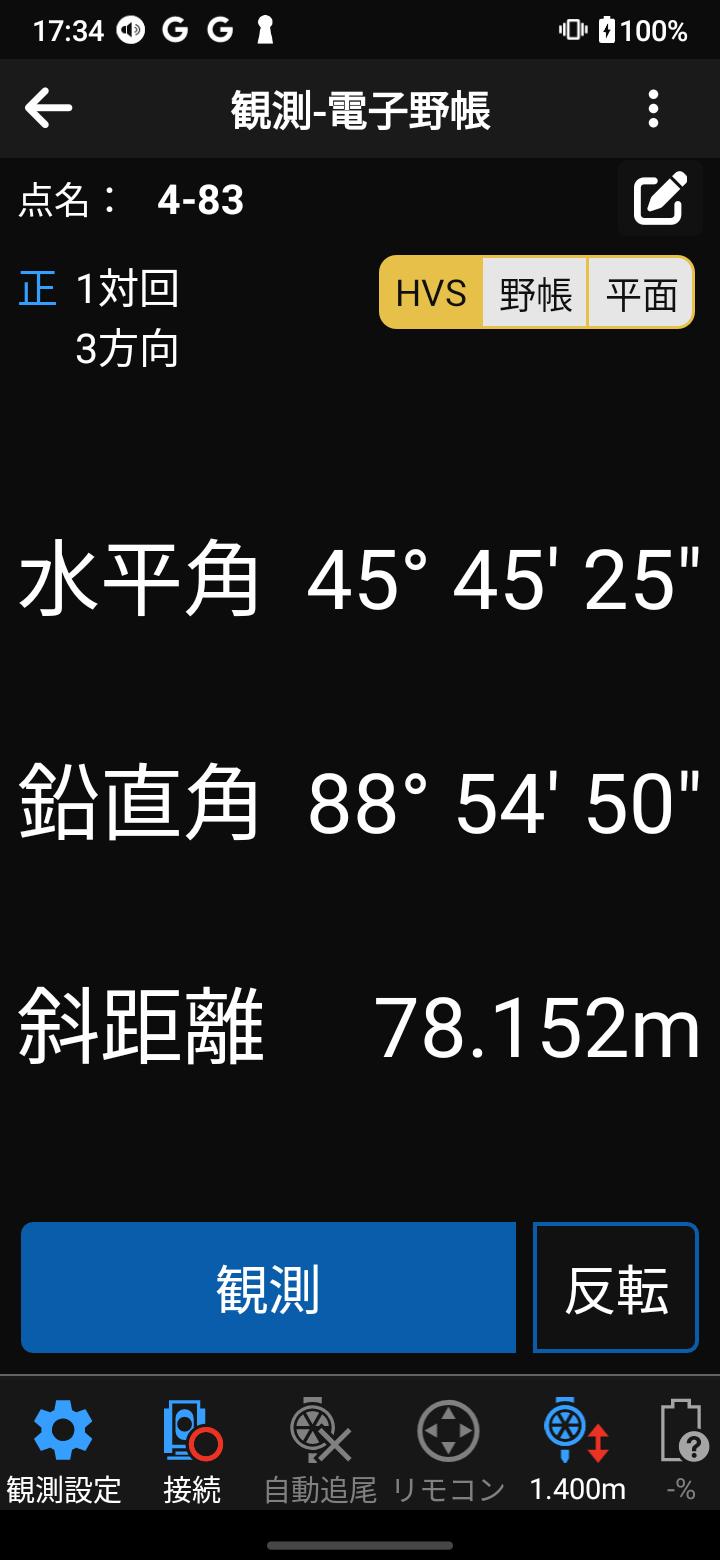
It is an observation app that runs on a smartphone, and can be introduced at low cost. It also works well with in-house PC software such as our surveying CAD "TREND-ONE/Mercury-ONE/Mercury-LAVIS", so it is easy to use. surveying operations can be made extremely efficient.
We provide the types of observations needed at the survey site, such as electronic field notebook observation, current condition observation, installation, longitudinal observation, and cross-sectional observation.
Surveying equipment can be used with a total station, GNSS receiver, electronic level, and auto level, so handwritten field notes are basically unnecessary.
By displaying large letters and numbers on the screen, it is easy to see even outdoors in the hot sun, and by making the buttons large, it can be operated even when wearing gloves in the winter.
A simple screen configuration and carefully selected essential functions provide easy-to-understand operability.
(We will release a survey set as a highly functional version. *Functions in blue below)
Main features
1) Electronic field notebook observation
Paired observations and single observations are possible. In addition to normal circular observation and automatic circular observation, contours are also automatically set. Additionally, point names can be set using drawings planned using in-house software. A feature of FIELD-POCKET's electronic field notebook observation is that it can be tightly linked with in-house software to improve efficiency.
2) Current situation observation
Current plane observation and radiation observation using TS/GNSS are possible. In addition to observing while arranging lines, parallel lines, points, and rectangles, handwritten notes and photo link functions are also available. The on-site observation speed remains the same, and we have realized current situation observation that significantly reduces internal work.
3) Staking out
Staking out using TS/GNSS is possible. In addition to coordinates, you can specify plot marks and end points on CAD data to stake out. In addition, since you can use the built-in GNSS on your smartphone, you can also use it to guide you to new points on drawings planned using in-house software.
4)Longitudinal observation
It supports TS, auto level, electronic level, and pole observation. In addition to measuring points, observation can be made by inserting longitudinal change points, culverts, etc. It also has multiple check functions, such as monitoring non-TP measurement points in real time, reducing the possibility of returning to the site again.
5)Cross-sectional observation
It supports TS, auto level, electronic level, and pole observation. In addition to observing normal crossing points, it is also possible to set crossing attributes such as waterways and fences. In addition, you can enter handwritten notes and save a series of shapes entered during pole crossing, and use them in other cross sections, allowing you to conduct cross-section observations more efficiently than ever before.
6) Easy connection function
You can easily connect to various surveying instruments such as total stations, GNSS receivers, and electronic levels.
7) Geographical Survey Institute map
Geographical Survey Institute maps can be displayed on the coordinate list and each observation screen. Since we have a function to download Geographical Survey Institute maps, you can display the Geographical Survey Institute maps even if you are not connected to the internet at the site, making it easier to visualize the site.
8) Cooperation with in-house software
Observation data and attribute information acquired by FIELD-POCKET are linked with in-house PC software such as our surveying CAD "TREND-ONE/Mercury-ONE/Mercury-LAVIS", reducing in-house work and improving overall business operations. This makes it possible to improve productivity. In addition, by using our cloud service "CIMPHONY Plus", you can work on-site and in-house at the same time.
Operating environment
For more information, please check the Fukui Computer website.
- Recommended devices are limited to a limited number of models.
・Android versions that can be installed
Android 10.0~
Supplementary
・After installation, FIELD-POCKET can be used as a trial version (limited functionality version).
・In the trial version, you can use the installed sample data to check the connection with measuring instruments.
・To use all functions, a contract (license authentication) with our company is required.
- After installation, when starting the app, you will need permission for the folder you will use from now on.
-Regular internet connection required.
・If you want to connect to Nikon-Trimble's total station "FOCUS series", you will need to install our app "FT-Connect".
Also, when connecting "FOCUS35", please turn on "BT Comm" on the main unit.
Latest Version
1.0.1134Uploaded by
مرتضى حنين
Requires Android
Android 10.0+
Category
Free Productivity AppContent Rating
Everyone
Security Report
Check Now
Report
Flag as inappropriateLast updated on Apr 16, 2026
Minor bug fixes and improvements. Install or update to the newest version to check it out!






APKPure - A multi-platform app store primarily focused on Android, providing extensive app-related content. Discover the app you want easier, faster, and safer, with quick and efficient downloads and installations.