

Package Name:it.avmap.www.enginemonitorsystem
SHA-256:e157502d2af53fb018d805e51d3b445b5bf7f0ce13b9afe943c55a04d168f770
Show More
With the EngiBOX you can download the data log of your Rotax aircraft engine from the AvMap EngiBOX engine monitoring system, to your smartphone / tablet via Bluetooth and send it to your Rotax Service Center to get Instant Support Service.
All the engine parameters are recorder with an update rate of five times per second, and are stored in the AvMap EngiBOX internal memory (up to 160 hours). In case of any problem or for regular maintenance you can easily download and send these engine data log to the Rotax service Center to get Instant Support Service.
The monitored parameters are: Exhaust Gas Temperature (EGT), Revolutions per Minute (RPM), Manifold Pressure (MAP), Oil Pressure, Oil Temperature / Air Temperature, Cylinder Head Temperature (CHT) / Coolant Temperature (CT).
Connect your smartphone / tablet to your AvMap EngiBOX:
1. Activate the Bluetooth on your Smartphone / tablet
2. Launch the EngiBOX app. The app will scan for EngiBOX in the surroundings and the list of found devices will appear in the left column.
3. Select your EngiBOX according to the EngiBOX ID.
4. In case of first use, follow the wizard to register your EngiBOX.
Easily download your engine data log:
1. Launch the EngiBOX mobile app.
2. Select your EngiBOX from the left column to connect to it
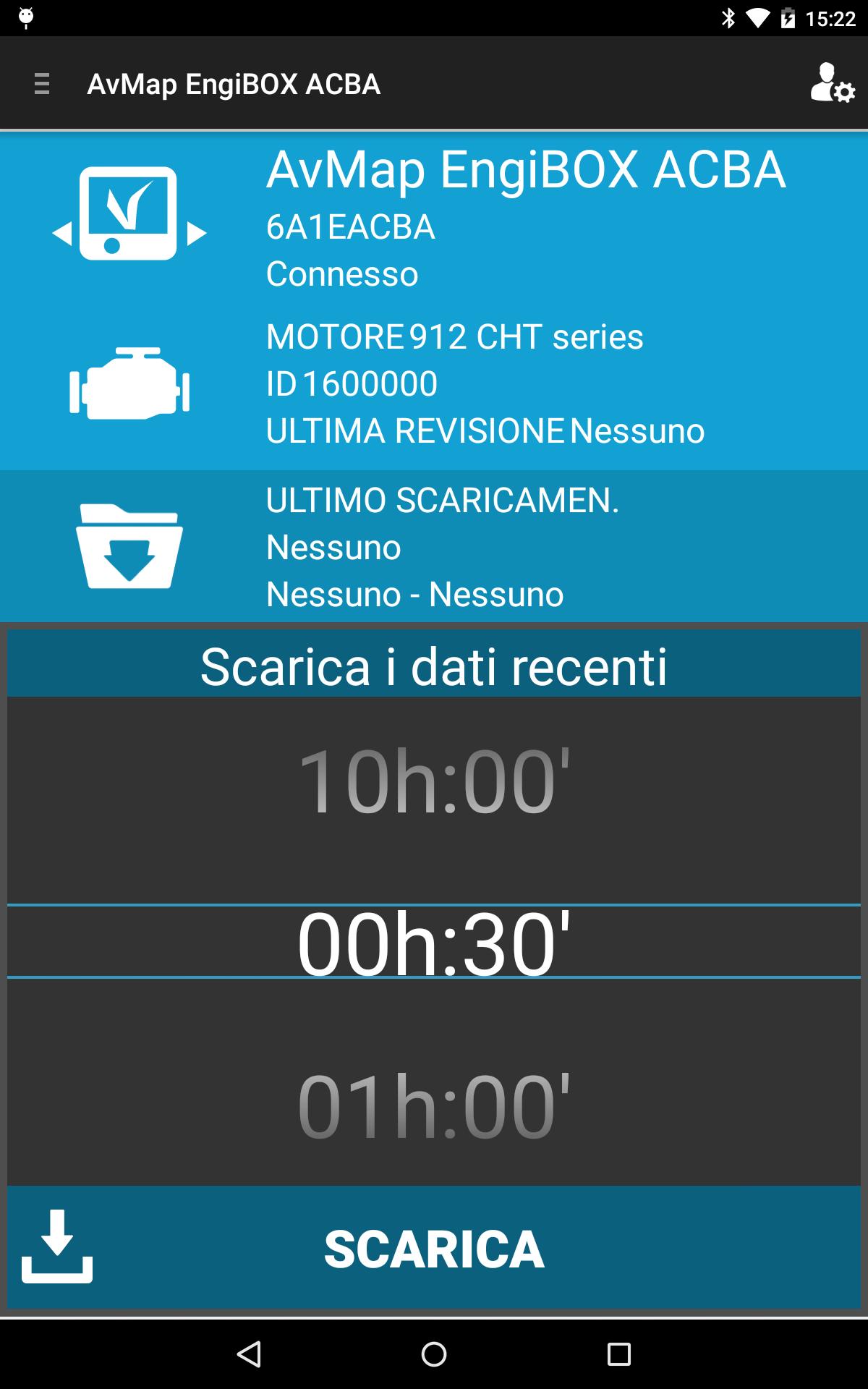
3. The app shows: EngiBOX ID, connection status, Engine model, Engine ID number and date of last overhaul.
4. Tap DOWNLOAD DATA.
5. Choose how many minutes you want to download: the minimum is the last 30 minutes of activity, the maximum 160 hours (see the estimated time for download in the bottom right corner)
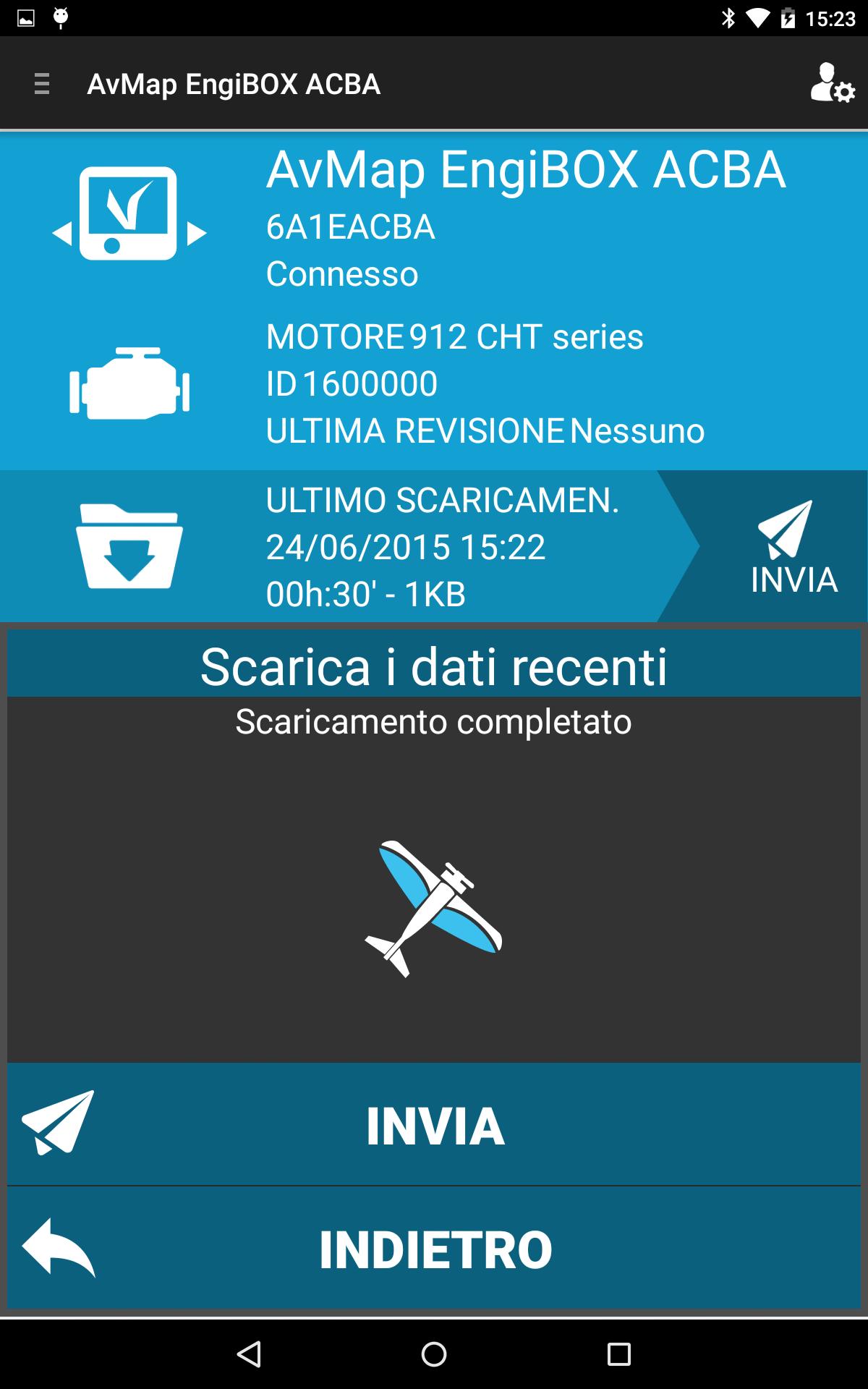
5. When the download is complete, press the SEND icon. The service center will receive all your engine logs.
6. Once the operation is completed, contact the service center communicating your engine ID to get Instant Support Service.
Latest Version
1.0.0RUploaded by
Ãhmađ Õķã HinĎawi
Requires Android
Android 4.3+
Category
Free Tools AppContent Rating
Everyone
Security Report
Check Now
Report
Flag as inappropriateLast updated on May 21, 2017
- Invite Service Center function: if your Rotax Service Center has not joined the program yet, you can invite it to do so!
- Added link to engine performance graphs (for logs downloaded and saved on the EngiBOX Portal)
- Added Service Center mode for maintenance functions



APKPure - A multi-platform app store primarily focused on Android, providing extensive app-related content. Discover the app you want easier, faster, and safer, with quick and efficient downloads and installations.