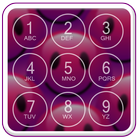
If you are a Emogi lover you would definitely love the application "Emoji Pin Screen Lock". The all new latest cute Emogi Pin lock screen is here to give your phone a ravishing look. You can refresh the look of your phone by downloading this free of cost application that is Emogi Pin locker. You just have to swipe and enter pin code as previously set Pin and your phone will give you access to the content of your phone. It is an easy and secure way to protect your phone data
To experience a coherent usage, you are advised to disable the default phone lock. For this, you can tap on the "Disable Default Lock" Option from the Settings of the application "Emoji Pin lock screen." It will move you to security lock screen settings of your device. From there you can disable the default lock. By doing this you will just have to enter a single Pin of Emoji screen lock to get access of your device. Else wise, you will have to unlock multiple locks. First, the Pin of Emoji lock screen and then the default lock of your device.
A very elegant way to unlock screen which provides date and time information. A pin locker and is made for the people who are much concerned with the high lock security for their phone as it maximize your lock security. You can enable and disable the pin screen lock from settings. You first have to set a unique 4 digit pin for your phone. You have to enter at least four digits and set the pin and use it every time you wish to unlock your phone. Keep your data safe and out of reach of other people. No abuse of personnel data is possible with this pin Lock Screen
To set the Emoji Pin screen lock you have to follow the following steps:
Open application
Enable pin
Set a unique 4 digit pin
Features Emoji Pin Lock Screen :
1. Show Unread SMS/Missed Call counter on screen locker
2. Plenty of beautiful wallpaper to choose, you can choose your own HD wallpaper from gallery too.
3. Set Pin or Password via Keypad to enhance your phone's security, block HOME/MENU/BACK key, no one can access your phone without correct password.
4. Slide up To Unlock, can customize sliding text, you can put my name or your friends’ name to DIY your lock screen.
5. Consume less memory and battery, simple and clean design.
6. Unlock sound enable/disable, Unlock vibration enable/disable.
7. Support 12-Hour and 24-Hour time format.
8. Random keypad, Safer than other lock screen.
9. customize text color and photo color
10. customize your lock screen photo, you can put your friend’s/families’ photo on your lock screen.
.
Latest Version
1.1.3Uploaded by
Xatina Kuchera
Requires Android
Android 4.1+
Category
Free Tools AppContent Rating
Everyone
Report
Flag as inappropriateLast updated on Nov 27, 2017
Minor bug fixes and improvements. Install or update to the newest version to check it out!




APKPure - A multi-platform app store primarily focused on Android, providing extensive app-related content. Discover the app you want easier, faster, and safer, with quick and efficient downloads and installations.