


Package Name:com.autoscroll.handsfreeswipe
SHA-256:77b2b94ff65182b6f967334404260f81e0dcbfc1fa847a0a42a501f673a9fb24
Show More

Never touch your screen again. Enjoy hands-free video entertainment!
Auto Scroll: Next Video Swipe is the perfect utility for watching your favorite short videos without lifting a finger. Whether you are eating, washing dishes, working out, or just relaxing in bed, our smart auto-swiper handles the scrolling for you.
🚀 WORKS WITH ALL YOUR FAVORITE APPS Compatible with the most popular short-video platforms: ✅ TikTok (Auto-swipe to the next trend) ✅ YouTube Shorts (Continuous playback) ✅ Instagram Reels (Endless feed scrolling) ✅ TikTok Lite & More!
🛠️ KEY FEATURES
• Smart Auto Scroll: Automatically detects when a video ends and swipes to the next one (Optimized for supported apps).
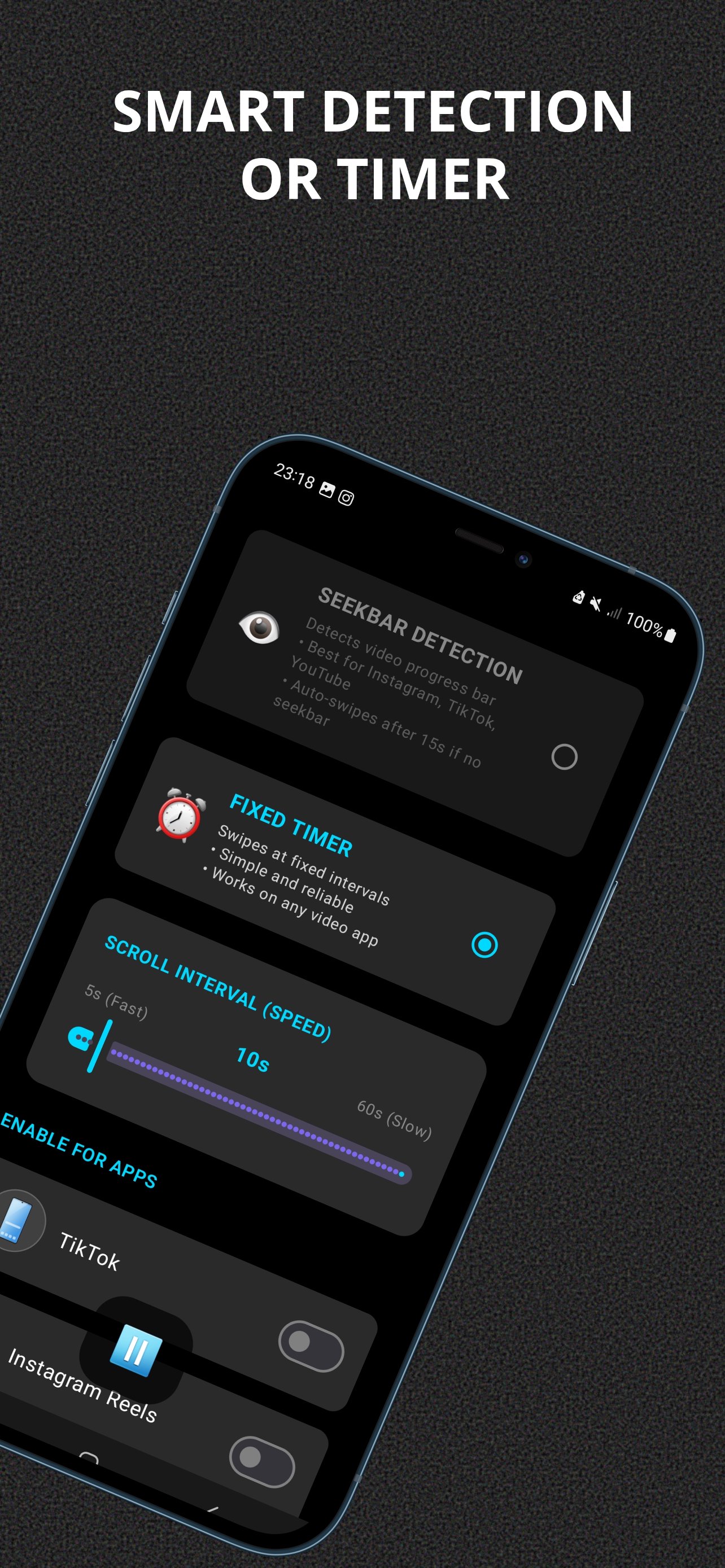
• Custom Timer: Set your own scrolling speed (e.g., swipe every 15 seconds) for apps where detection isn't available.
• One-Tap Activation: A simple floating button lets you start or stop auto-scrolling instantly.
• Hands-Free Mode: Perfect for watching tutorials while cooking, doing makeup, or exercising.
• Battery Efficient: Dark mode optimized to save power while you binge-watch.
💡 HOW TO USE
1. Open the app and grant Accessibility permissions (Required to simulate the swipe).
2. Select the apps you want to auto-scroll (TikTok, Shorts, etc.).
3. Choose your mode: Smart Detection or Fixed Timer.
4. Open your video feed and watch the magic happen!
🔒 PRIVACY & SECURITY We value your privacy. This app uses Accessibility Services solely to perform the swipe gesture on your behalf.
• We DO NOT collect or store any private data.
• We DO NOT read your screen content for ads or tracking.
• We DO NOT change your device settings.
ACCESSIBILITY SERVICE NOTICE: This application requires the Accessibility Service permission to function. This permission allows the app to perform a simple "swipe up" gesture on the screen automatically. This is the core feature of the app and cannot function without it.
DISCLAIMER: Auto Scroll: Next Video Swipe is an independent utility app. It is not affiliated with, associated with, authorized by, endorsed by, or in any way officially connected with TikTok, YouTube, Instagram, or Meta Platforms, Inc. The names "TikTok", "YouTube Shorts", and "Instagram Reels" are registered trademarks of their respective owners.
Latest Version
1.0.3Uploaded by
Joao Perro Alencar
Requires Android
Android 8.0+
Category
Free Tools AppContent Rating
Everyone
Security Report
Check Now
Report
Flag as inappropriateLast updated on Feb 2, 2026
✨ Key Features:
✅ Auto Swipe: Automatically scrolls to the next video for you.
✅ Multi-App Support: Works perfectly with TikTok, Shorts, and Reels.
✅ Adjustable Speed: You control how fast or slow it scrolls.
✅ Easy Overlay: Simple Start/Stop button floating on your screen.
✅ Fixed an issue that caused the auto-scroll to crash on some devices. Scrolling is now smoother and more reliable!
PERFECT FOR:
🍽️ Eating while watching
🧼 Washing dishes
🏋️ Gym & Workouts






APKPure - A multi-platform app store primarily focused on Android, providing extensive app-related content. Discover the app you want easier, faster, and safer, with quick and efficient downloads and installations.











