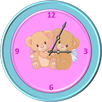
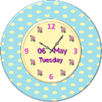
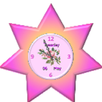
An Analog clock widget with battery level, date and digital time, to enhance your smartphone's home screen looks.
The light colored clock is best shown on a darker background.
How to use ?
1.Install application.
2. Install UCCW app from store if not done so yet.
3. Create a new UCCW widget (choose 2X2 ).
4. Search for "Analog clock light UCCW Skin" on your list.
5. Place the clock on your home screen.
Have fun!
A custom launcher will enable you zooming the clock.
If you have a problem with the skin email me at: zingware@gmail.com
Latest Version
1.0.2Uploaded by
Lucas Lannoy
Requires Android
Android 2.2+
Category
Free Personalization AppContent Rating
Unrated · Warning – content has not yet been rated. Unrated apps may potentially contain content appropriate for mature audiences only.
Report
Flag as inappropriateLast updated on Jan 23, 2016
Minor bug fixes and improvements. Install or update to the newest version to check it out!




APKPure - A multi-platform app store primarily focused on Android, providing extensive app-related content. Discover the app you want easier, faster, and safer, with quick and efficient downloads and installations.