"agog (adjective): very eager or curious to hear or see something"
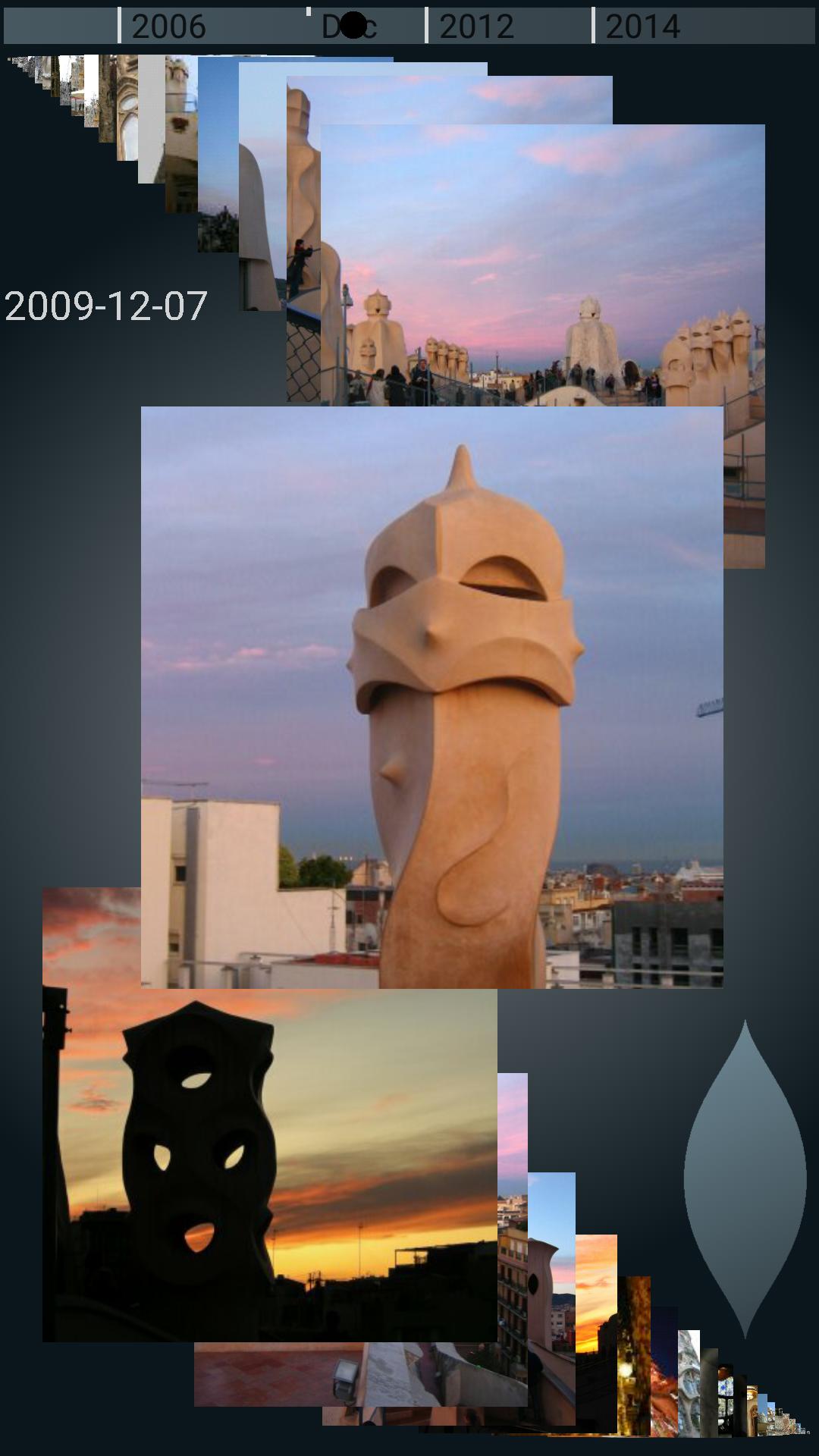
With Agog you can playfully glide through hundreds of photos, using a powerful new single thumb sliding control. No clutching is required.
Your photos appear on a curved time stream. A leaf-shaped control widget is within easy reach of your thumb, even when holding the device in one hand. Touch-and-hold in the broad part of the widget, then slide the finger up or down to change the gliding speed. Note that tapping on the widget is ignored.
It may take some time to get used to the powerful indirect control offered by the widget. Delicate changes to the gliding speed are made by sliding a small distance from the point of first touch. Larger movements quickly accelerate photo gliding, but everything is reversible by sliding in the opposite direction.
When you lift your finger from the widget, photo gliding continues. If the rate is low, this amounts to an elegant glide show of your photos.
Direct interaction with the stream of photos is also possible. Tap on a photo to select it, swipe on the stream to move it, or fling to send it gliding.
Once a photo is selected, it takes over the screen. You can then delete it, share it, or set it as the phone's wallpaper, using the familiar icons that appear.
You can also zoom in and out with pinch gestures or a double tap, and swipe left or right to go to the previous or the next photo. Tapping the Android Back button returns to browsing the photo stream.
Settings appear at one end of the photo stream. A left-handed mode is offered, and photos can be included or excluded according to source. The upper limit to gliding speed can be raised by selecting an expert mode. The display style can be immersive, or show a date bar at the top.
At the other end of the photo stream, a camera icon enables you to take a photo from within the app.
A date bar at the top of the screen may show where the photo in focus fits into the set. The bar also enables random access to any region of the set by touching or sliding along it. You will probably need to use both hands to reach all positions on the bar.
An alternative method of photo selection is offered for single-handed use: When the desired photo has been brought to a stop in the focus region, slide the finger left or right towards the inside of the screen, until a frame appears around the desired photo. Lifting the finger will then select the framed photo. This technique is tricky, and some exercise may be needed to get it right.
Agog offers itself as a system wide picker for photos. It can therefore be used from within other apps, e.g. for attaching a photo to a message.
Note: On first use, thumbnails need to be generated for all photos not encountered before. This may take some time.
Limitation: The number of photos loaded is currently limited to 1,000.
Latest Version
0.10.2Uploaded by
Oun Ka
Requires Android
Android 4.4+
Category
Free Photography AppContent Rating
Everyone
Report
Flag as inappropriateLast updated on Nov 18, 2024
Update dependencies.
Change minimum Android version to 4.4 (KitKat).
Remove a deep link that was incorrectly set up.



APKPure - A multi-platform app store primarily focused on Android, providing extensive app-related content. Discover the app you want easier, faster, and safer, with quick and efficient downloads and installations.