Scan Date:Feb 3, 2026
Show More

Petal Maps helps you handle daily commutes, weekend drives, and trips abroad with clear directions and up-to-date road information. It brings maps, traffic status, and place details together so you can plan routes and find what you need nearby. The app works in over 160 countries and regions, and it supports use even when your phone goes offline. Whether you prefer simple point-to-point routes or multi-stop plans, you can download Petal Maps to keep your travel organized and on track.
Live traffic and flexible routes
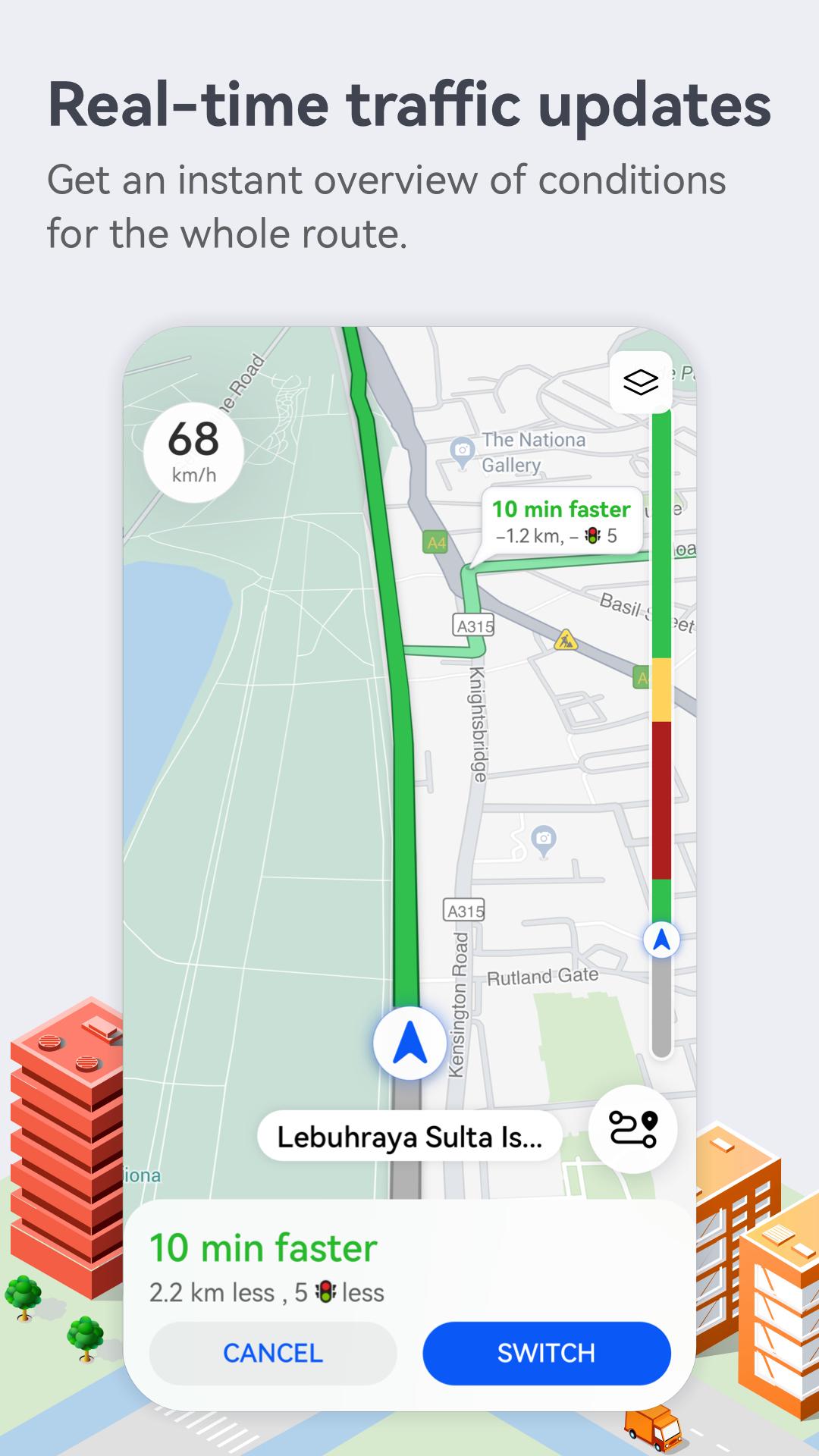
Petal Maps analyzes current conditions to suggest the quickest, shortest, or least congested route. You can add multiple stops and preview options before setting off, which helps when planning errands or longer trips. Route colors and incident markers make it easy to see delays and pick an alternative in seconds. As conditions change, the app can adjust your path to keep you moving.
Lane-level guidance
Clear lane instructions help you position your vehicle early at complex junctions and interchanges. Petal Maps shows which lane to stay in before exits and merges, reducing last‑second lane changes. This is especially useful on unfamiliar highways where signs appear quickly. The guidance updates as you approach turns, so you stay aligned with the road layout.
Offline maps for trips
You can download map areas in advance to keep navigating without an internet connection. This is helpful for travel abroad, remote drives, or when mobile data is limited. Petal Maps uses your saved areas for search and navigation until you reconnect, then updates when a connection returns. You can add or remove regions as your plans change.
Nearby services and discovery
Find hotels, food, fuel, parking, and more around your location or along your route. Petal Maps supports hotel booking, ride requests, and a video map view in selected areas, and availability varies by region and partners. You can also use voice search to look up places hands‑free while on the move. These tools help you locate essentials without leaving the map.
Cross-device navigation and sync
Navigation extends to HUAWEI WATCH 3, GT2, and GT3 series for walking, cycling, and public transport modes. This lets you keep directions on your wrist when your phone stays in your pocket. Favorites and saved places can sync via HUAWEI Mobile Cloud or Dropbox, so you can access the same lists across devices. You can update or organize these items at any time.
Petal Maps uses end to end encryption to protect location and navigation data. The service is designed to comply with local laws in supported regions. Settings give you control over what is stored and synced, and you can manage saved items or clear history at your discretion. These protections apply across features, including search and favorite places.
Petal Maps is available in more than 160 countries and regions. Some options, such as hotel booking, ride‑hailing, and the video map, depend on local partners and may not appear in every area. If you travel often, check coverage details inside the app or visit the official site for regional information. For reference, see petalmaps.com.
You can keep favorites and saved lists up to date with HUAWEI Mobile Cloud or Dropbox. This helps when switching phones or when using both a phone and a compatible watch. If you prefer to keep data only on one device, you can turn sync off in settings. Changes you make to lists will reflect across devices after the next sync.
Petal Maps includes tools to report police presence, road closures, and accidents so other drivers get timely alerts. You can also add or edit places to correct details like names, categories, or hours, and you can rate and review locations after visits. These community updates help keep information current for everyone. Contributions are reviewed and may appear after verification.
This quick guide covers the basics for directions, place search, and offline maps. If you use the Petal Maps latest version, the steps below remain the same.
Petal Maps offers live traffic guidance, clear lane instructions, and offline support across many regions. For reliable directions and place search on your Android device, get the Petal Maps APK and begin navigating. If you prefer a direct install, you can also choose to download Petal Maps.
For official resources and support, see the links below.
Latest Version
4.7.0.312(001)Uploaded by
Petal Maps Team
Requires Android
Android 8.0+
Category
Free Maps & Navigation AppContent Rating
Everyone
Security Report
Report
Flag as inappropriateLast updated on Feb 7, 2026
Minor bug fixes and improvements. Install or update to the newest version to check it out!




APKPure - A multi-platform app store primarily focused on Android, providing extensive app-related content. Discover the app you want easier, faster, and safer, with quick and efficient downloads and installations.