Package Name:com.appsomniacs.mmc
SHA-256:a4a1e33ffa252d17368e78135b91ea0425a8ad21817084e6c76eb5a96d95a62c
Show More

Mini Militia Classic brings back pick up and play firefights under the original creators at Appsomniacs for players who want quick matches with friends or short sessions. It suits busy schedules since the interface moves you from lobby to action with little waiting, while the familiar feel makes returning easy. New players can read the screen clearly and learn controls in minutes. To get started, install the Mini Militia Classic APK and open the training area before joining a match.
Online and local multiplayer built for quick sessions
Mini Militia Classic lets you battle with up to six players online, which keeps matches tight and readable on small screens. For gatherings or same network play, it supports up to twelve players over WiFi or LAN. This flexibility works for both remote friends and local party groups. As a result, you can set up a quick room or hop into a short online round without long waiting.
Classic modes with a modern lobby to match flow
You can enter Quick Match for fast pairing, or choose Play Online or Play Local to set specific rules with your group. Offline Training, cooperative practice, and Survival provide a safe place to learn aim, timing, and map routes before queuing. The flow from lobby to match is streamlined, so your team can ready up, start, and requeue smoothly after a round. This structure helps new players ease in while keeping experienced players moving between matches.
Signature movement and dual stick controls
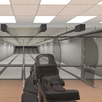
Mini Militia Classic uses dual stick shooting for clear movement and aiming, which makes inputs familiar on touch screens. Rocket boots add vertical movement for flanks and escapes, while melee, zoom control, and dual wielding create tactical options. You can combine these tools to control sightlines, pressure opponents, and change pace mid fight. The overall feel stays responsive, so small adjustments matter during close exchanges.
Diverse weapon picks for adaptable play
Weapons include snipers, shotguns, SMGs, assault rifles, a flamethrower, and grenades, covering both close and long range roles. You can switch based on map position and team needs, then adjust again after respawn or a new pickup. This variety keeps engagements different from one skirmish to the next. It also rewards players who learn when to swap from precision fire to area control or aggressive pushes.
Faithful look and feel from the original creators
This version is an authentic return by Appsomniacs that focuses on the core vibe long time players remember. It brings back removed elements like LAN support and Capture the Flag while keeping navigation simple. The clear Doodle Army style uses readable, colorful arenas and easy to spot avatars, which helps you track action during chaotic moments. Light customization lets your character stand out without affecting clarity in the match.
Live operations and announcements appear in the in app NEWS section, which helps players stay aware of balance tweaks and events. An official Discord is available for community tips, match feedback, and issue reporting, and the link can be found inside the game. When you look for the Mini Militia Classic latest version, the NEWS feed is a helpful place to confirm current details.
Set up is straightforward, and new players can learn the basics in minutes. To save time, download Mini Militia Classic, complete a short warm up, and then jump into a quick match. The steps below outline a simple flow from install to your first round.
Open the app, choose a nickname, and pick a simple avatar. Then visit Settings to adjust sensitivity, aim stick placement, and audio so controls feel comfortable.
Next, enter Training to learn movement, aiming, and rocket boots. After a few minutes, try Survival or cooperative practice to test weapons and grenades at your own pace.
After that, pick Quick Match for fast online games, or tap Play Online to choose a mode with friends. For local sessions, have everyone connect to the same WiFi, choose Play Local, and create or join a lobby.
Then, in the match, use the left stick to move and the right stick to aim and fire. Tap jump to activate rocket boots, switch weapons as needed, and use zoom for precise shots at longer ranges.
Finally, at the end of a round, review the scoreboard, adjust your loadout or avatar if needed, and ready up to requeue with your group for the next match.
Mini Militia Classic focuses on quick, skill driven 2D firefights with both online and local options, a readable art style, and a simple lobby flow. To begin playing with friends or in short solo sessions, download Mini Militia Classic and enter a quick match after a brief warm up.
For official resources and support, use the links below.
Support email: testingfeedback@appsomniacs.com
Latest Version
0.14.4Uploaded by
Dario Guzman
Requires Android
Android 4.0+
Category
Free Action GameContent Rating
Teen · Violence, Blood
Security Report
Check Now
Report
Flag as inappropriateLast updated on Mar 26, 2025
v0.14.4 (build 88; Hot fix for menu labels so they don't appear under ads.)
See release notes link below, or use in app NEWS, for details
This is a hotfix for Android OS only (this change will appear later for iOS)
Check out NEWS in app or the link below for details.
Use our DISCORD to see live ops status alerts, get support, report issues, & chat: https://discord.gg/d6A2UjwA25 See release notes at the NEWS (also from in app) here: https://appsomniacs.com/static/games/doodlearmy2/news.html




APKPure - A multi-platform app store primarily focused on Android, providing extensive app-related content. Discover the app you want easier, faster, and safer, with quick and efficient downloads and installations.