Package Name:com.google.android.apps.nbu.files
SHA-256:f0fff8316cd357c9d2512be997864f5dba2d122b4f8947129078757fc60cdf72
Show More

Files by Google brings simple storage management, fast search, private sharing, and backup into one lightweight, ad-free app. It organizes your device so you can see what takes up space and decide what to keep. Moreover, it helps you locate photos, videos, downloads, and documents instantly using smart filters without digging through folders. Most importantly, the app supports private, offline transfers and optional backups to your preferred services, which keeps your phone tidy and your important items safe. Start using Files by Google today to manage files with clarity and confidence.
Smart clean-up suggestions
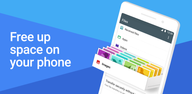
Files by Google highlights duplicate files, large videos, low-resolution media, chat caches, and temporary items so you can free up space in a few taps. The suggestions are personalized to your storage. Therefore, you keep what matters and remove what does not.
Find files without folders
Powerful search and smart filters help you locate content by type, size, or date, even if you do not remember the folder path. You can quickly browse images, videos, audio, and documents. Moreover, sorting options make it easy to review big items first.
Quick Share offline transfers
Share photos, videos, apps, and documents privately with nearby devices at up to 480 Mbps, no internet or mobile data required. Transfers are end-to-end encrypted to protect your content. In addition, sharing works with nearby Android phones and Chromebook devices.
Backup to cloud, SD card, or USB
Files by Google lets you back up items to Google Drive or other cloud storage apps installed on your phone. You can also copy files to an SD card or a USB drive to keep device storage clear. Therefore, you always have options when you run low on space.
Locked folder for sensitive items
Protect private files in a locked folder secured by a PIN or pattern that is separate from your device lock. Only you can open it inside the app. Moreover, this provides an extra layer for documents, IDs, or personal media.
Built-in media player
Play videos and music directly without switching apps. You can preview content while cleaning or searching, then decide what to keep or remove. In addition, the experience stays lightweight with no ads.
Privacy and speed in practice
Quick Share uses a direct connection between devices, so your files stay private and transfer fast even when you have no signal. This helps when sending many photos or large videos during travel or in low-connectivity areas.
Ecosystem and device support
Files by Google is designed for Android devices and supports sharing with nearby Android phones and Chromebooks. You can move files to removable storage as needed, which is useful across different devices you use every day.
Simplicity for everyday organization
The app focuses on tasks rather than folders, so you spend less time searching and more time doing. Clear categories and quick actions guide you from viewing to cleaning to sharing in a single flow.
Use this quick guide to start organizing, sharing, and backing up in minutes. The steps cover storage clean-up, finding items, sharing offline, and saving files to external or cloud storage.
Open Files by Google and check the Clean tab. Review the suggested items and tap Confirm to free up to remove what you no longer need.
Go to the Browse tab to find content by type. Use search or filters to quickly locate large videos, downloads, or documents.
After you find what you want to share, tap Share and choose Quick Share. Select the nearby device and confirm the code to start an encrypted offline transfer.
Then open the Browse tab and select files to back up. Choose Save to cloud to send them to Google Drive or another cloud app installed on your phone.
So you can free local space, insert an SD card or USB drive if available. Select Move to transfer files from internal storage to the external drive.
Files by Google helps you clean space, find files fast, share offline securely, and protect sensitive items in one ad-free app. Download Files by Google on APKPure today and manage storage with ease.
If you need official product information, please visit the Files by Google website below.
Official site: https://files.google.com/
Can I use Files by Google on PC, iPhone, or the web?
Files by Google is an Android app and does not have a native iOS or web version. However, you can share with nearby Android phones and Chromebook devices using Quick Share. For desktop file management, use your computer's built-in file tools alongside your phone's storage or removable drives.
Does Files by Google delete files automatically during cleanup?
No, Files by Google only removes items you choose. The app shows suggested clean-ups, such as duplicates or large files, and you confirm what to delete before any change happens. This gives you full control over your storage.
Can I move files to an SD card or USB drive with Files by Google?
Yes, Files by Google lets you move or back up files to an SD card or a connected USB drive. This is useful when you want to free internal storage while keeping offline access to your content.
Does Quick Share work without internet, and is it secure?
Yes, Quick Share works offline with no data usage and supports transfer speeds up to 480 Mbps. The connection is end-to-end encrypted, so your files stay private while sharing between nearby devices.
Latest Version
1.11051.902106514.0-releaseUploaded by
Saif Ali
Requires Android
Android 8.0+
Category
Free Tools AppContent Rating
Everyone
Security Report
Check Now
Report
Flag as inappropriateLast updated on Apr 23, 2026
- UI enhancements for better user experience
- Bug fixes



APKPure - A multi-platform app store primarily focused on Android, providing extensive app-related content. Discover the app you want easier, faster, and safer, with quick and efficient downloads and installations.