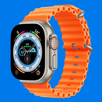
ZTFit helps you link a wearable to your phone so everyday activity and wellness data are easy to check in one place. It suits common routines like commuting, walking, and workouts, and it keeps alerts organized so you do not have to switch between different tools. Because it works over Bluetooth, setup happens on your phone and data stays available while you move. If you plan to download ZTFit, this overview sets clear expectations. The app is for general fitness use and is not intended for medical purposes.
ZTFit connects over Bluetooth to compatible smart bracelets and watches. Follow the on screen prompts to pair and sync time and date. Selected models such as ZTFit Ultra 2 are supported, and pairing works best when the watch is charged and nearby. If your device belongs to a different product line like ZTFIT PRO, use the matching app for that device to avoid pairing issues.
Steps and daily goalsYou can view step counts, distance and active time on the phone after the watch syncs. ZTFit lets you set a daily goal, then shows progress through the day so you know where you stand at a glance. Recent days are easy to compare, which helps you notice patterns and adjust your routine.
Sports modes with GPSFor running, cycling and walking, ZTFit can record routes with GPS for more accurate tracking. Location use in the background may increase battery drain while a session is active. If you train indoors, start an indoor mode to record time without GPS. Pausing an activity between segments also helps manage power.
Sleep monitoring and wellness noteThe app summarizes sleep duration and estimates sleep quality to help you see trends over time. ZTFit may present simple prompts to encourage regular habits. Use these insights for general wellness only. The app is not designed for diagnosis or clinical monitoring.
Watch faces and notificationsYou can select watch faces or set a custom wallpaper directly from the phone. ZTFit can forward app messages, SMS and incoming call alerts to the watch. On compatible models you can reject a call with one tap on the watch for quick handling when you are busy.
ZTFit is intended for selected smart bracelets and watches in the ZTFit line, including models such as ZTFit Ultra 2. If you need ZTFit Ultra 2 app download, confirm the model name on the box or in the device settings to avoid installing the wrong app. ZTFit and ZTFIT PRO are different apps for different devices, so check the quick guide that came with your wearable before installing. For Amazfit devices, use the official app for that brand rather than ZTFit.
GPS can raise battery use during outdoor tracking because location stays active while the session runs. To manage power, start indoor modes when you do not need location, pause activities during rest breaks, and keep the watch screen off when not checking stats. Charge the watch and your phone before long workouts to avoid losing route data.
The ZTFit app is free to download. It does not include ads, so all features described here are available without extra purchases.
On iOS, ZTFit supports HealthKit so running and fitness data can sync into Apple Health. On Android, you manage and view data inside ZTFit and your connected wearable.
ZTFit uses Bluetooth to pair and sync, location for GPS based sports, and notification access to show app messages and calls on the watch. Call handling requires phone permission so the watch can reject a call. You can adjust these permissions anytime in Android settings. Device identifiers are used to link your watch with your phone and keep sync stable.
This quick guide helps you pair a device and start tracking without confusion. If you need ZTFit APK, install the app and then follow these steps.
ZTFit links your wearable to track activity, sports and sleep, and it manages watch faces and notifications in one place. Use a supported device for best results and set permissions that match your routine. To begin, install the ZTFit latest version and pair your watch.
Latest Version
1.0.11Uploaded by
Fa Ruful
Requires Android
Android 8.0+
Category
Free Health & Fitness AppContent Rating
Everyone
Report
Flag as inappropriateLast updated on Sep 30, 2026
This release includes minor bug fixes and general improvements. Update to the latest version for the best experience.



APKPure - A multi-platform app store primarily focused on Android, providing extensive app-related content. Discover the app you want easier, faster, and safer, with quick and efficient downloads and installations.