Package Name:app.zcontroller.mobile
SHA-256:18c3d2770219e8f8603c9b35e32ce5512e2d0dd39849efd78f93b4cbe15c9134
Show More

Turn your Android phone into a gamepad, mouse, keyboard, steering wheel, or motion controller for PC games. You can also use zController to control another Android device or navigate compatible Android TV devices.
🎮 PHONE-TO-PC: GAME CONTROLLER
Play PC games without a physical controller. Connect your phone to your PC and choose from multiple controller modes.
• Xbox-style controller
• PlayStation-style controller
• GameCube controller
• Wii controller
• Steering wheel using your phone's gyroscope
• Mouse and keyboard
• Custom controller layouts
• Motion and gyroscope controls
Connect using USB, Wi-Fi, or Bluetooth and customize your virtual controls to match your games.
zController also works with popular PC emulators such as Dolphin, PCSX2, and RPCS3.
📱 PHONE-TO-PHONE: REMOTE-TO-TOUCH
Use one Android device as a controller for another Android device.
• Touch Mapping: Map controller buttons and joystick movements to touch actions and screen coordinates. This lets you control games that do not natively support external controllers.
• High-Speed Look Mode: Designed for smooth camera movement in 3D games.
• Multi-Button Input: Use joystick and button inputs simultaneously.
• Custom Layouts: Move, resize, or remove controls to create your preferred layout.
The Remote-to-Touch feature uses Android's Accessibility Service to perform the touch actions required on the controlled device.
zController does not collect, store, or share personal data or screen content through the Accessibility Service.
📺 PHONE-TO-TV: ANDROID TV REMOTE
Use your phone to navigate compatible Android TV devices and Android TV boxes.
• Bluetooth HID: Use your phone as a hardware input device.
• Wireless Keyboard: Use your phone's keyboard for searches, logins, and text input.
• Air Mouse: Use your phone as a touchpad or motion-controlled mouse for navigation.
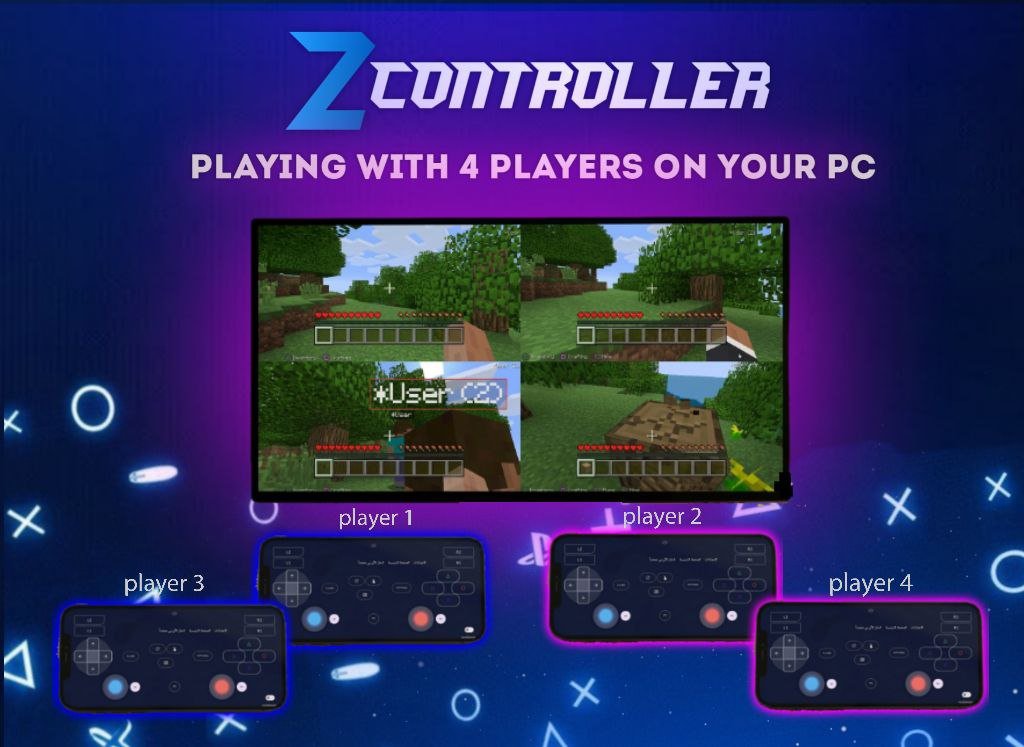
👥 UP TO 4 CONTROLLERS
Connect up to 4 phones simultaneously and use them as separate controllers for local multiplayer gaming.
🛠️ CONNECTION & CONTROL
• USB connection
• Wi-Fi connection
• Bluetooth HID
• Customizable controller layouts
• Gyroscope and motion controls
• Mouse and keyboard controls
• Volume and media controls
• System shortcuts
• Optimized battery and background performance
🔒 ACCESSIBILITY SERVICE & PRIVACY
zController uses Android's Accessibility Service only for the Remote-to-Touch feature. It allows controller inputs from another device to be converted into touch actions and gestures on the controlled Android device.
The Accessibility Service is not used to collect, store, or share personal data or screen content.
You can disable the Accessibility Service at any time through Android system settings.
Turn your phone into the controller you need for PC games, Android devices, Android TV, emulators, and more.
Latest Version
1.5.2Uploaded by
Thae Ko Ko Sint
Requires Android
Category
Free Tools AppContent Rating
Everyone
Security Report
Check Now
Report
Flag as inappropriateLast updated on Aug 20, 2026
One of our most important updates yet! 🔥
• Added Accessibility Service support to Wi-Fi mode, allowing one mobile device to act as a controller for another device, with customizable on-screen buttons for controlling mobile games.
• Minor UI improvements.
• Fixed minor issues with the mobile controller.
• Bug fixes and performance improvements.





APKPure - A multi-platform app store primarily focused on Android, providing extensive app-related content. Discover the app you want easier, faster, and safer, with quick and efficient downloads and installations.