Package Name:com.xr.screenutil
SHA-256:4be24a7923e88ecca5291301c4a9fa8153c96be1ea4344d3a8988e63196615f6
Show More

APP NAME
XR Screen Utility
SHORT DESCRIPTION
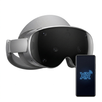
Share Android apps on USB-C XR glasses with 3DOF, 6DOF and local AI 3D.
FULL DESCRIPTION
Bring your Android apps into view on compatible USB-C XR glasses.
XR Screen Utility sends a selected app or your phone screen to an external XR display. Adjust the picture for comfortable viewing, anchor it using the glasses’ built-in motion sensors, or experiment with on-device 2D-to-3D conversion.
CHOOSE WHAT TO DISPLAY
On Android 14 and newer, Android’s secure screen-sharing chooser lets you select one app or the entire phone screen. Earlier supported Android versions provide whole-screen sharing.
Screen sharing only begins after you approve Android’s system capture prompt.
ADJUST YOUR XR VIEW
• Scale the projected picture from 50% to 100% without lowering the capture resolution
• Move a reduced-size picture up, down, left or right
• Quickly return the picture to the center
• Reset the current tracking origin from the app
• Preserve the original aspect ratio of portrait and landscape content
GLASSES-BASED 3DOF TRACKING
Keep the projected screen anchored while you turn or tilt your head. 3DOF tracking uses orientation data from the connected glasses’ built-in MCU and IMU.
The app never substitutes phone motion sensors for glasses tracking. If compatible glasses orientation data is unavailable, 3DOF remains disabled.
OPTIONAL 6DOF POSITION TRACKING
Combine glasses-based orientation with position tracking from the phone’s front camera. Place the phone in a stable position where the camera can see your face, then move naturally to adjust your position relative to the virtual screen.
Camera frames are processed temporarily on the device and are immediately discarded. They are not recorded, saved or uploaded.
OPTIONAL ACCESSIBILITY RECENTER SHORTCUT
XR Screen Utility uses the Android AccessibilityService API only if you choose to enable the device recenter shortcut. When you press Android's Accessibility shortcut button while another app is open, the service resets the connected glasses' 3DOF tracking origin and, if 6DOF is enabled, the phone-camera position origin. The service does not read or collect screen content, typed text, taps, notifications, or accessibility events. It cannot perform gestures or control other apps. This shortcut is off by default, requires separate in-app consent and activation in Android Accessibility settings, and can be disabled at any time. Screen sharing and XR tracking work without it; you can also reset the tracking origin from within the app.
PRIVACY BY DESIGN
Screen and camera processing happens locally on the phone. XR Screen Utility does not require an internet connection and does not upload captured screen content or camera frames.
Protected or DRM-restricted video cannot be captured. Android may display protected content as a black area.
REQUIREMENTS
• Android 10 or newer
• A phone with USB-C DisplayPort Alt Mode
• Compatible USB-C XR glasses or external presentation display
• USB permission for glasses-based tracking
• Camera permission only when optional 6DOF tracking is enabled
TRACKING COMPATIBILITY
Glasses-orientation support is implemented for selected models in these families:
• RayNeo Air
• XREAL Air, Air 2, Air 2 Pro and Air 2 Ultra
• XREAL XBX-A01 and XBX-A01+
• VITURE Gen 1, Gen 2 and Luma Ultra/Carina
Display availability, supported resolutions, refresh rates, USB access and 3D-mode controls depend on the connected glasses and phone.
XR Screen Utility is an independent application and is not affiliated with or endorsed by RayNeo, XREAL or VITURE. Product names are used only to describe compatibility.
Latest Version
1.46Uploaded by
Saikrishna Matamula
Requires Android
Category
Free Tools AppContent Rating
Everyone
Security Report
Check Now
Report
Flag as inappropriateLast updated on Sep 30, 2026
Fix possible crash issue when using 6DOF



APKPure - A multi-platform app store primarily focused on Android, providing extensive app-related content. Discover the app you want easier, faster, and safer, with quick and efficient downloads and installations.