Scan Date:Nov 18, 2025
Show More

XOS Launcher suits users who want a clean Android home screen with quick access to fresh content and simple customization. It replaces the default launcher and adds a content feed so you can check what is new without opening multiple apps. At the same time, it offers easy tools to refresh the look of your phone. Because it is built with daily use in mind, it keeps key actions close at hand. If you prefer an APK install, you can get the XOS Launcher APK as well.
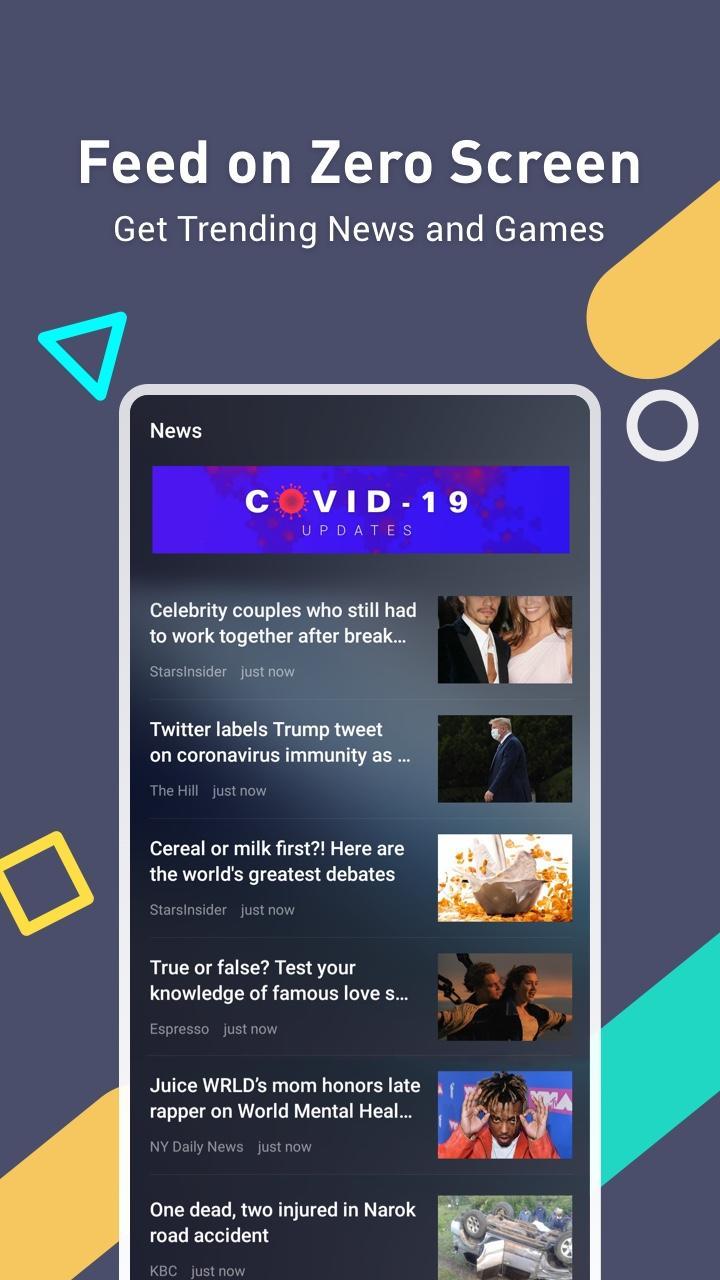
Zero Screen feed
XOS Launcher places a feed on your leftmost screen for quick updates. Swipe right on the home screen to see trending news and games at a glance. You can tap any card to open the full item. This keeps quick checks simple while you move on to other tasks.
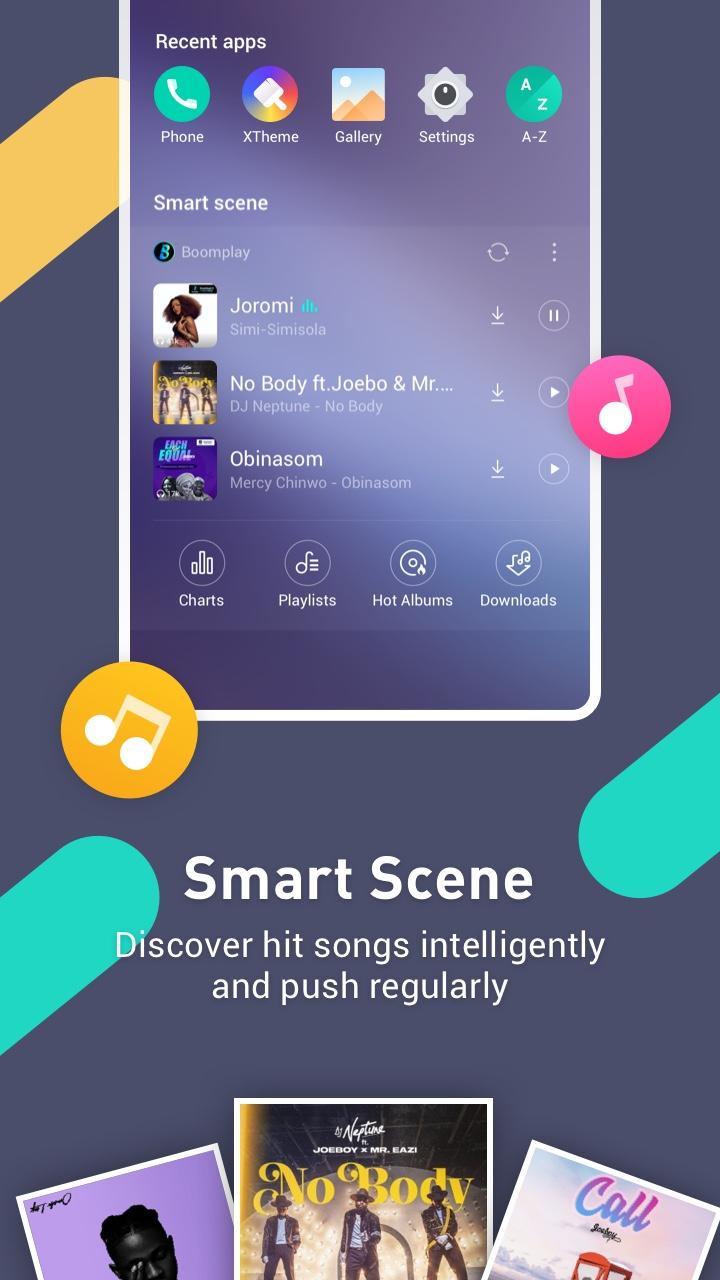
Smart Scene music tips
Smart Scene provides context-aware song recommendations that refresh regularly. It suggests hit tracks based on your usage patterns and timing so you can discover music without searching. You can dismiss suggestions you do not want and keep the panel focused on what matters to you.
Discovery hub for wallpapers and games
Open Discovery to browse featured wallpapers and top games selected for the day. The picks update over time, which helps you find something new when you want a change. Apply a wallpaper or open a game detail with one tap. This keeps exploration light and direct.
Personalization and One Click Font Preview
XOS Launcher lets you change themes and wallpapers to match your style. Use One Click Font Preview to try a new typeface before applying it, so you see how text looks across the launcher first. The interface follows the Infinix XOS look and feel, giving a consistent visual experience across screens.
App Freezer to reduce clutter
Use App Freezer to temporarily freeze seldom used apps so they do not appear in daily views. This helps clean up your app list and reduces distractions while you navigate. When you need a frozen app again, unfreeze it and use it as normal. Nothing is uninstalled during freezing.
XOS Launcher is developed by Transsion, the company behind the Infinix XOS experience. It brings that familiar design language to a wide range of Android phones. The app contains ads that may appear in feeds or suggested content. Based on long-term adoption reports, it has reached 500M plus downloads with a steady rating around 4.2, which indicates broad usage over time.
The launcher contains ads and sponsored suggestions in areas like Zero Screen and Discovery. Data practices may include sharing app information and device identifiers, and collecting location or personal information to support content, recommendations, and advertising. Exact behavior can vary by region and app version. You can review Android permissions and adjust them in your device settings at any time.
Some users report intrusive notifications or ads, and a few note recent stability concerns. If you prefer fewer prompts, consider turning off nonessential notification categories in the launcher settings. For issues that persist, contacting support with device details and steps to reproduce can help the team investigate and provide fixes.
Getting started is quick and follows the same flow as most Android launchers. To begin, set it as your default and then explore the feed panels and customization tools. If you use the XOS Launcher latest version, the steps below apply in the same way.
XOS Launcher focuses on a clean home screen, quick discovery, and simple personalization with an Infinix-inspired look. If you want a launcher that adds a content feed and easy styling tools, download XOS Launcher to try it on your device.
For official information and support, use the links below.
Latest Version
15.6.2.053Uploaded by
Transsion Holdings
Requires Android
Category
Free Personalization AppContent Rating
Everyone
Security Report
Report
Flag as inappropriateLast updated on Dec 24, 2025
Minor bug fixes and improvements. Install or update to the newest version to check it out!



APKPure - A multi-platform app store primarily focused on Android, providing extensive app-related content. Discover the app you want easier, faster, and safer, with quick and efficient downloads and installations.