Win7 Simu suits users who miss the familiar desktop feel and want a simple way to explore it on a phone. It presents a clear interface that is easy to navigate with touch, so you can move across a desktop, open menus, and interact with windows. The focus is on nostalgia and light interaction rather than heavy tasks, which keeps usage straightforward. Because it runs locally, you can enjoy it anywhere without extra steps. Users who prefer a direct install can look for the Win7 Simu APK when ready.
Win7 Simu features
Authentic desktop experience
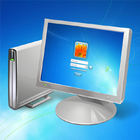
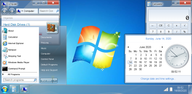
Win7 Simu recreates familiar elements from classic Windows systems, including a boot animation, a login screen, a desktop, a taskbar, and a Start style menu. You can open the menu, launch items, and switch between simulated apps on the taskbar. Window frames, icons, and interface cues are crafted to feel familiar. As a result, the layout is easy to understand at a glance.
Functional classic programs
Inside the simulation, you can open classic tools such as Calculator, Notepad, WordPad, Internet Explorer, Media Player, and the Snipping Tool. Each program offers real simulated functions that match its original role, so you can type notes, perform quick math, browse within the simulation, play media, or capture a selection on screen. The apps open in their own windows and follow expected controls. This consistency helps you move between tasks without learning new rules.
Themes and customization
Win7 Simu includes built in themes inspired by Windows 2000, Vista, Windows 10, and Windows 11. You can switch the look to match your preference and keep the desktop fresh. The Theme Studio lets you create your own style with colors and elements that fit your taste. In turn, your desktop can look classic or modern, and you can change it again later with a few taps.
Touch first and offline use
The entire simulation is built for touch, so taps and gestures feel natural on a phone or tablet. Buttons, menus, and window controls are sized for comfortable use. Once installed, you can use Win7 Simu offline for casual sessions at any time. This makes short breaks and travel moments a good time to explore the desktop and open a few tools.
Privacy and simulator scope
Win7 Simu is designed as a simulator for entertainment and education. It cannot run actual Windows programs or real executables, and it does not replace a desktop operating system. According to the developer, no data is collected or shared, and data is encrypted in transit. Users can also request deletion of their data if needed. These points help set clear expectations before you begin.
How to use Win7 Simu on Android
This quick guide outlines the basic flow from first launch to simple customization. It covers opening simulated tools and adjusting the look so you can get comfortable right away. If you plan to download Win7 Simu, review these steps to save time.
- Install and open the app, then wait for the boot animation to finish. When the login screen appears, follow the prompt to reach the desktop.
- On the desktop, tap the Start style button to open the menu. Browse the list and choose a program to launch.
- Open classic tools such as Notepad or Calculator to try basic tasks. Use the taskbar to switch between open windows as you work.
- To change the look, open settings or Theme Studio inside the simulation. Pick a preset theme or create a new one, then apply it.
- For quick captures, open the Snipping Tool and follow the on screen steps. When finished, close windows from their title bar or exit the app from the desktop.
Get started with Win7 Simu
Win7 Simu offers a familiar desktop style on Android with simulated tools and flexible themes. For the Win7 Simu latest version, follow the install steps and explore at your own pace.
For official support and information, use the links below.