Scan Date:May 16, 2026
Show More
PERMISSION
• ACCESSIBILITY_SERVICE to display overlay window for lock screen also used to provide accessibility function like lock screen, take screen shot and show power menu of mobile.
• READ_NOTIFICATION read notification to show media control or notifications on lock screen.
• Bluetooth permission for earbuds and air-pods
This is Lock Screen is for Android 7.0+ and up. Win 11 Style Lock Screen is a free Personalization app. It's easy to download and install to your mobile phone.
If you want to know more about win 12 Style Lock Screen then you may visit Silky apps studio Launchers and Themes support center for more information
If any apk download infringes your copyright, please contact us. win 12 Style Lock Screen is the property and trademark from the developer Silky apps studio Launchers and Themes.
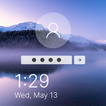
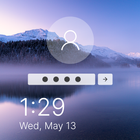
🔑 win 12 Style is a highly customization lock screen with a number of ways to give control information you want on your lock screen. Starting off, there are four main things you get to control, Notifications.⏱
🌈 It gives you the option to light up the screen when you get a message from apps as well as which apps you get notifications from.
📮 Within Lock screen you can select different types of lock screen unlocks like slide to unlock, unlock sound and more.
The application is an excellent with wallpapers. It is beautiful, safe and custom.📔
🌏 Lock screen Feature 🌏
💧 A lot of beautiful wallpaper
💧 Slide to easily unlock your phone with subtle animations and sounds.
💧 Set Pin or Password via Keypad Lock Screen to Enhance Security Lock your Phone.
💧 Supports custom slide text, you can use your name or other words to personalize your Lock screen.
Latest Version
2.0Uploaded by
Shakhzod Khakberdiev
Requires Android
Category
Free Personalization AppContent Rating
Everyone
Security Report
Report
Flag as inappropriateLast updated on May 16, 2026
- More Apps Link updates




APKPure - A multi-platform app store primarily focused on Android, providing extensive app-related content. Discover the app you want easier, faster, and safer, with quick and efficient downloads and installations.