Scan Date:Jan 27, 2026
Show More
The computer Software available on
https://beappsmobile.com
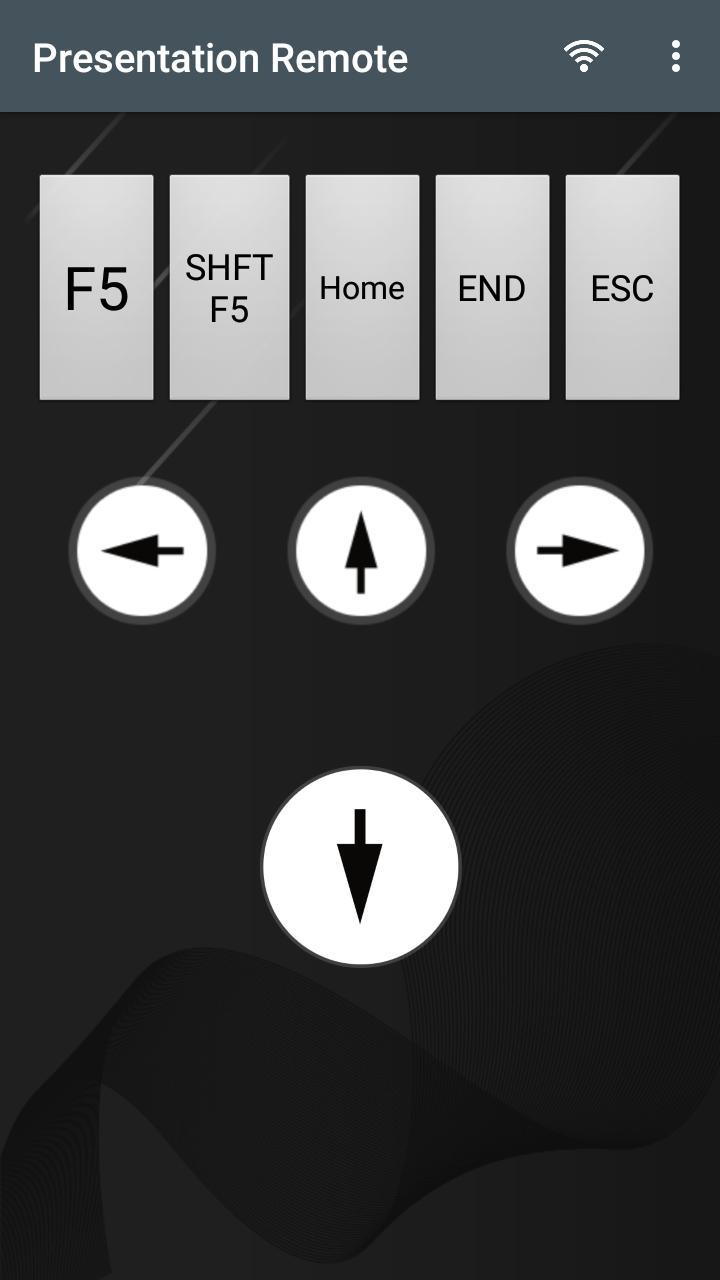
You can connect using WiFi to your computer and control slides with easy buttons.
F5 = Full Screen - Start Presentation from the beginning
Shift + F5 = Full Screen - Start Presentation from the Current Slide
Home = First Slide
End = Last Slide
ESC = close full screen presentation
Arrow Down
Arrow up
Arrow left
Arrow right
Volume Buttons Up-Down control slides
Latest Version
16.0Uploaded by
นิ๊'นิวว สยิ๋วกี๊วว
Requires Android
Android 5.0+
Category
Free Tools AppContent Rating
Everyone
Security Report
Report
Flag as inappropriateLast updated on Jul 23, 2025
Minor bug fixes and improvements. Install or update to the newest version to check it out!




APKPure - A multi-platform app store primarily focused on Android, providing extensive app-related content. Discover the app you want easier, faster, and safer, with quick and efficient downloads and installations.