
WeCatch helps trainers spot spawns, raids, and key locations when planning play sessions in busy or new areas. It gathers live crowdsourced reports and shows them on a simple map so you can decide where to go next. Additionally, it supports quick coordination with nearby players by displaying activity as it appears. To get started, search your area, adjust basic preferences, and explore the coverage in your region. Many users look for WeCatch APK to install on Android devices.
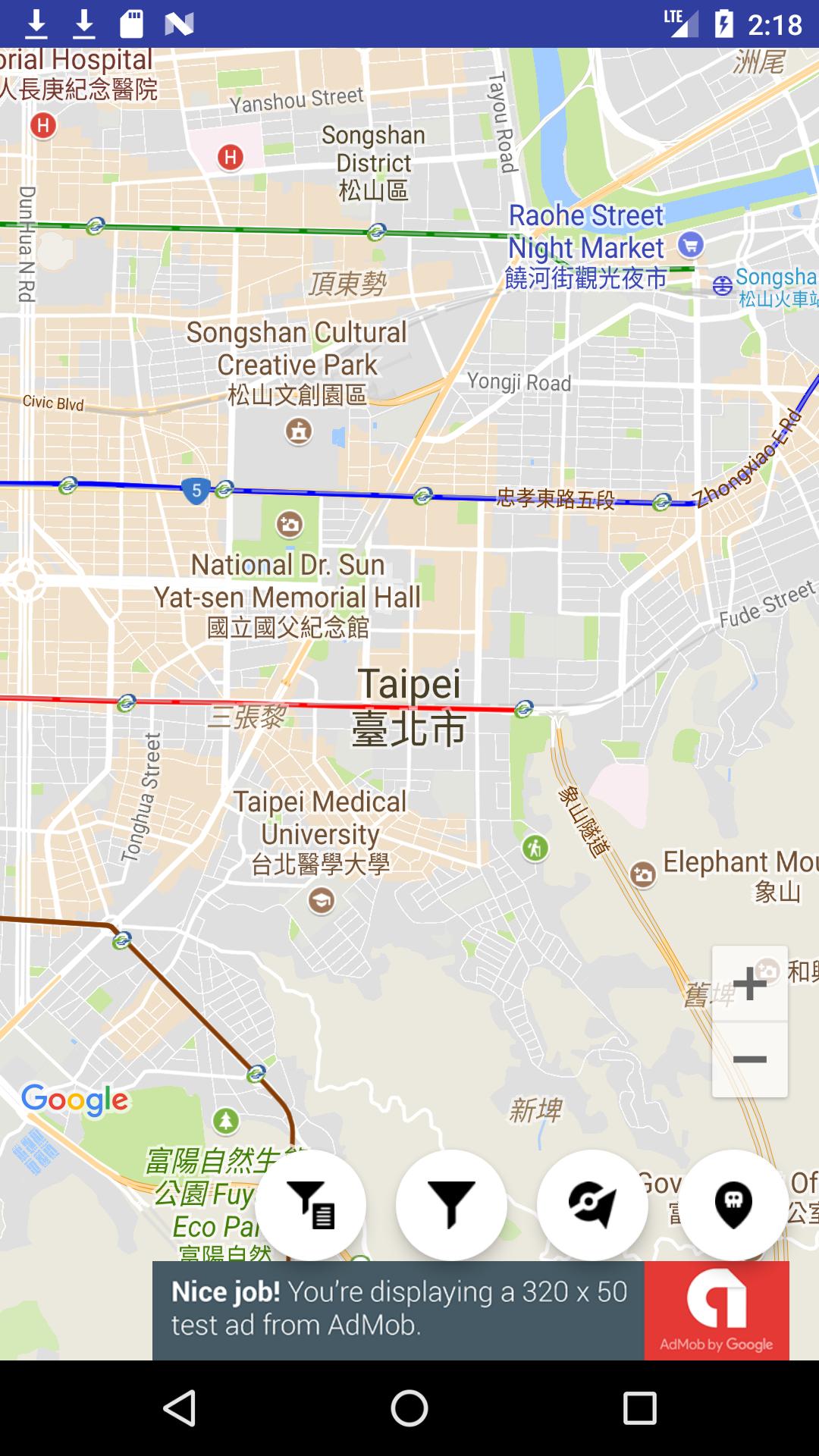
WeCatch provides a live map to discover Pokémon, Gyms, Raids, and PokéStops worldwide. You can apply filters to focus on specific targets or forms and reduce noise. The WeCatch Radar & Map view keeps the interface clear so scanning large areas feels manageable. You can use WeCatch for Android to scan activity while moving between locations.
Smart alerts for rare findsAfter you log in, WeCatch can send push notifications for rare Pokémon based on your filter preferences. Set alert rules, choose species or rarity, and allow notifications to stay informed without constant map checking. As a reminder, alerts work only when filters are configured and notification permission is granted.
Nearby tracking to plan fasterWeCatch highlights nearby rare spawns and active raids so you can plan the next move quickly. The app sorts distance and relevance, helping you pick a target and route with fewer taps. This makes short play windows feel more productive when time is limited.
Event-ready searches and detailsWeCatch supports EX eligible raids, Team Rocket activity, Mega raids and quests, weather and park searches, and Gym or PokéStop images. You can scan event related content during special windows and view extra details without switching tools. In addition, forms are indicated where available to avoid confusion while planning.
Community reporting and usability optionsShare sightings with friends and submit reports to improve coverage and accuracy across your city. Collective input helps fill gaps and keeps the map current during busy hours. For readability, WeCatch includes Dark Mode and multilanguage support so you can use the app comfortably in different regions.
WeCatch is not affiliated with Pokémon GO, Niantic, Nintendo, or The Pokémon Company. It is a third party helper that visualizes community reports to assist planning. Names and trademarks belong to their respective owners. Version names such as WeCatch 4.4.5 APK refer to specific Android releases and may vary by region.
Map results come from user reports, so accuracy and coverage vary by location and time. Densely populated areas often show more activity, while quiet regions may have limited data. To improve results, contribute sightings when you play and encourage friends to report as well.
For core functions, the app may collect usage data, precise location, and email, and it may use third party advertising according to its privacy disclosure. Third party radar tools can carry account risk under Pokémon GO terms, so use the app responsibly and understand potential consequences. Before starting a WeCatch app download, consider these points and choose settings that match your comfort level.
This quick guide covers setup so you can start mapping nearby activity. If you plan to download WeCatch, follow these steps to enable filters and alerts.
WeCatch offers a live radar, flexible filters, and community reports to plan play efficiently. To stay current on Android, check the WeCatch latest version when installing.
Latest Version
4.4.5Uploaded by
Daydreamer0930
Requires Android
Android 5.0+
Category
Free Tools AppContent Rating
Everyone
Report
Flag as inappropriateLast updated on Dec 10, 2024
This release includes minor bug fixes and general improvements. Update to the latest version for the best experience.

APKPure - A multi-platform app store primarily focused on Android, providing extensive app-related content. Discover the app you want easier, faster, and safer, with quick and efficient downloads and installations.